C# Double to Int Conversion: Casting and Rounding
Choose the right C# double-to-int conversion method. Direct casting truncates, Convert.ToInt32 rounds half-to-even, and Math methods give explicit control, including overflow handling.
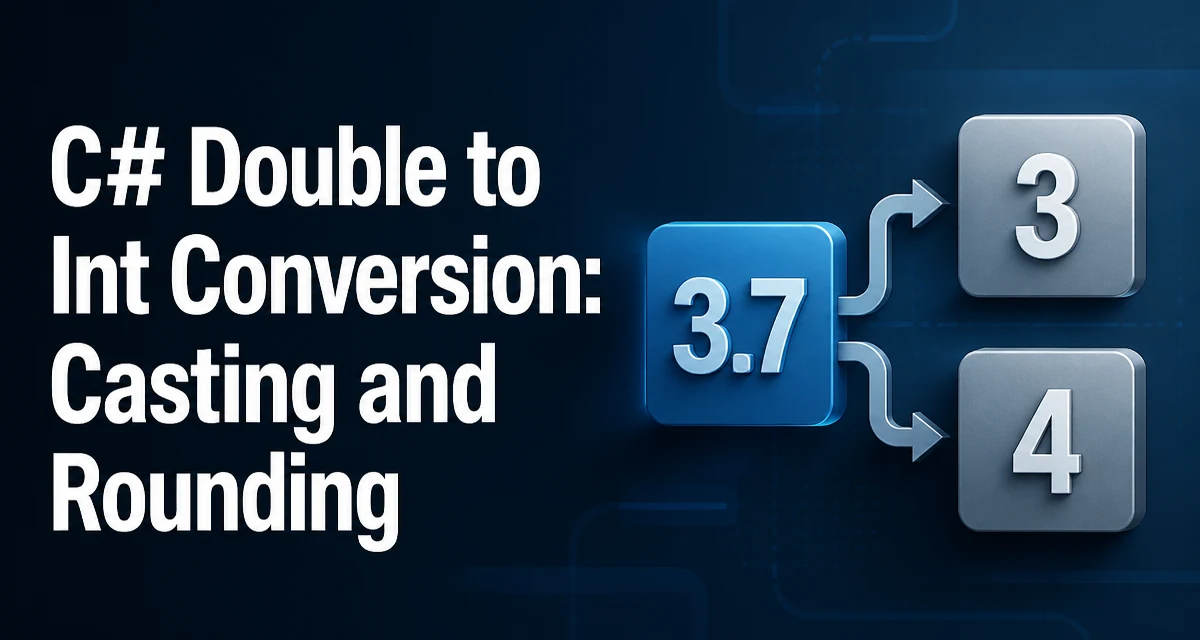
When you need to convert a double to an int in C#, the choice of method determines how the fractional part is handled, whether overflow throws, and how readable the intent is. This article covers the common approaches: the direct cast, Convert.ToInt32, and the Math rounding methods, along with the edge cases that affect production code.
The Direct Cast: Truncation by Default
The simplest way to convert a double to an int is to use a cast: (int)doubleValue. This operation truncates the value toward zero, meaning it discards the fractional part without rounding. For example:
double d = 3.7;
int i = (int)d; // i == 3
The cast works for negative numbers as well: (int)-3.7 yields -3, not -4. This behavior is consistent with the C# specification for floating-point to integral conversions. The cast is performed in an unchecked context by default, so if the value is outside the range of int (less than int.MinValue or greater than int.MaxValue), the result is unspecified and may wrap around without throwing an exception. We'll look at checked contexts later.
Convert.ToInt32: Banker's Rounding
The Convert.ToInt32(double) method takes a different approach: it rounds the value to the nearest integer, using banker's rounding (also known as round-half-to-even). This means that midpoint values like 2.5 and 3.5 round to the nearest even integer: 2 and 4, respectively.
double a = 2.5;
double b = 3.5;
int x = Convert.ToInt32(a); // x == 2
int y = Convert.ToInt32(b); // y == 4
This behavior differs from the common round-half-up approach taught in schools, so it can surprise developers who expect 3.5 to become 4. If you need midpoint rounding away from zero, use Math.Round with an explicit MidpointRounding option, as shown in the next section.
Convert.ToInt32 also throws an OverflowException if the input is outside the int range or is NaN or infinite, which is safer than the unchecked cast.
Math.Round, Math.Floor, Math.Ceiling: Explicit Control
When you need precise control over rounding direction, the Math class provides dedicated methods. Math.Round rounds to the nearest integer, with a MidpointRounding parameter to select the midpoint strategy:
double d = 3.5;
int roundAway = (int)Math.Round(d, MidpointRounding.AwayFromZero); // 4
int roundEven = (int)Math.Round(d, MidpointRounding.ToEven);       // 4; for 2.5, ToEven would produce 2
Math.Floor always rounds down (toward negative infinity), and Math.Ceiling always rounds up (toward positive infinity):
double d = 3.7;
int floor = (int)Math.Floor(d);   // 3
int ceil  = (int)Math.Ceiling(d); // 4
These methods return double or decimal, so you still need a cast to int if you require an integral type. Because the result has no fractional part, the cast's truncation does not change it; however, if the value is outside the int range, the cast is still subject to the same overflow behavior as any other double-to-int cast.
Handling Overflow and Checked Contexts
The direct cast in C# is unchecked by default unless your project enables checked arithmetic. If the double value is too large or too small for an int, the cast produces an unspecified result, often wrapping around to an arbitrary value. To force an overflow check, wrap the conversion in a checked block:
double huge = 1e10;
try
{
    int i = checked((int)huge); // throws OverflowException
}
catch (OverflowException)
{
    // handle overflow
}
Convert.ToInt32 always performs a range check and throws OverflowException if the value is out of range or is NaN or infinite. This makes it a better choice when you cannot guarantee that the input is within the int bounds. Note that Math.Round, Math.Floor, and Math.Ceiling do not perform overflow checks on the result; they return a double that you then cast, so the cast is subject to the same unchecked behavior unless you use checked.
Precision and Edge Cases: NaN, Infinity, and Large Values
Floating-point numbers have special values that do not map to integers. double.NaN (Not a Number) and double.PositiveInfinity/double.NegativeInfinity cannot be converted to an int in a meaningful way. The direct cast of NaN in an unchecked context yields an unspecified value, while Convert.ToInt32 throws an OverflowException. For robust code, check for these values before conversion:
if (double.IsNaN(d) || double.IsInfinity(d))
{
    // handle invalid input
}
Large double values can also be far outside the int range. A double can represent values up to about 1.8e308, but int only goes up to 2,147,483,647. A double has a 53-bit significand, so it represents all integers up to 2^53 exactly, which includes every possible int value. The precision risk is therefore not about the destination range: a computed double near an integer boundary can be slightly above or below the mathematical value because of rounding in floating-point arithmetic. Casting that value to int truncates to the neighboring integer. This is not a bug in the conversion; it is an inherent property of binary floating-point arithmetic.
Performance and Maintainability Considerations
The direct cast avoids method-call and range-check overhead, while Convert.ToInt32 adds those checks. Math.Round and the other Math methods involve more complex logic, especially when a MidpointRounding option is specified. For most applications, the performance difference is negligible, but in a tight loop that converts millions of values, measuring the difference is worthwhile.
Maintainability matters more in practice. The cast (int)d silently truncates, which may not be the intent. Convert.ToInt32 clearly signals rounding to the nearest even integer. Math.Floor and Math.Ceiling make the rounding direction explicit. Choose the method that best communicates the behavior you want, so future maintainers do not have to guess.
Choosing the Right Conversion for Your Scenario
The table below summarizes the key differences:
| Method | Rounding Behavior | Overflow Behavior | Best Use Case |
|---|---|---|---|
(int)d | Truncates toward zero | Unchecked (undefined) | Fast truncation when range is known |
Convert.ToInt32(d) | Round half to even | Throws OverflowException | Safe rounding with range validation |
(int)Math.Round(d, mode) | Configurable midpoint | Unchecked (cast) | Explicit rounding strategy |
(int)Math.Floor(d) | Rounds down | Unchecked (cast) | Always round toward negative infinity |
(int)Math.Ceiling(d) | Rounds up | Unchecked (cast) | Always round toward positive infinity |
Use the direct cast when you explicitly want truncation and you are certain the value fits in an int. Use Convert.ToInt32 when you need rounding to the nearest even integer and want overflow protection. Use Math.Round with a MidpointRounding argument when you need a specific midpoint rule, such as AwayFromZero for typical rounding. Use Math.Floor or Math.Ceiling when the direction of rounding is part of the business logic, such as calculating page counts or grid positions.