How to Use LINQ Aggregate in C#
Learn how to use the LINQ Aggregate method in C# for custom reductions, including seed values, string concatenation, and performance considerations.
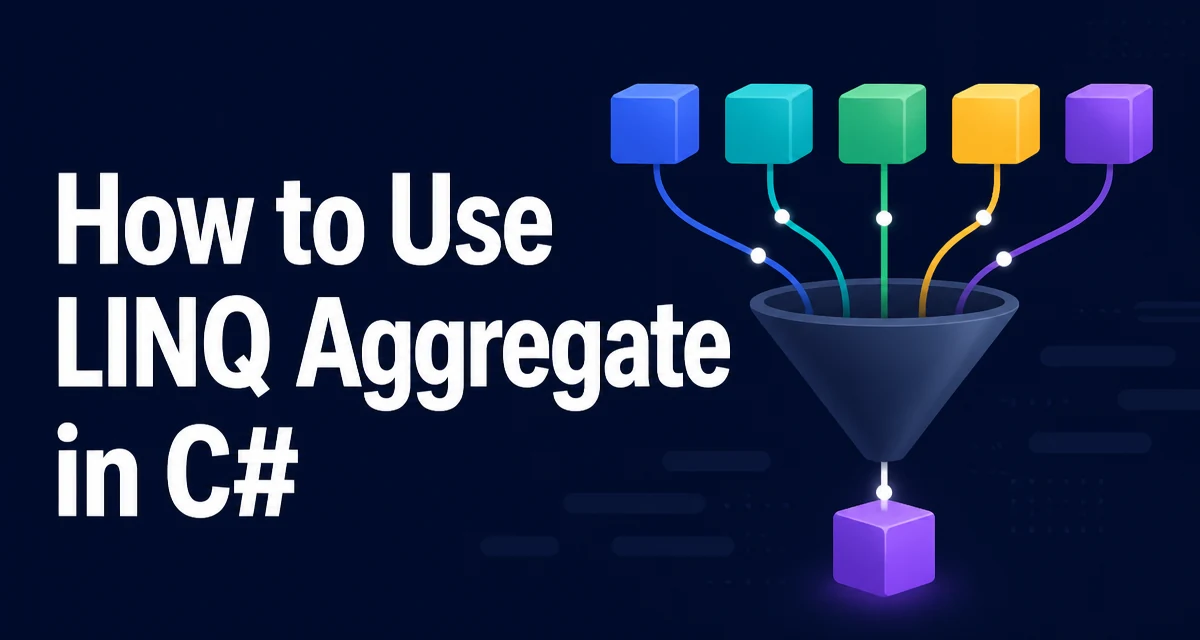
The LINQ Aggregate method in C# is a powerful tool for reducing a sequence to a single value. It applies an accumulator function over each element, giving you full control over the reduction logic. This article explains the core syntax, overloads, practical examples, and common pitfalls.
How Aggregate Reduces a Sequence
The LINQ Aggregate method in C# applies an accumulator function over each element of a sequence, producing a single result. It is part of the System.Linq namespace and works with any IEnumerable<T>. The simplest overload takes a function that receives the current accumulated value and the next element, returning the new accumulated value. For example, summing a list of integers:
int[] numbers = { 1, 2, 3, 4 };
int sum = numbers.Aggregate((acc, n) => acc + n);
// sum = 10
Here, acc starts as the first element (1), then n takes the second element (2), and the function returns 3. That becomes the new acc for the next element, and so on. The result is the final accumulated value.
This pattern is useful when the reduction logic is more complex than a simple sum, such as computing a product, concatenating strings, or building a custom data structure.
The Role of the Seed Value
The overload without a seed uses the first element as the initial accumulator. That means the function is not called for the first element; it starts with the second. If you need to control the initial value, use the overload that accepts a seed:
int[] numbers = { 1, 2, 3, 4 };
int product = numbers.Aggregate(1, (acc, n) => acc * n);
// product = 24
The seed 1 is the starting accumulator, and the function is applied to every element. This is essential when the sequence might be empty, because the no-seed overload throws InvalidOperationException on an empty sequence. With a seed, an empty sequence returns the seed itself.
The seed also lets you choose a different accumulator type. For instance, you can accumulate into a StringBuilder:
string[] words = { "apple", "banana", "cherry" };
string result = words.Aggregate(new StringBuilder(), (sb, w) => sb.Append(w).Append(", ")).ToString();
Here, the seed is a StringBuilder, and the accumulator function appends each word. This avoids repeated string allocations, which is important for large collections.
Practical Examples: String Concatenation and Factorial
A common use of Aggregate is to build a string from a sequence. The direct approach with string.Concat or string.Join is often simpler, but Aggregate gives you full control over formatting. For example, to create a comma-separated list without a trailing delimiter:
string[] items = { "red", "green", "blue" };
string csv = items.Aggregate((acc, item) => acc + ", " + item);
// csv = "red, green, blue"
Note that this uses string concatenation inside the loop, which is inefficient for large sequences. A better approach is to use a StringBuilder as the accumulator, as shown earlier.
Another classic example is computing a factorial:
int factorial = Enumerable.Range(1, 5).Aggregate(1, (acc, n) => acc * n);
// factorial = 120
Using 1 as the seed makes the multiplicative identity explicit. In this particular range, the no-seed overload would also return 120 because the first element is 1, but the seed form is useful when a sequence might be empty or when you want the starting accumulator to be explicit rather than derived from the first element.
Handling Empty Sequences and Null Values
The no-seed overload throws InvalidOperationException when the sequence is empty. If you cannot guarantee a non-empty sequence, use the seed overload. For example:
int[] empty = { };
int result = empty.Aggregate(0, (acc, n) => acc + n);
// result = 0
This is a safe way to reduce an empty collection. When the accumulator function receives null values, the behavior depends on your function. If you are concatenating strings and the sequence contains null, you need to handle that explicitly:
string[] names = { "Alice", null, "Bob" };
string combined = names.Aggregate(new StringBuilder(), (sb, n) => sb.Append(n ?? "")).ToString();
The ?? operator ensures null does not cause an exception. Always consider how your accumulator function treats null elements, especially when the sequence comes from a database or external source.
Aggregate vs Other LINQ Methods
LINQ provides several reduction methods, and choosing the right one keeps code clear. Sum, Count, Min, Max, and Average are specialized for common numeric operations. Aggregate is a general-purpose reduction that can do anything those methods do, but it is less expressive. For example, numbers.Sum() is clearer than numbers.Aggregate((a, b) => a + b). Use the specialized methods when they fit, and reserve Aggregate for logic that does not have a built-in operator.
Select is not a reduction; it transforms each element without changing the sequence length. Aggregate collapses the sequence to a single value. The distinction matters when you are designing a pipeline: Select maps, Aggregate reduces.
| Method | Purpose | Example |
|---|---|---|
Sum | Sum numeric values | numbers.Sum() |
Count | Count elements | numbers.Count() |
Min | Find minimum | numbers.Min() |
Max | Find maximum | numbers.Max() |
Average | Compute arithmetic mean | numbers.Average() |
Aggregate | General reduction with custom logic | numbers.Aggregate(1, (a,b) => a*b) |
Performance and Memory Considerations
Aggregate is a linear-time operation: it visits each element exactly once. The main performance concern is the cost of the accumulator function itself. If you use string concatenation (+) inside the accumulator, you create a new string for every element, which can lead to quadratic time and allocation overhead for large sequences. Using a StringBuilder as the accumulator reduces that to O(n).
Similarly, if you accumulate into a list by calling List<T>.Add, you may trigger multiple array resizes. Pre-sizing the list or using a LinkedList might be better, depending on the scenario. The seed value can be a mutable object; if the accumulator function mutates the seed and returns it, the same instance is reused through the reduction in LINQ to Objects. This is intentional in LINQ to Objects, but the behavior can differ if you use PLINQ's parallel overloads. Aggregate is not parallelized by default; if you combine it with AsParallel(), the ParallelEnumerable.Aggregate overloads have different semantics because the input can be processed in partitions. Consult the current .NET documentation for the exact signatures and make sure your accumulator function is safe for parallel execution.
For most real-world collections, the overhead of Aggregate is negligible compared to the work inside the function. Measure before optimizing, and prefer readability first.
When to Use Aggregate and When to Use a Loop
Aggregate is a functional alternative to a foreach loop with an accumulator variable. It can make code more concise and less error-prone by removing mutable state outside the loop. However, a loop is often clearer when the reduction logic is long or involves multiple statements. For example, if you need to break early or handle exceptions in the middle of the iteration, a loop gives you more control.
Consider using Aggregate when:
- The reduction is a single expression.
- The accumulator function is short and well-named.
- You want to avoid mutable variables in an otherwise functional codebase.
Use a loop when:
- The logic requires multiple steps or conditionals.
- You need to exit early based on a condition.
- The accumulator type is complex and the function would become unreadable.
There is no universal rule; both approaches are valid. The key is to keep the intent clear. If Aggregate makes the code harder to follow, a loop is the better choice.