C# Task.WhenAll: Awaiting Multiple Tasks
Use C# Task.WhenAll to await multiple independent asynchronous operations, collect their results, observe exceptions, and control concurrency.
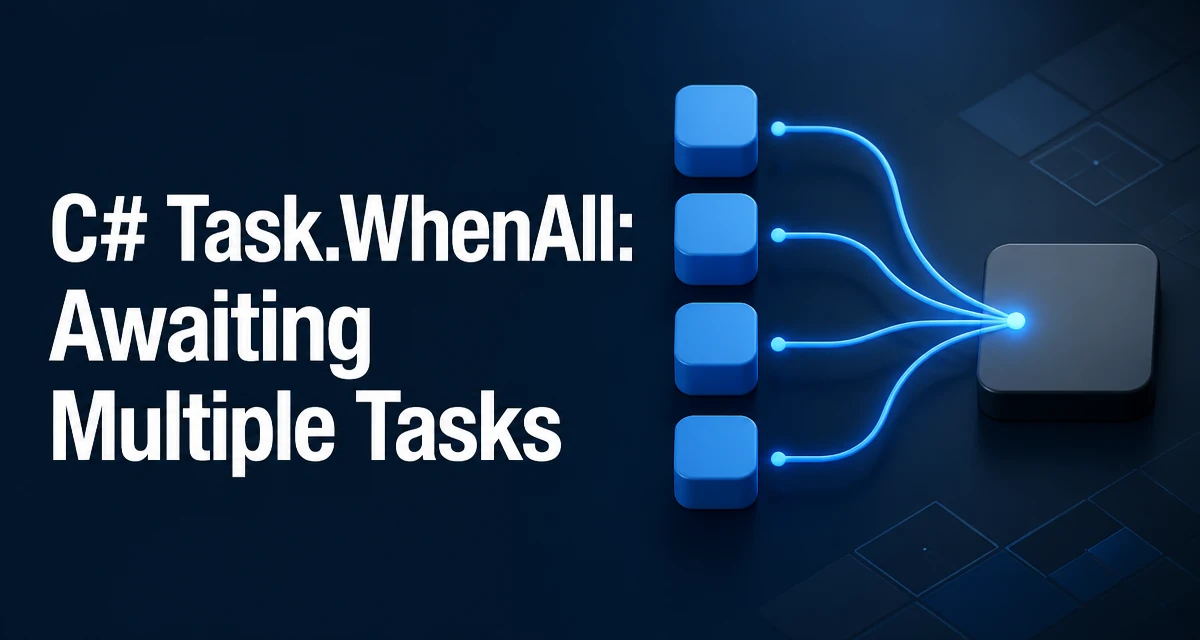
When you need to start several asynchronous operations and wait for all of them to finish before continuing, Task.WhenAll is the standard tool in C#. It accepts a collection of Task objects and returns a single Task that completes when every input task has completed. This is different from awaiting each task sequentially, because the operations are started at the same time and run concurrently.
Basic Usage of Task.WhenAll
The simplest form of Task.WhenAll takes a set of Task objects and returns a Task that completes when all of them finish. The tasks you pass should already be started; WhenAll does not call Start on them. For example:
Task task1 = DoWorkAsync();
Task task2 = DoWorkAsync();
await Task.WhenAll(task1, task2);
Here, DoWorkAsync is called twice, and both operations begin immediately. The await suspends the current method until both tasks complete, but the operations themselves run concurrently. If you instead wrote await task1; await task2;, the second operation would not start until the first one finished, which defeats the purpose of concurrent execution.
Getting Results from Task.WhenAll
When the tasks return values, use the generic overload Task.WhenAll<TResult>, which returns a Task<TResult[]>. The resulting array contains the results in the same order as the input tasks, regardless of when each task actually completes.
Task<int> task1 = GetNumberAsync();
Task<int> task2 = GetNumberAsync();
int[] results = await Task.WhenAll(task1, task2);
Console.WriteLine($"Sum: {results[0] + results[1]}");
This is particularly useful when you need to aggregate data from multiple independent sources, such as calling several web APIs or reading multiple files. The array ordering matches the order of the tasks you passed in, so you can reliably map results back to their originating requests.
How Exceptions Are Propagated
If any of the tasks passed to Task.WhenAll faults, the returned task also faults. The exception is an AggregateException that contains all the exceptions from the individual tasks. When you await that faulted task, only the first exception is rethrown, which can hide additional failures.
To observe all exceptions, keep a reference to the WhenAll task and inspect its Exception property after it faults:
var allTasks = Task.WhenAll(task1, task2);

try
{
    await allTasks;
}
catch (Exception ex)
{
    if (allTasks.Exception is AggregateException aggregate)
    {
        foreach (var inner in aggregate.InnerExceptions)
        {
            Console.WriteLine(inner.Message);
        }
    }
    else
    {
        Console.WriteLine(ex.Message);
    }
}
If any task is canceled and none faulted, the returned task transitions to the canceled state, and awaiting it throws TaskCanceledException.
Performance and Concurrency Considerations
Task.WhenAll itself does not limit concurrency. If you start 1000 tasks at once, all 1000 operations are launched, which can exhaust the thread pool or overwhelm external resources like a database or a remote service. The method only waits; it does not throttle. For controlled parallelism, combine WhenAll with a SemaphoreSlim to limit how many tasks run at any given time.
var semaphore = new SemaphoreSlim(10);
var tasks = urls.Select(async url =>
{
    await semaphore.WaitAsync();
    try
    {
        return await DownloadAsync(url);
    }
    finally
    {
        semaphore.Release();
    }
});
var results = await Task.WhenAll(tasks);
This pattern keeps the number of concurrent downloads at ten while still allowing all URLs to be processed in one batch. Without such throttling, you risk thread pool starvation or timeouts in downstream services.
Comparing Task.WhenAll with Sequential Await and Task.WaitAll
Sequential await is simple but serializes execution. Task.WhenAll is asynchronous and non-blocking, ideal for UI or server contexts. Task.WaitAll blocks the calling thread, which can cause deadlocks in UI or ASP.NET contexts if not used carefully.
| Approach | Execution | Blocking | Best Use Case |
|---|---|---|---|
| Sequential await | One at a time | No | Dependent operations |
| Task.WhenAll | Concurrent | No | Independent operations, async context |
| Task.WaitAll | Concurrent | Yes | Console apps, no async context needed |
Use Task.WhenAll whenever you are already in an async method and the operations are independent. Reserve Task.WaitAll for scenarios where you cannot use await, such as a Main method in older C# versions or when you must block deliberately.
Cancellation with Task.WhenAll
Task.WhenAll does not have a CancellationToken overload. To cancel the combined operation, pass a token to each individual task and let those tasks observe it.
using var cts = new CancellationTokenSource();
cts.CancelAfter(TimeSpan.FromSeconds(5));

try
{
    Task<string> download1 = DownloadAsync(url1, cts.Token);
    Task<string> download2 = DownloadAsync(url2, cts.Token);
    string[] results = await Task.WhenAll(download1, download2);
}
catch (OperationCanceledException)
{
    Console.WriteLine("Operation timed out.");
}
When a task is canceled, WhenAll will produce a canceled task only if no input task faulted. The token passed to each operation must cause that operation to throw OperationCanceledException; otherwise the task continues running even though you no longer await it.
Common Pitfalls and Edge Cases
One frequent mistake is awaiting each task inside a loop, which turns parallel execution into sequential execution:
// Correct: start all tasks, then wait for all.
var tasks = new List<Task<string>>();
foreach (var url in urls)
{
    tasks.Add(DownloadAsync(url));
}
await Task.WhenAll(tasks);

// Incorrect: waits for each download before starting the next.
foreach (var url in urls)
{
    await DownloadAsync(url);
}
Another edge case is an empty collection. Task.WhenAll with no tasks returns an already completed task, so await Task.WhenAll(Array.Empty<Task>()) succeeds immediately. This is useful when a list of operations is conditionally empty.
If you mix faulted and canceled tasks, the faulted state takes precedence. The returned task faults if any task faults, even if others are canceled. Only when no task faults and at least one is canceled does the returned task become canceled. Understanding this precedence helps you write predictable error handling.
Finally, be aware that Task.WhenAll does not guarantee that all tasks start at the exact same moment. It simply waits for all of them. The actual concurrency depends on the scheduler and the nature of the operations. For CPU-bound work, consider Parallel.ForEachAsync or Task.Run with a bounded degree of parallelism, but for I/O-bound work, Task.WhenAll is usually the right choice.