Java Array of Objects: Declaration and Usage
Learn how to declare, populate, iterate, and manage arrays of objects in Java, including null handling, memory behavior, and when to prefer ArrayList.
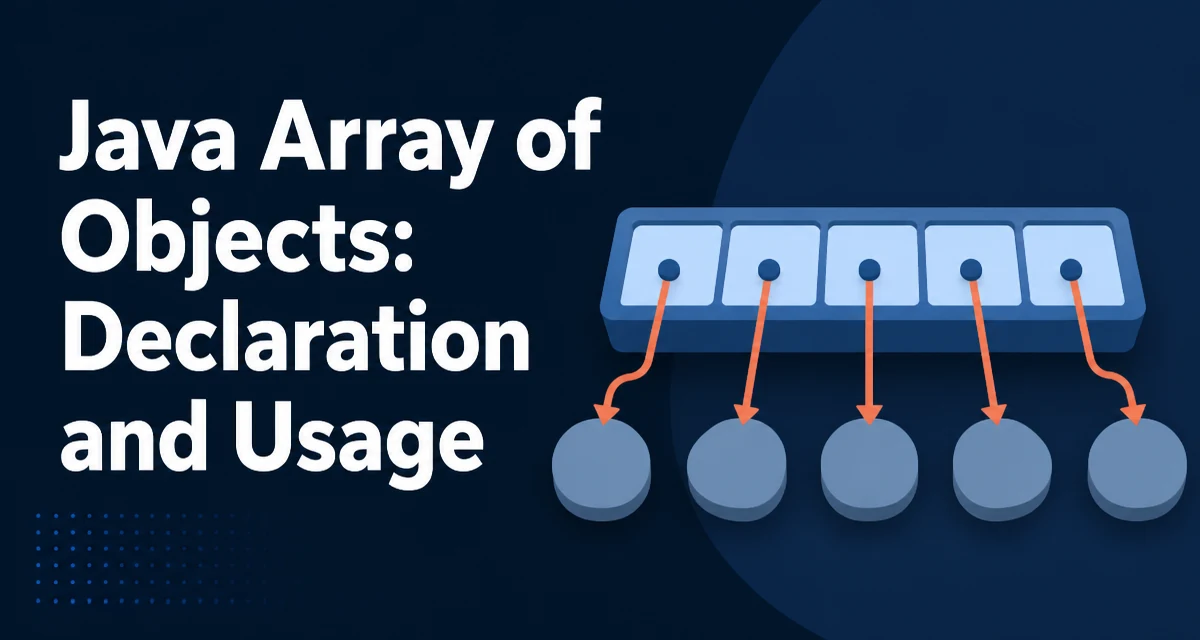
In Java, an array of objects is an array whose elements are references to instances of a class. When you write Product[] products = new Product[10];, the JVM allocates an array that holds ten reference slots, each initially set to null. No Product objects exist yet; the array only reserves space for references. Understanding this distinction between the array itself and the objects it points to is the foundation for working with arrays of objects in Java correctly.
Declaring and Initializing an Array of Objects
Two steps are involved: declaring the array variable and creating the array instance.
Product[] products;               // declaration
products = new Product[5];        // allocation, all slots are null
The type Product[] means "an array of references to Product". The new Product[5] expression allocates the array container. Each of the five slots holds a reference, and every slot is initialized to null by default. The array itself is an object on the heap, separate from any Product instances you create later.
You can also declare and allocate in one line:
Product[] products = new Product[5];
A compile-time error occurs if you try to assign a Product[] to a String[] variable because the element types are unrelated and Java checks the declared element type at compile time. The declared element type determines what can be stored.
Populating the Array with Object Instances
After allocation, each slot must be assigned an object reference before it can be used safely.
products[0] = new Product("Laptop", 1299);
products[1] = new Product("Mouse", 49);
Assigning an object to a slot stores the reference, not a copy of the object. If the same Product instance is assigned to two slots, both slots point to the same object; modifying the object through one slot is visible through the other.
For a larger array, a loop avoids repetitive assignment:
for (int i = 0; i < products.length; i++) {
    products[i] = new Product("Item " + i, 100 + i);
}
The length field gives the array size and is the correct bound for the loop. Using a hard-coded bound instead of products.length is a common source of off-by-one errors.
Iterating Over an Array of Objects
The enhanced for loop is the clearest way to read every element when you do not need the index:
for (Product p : products) {
    if (p != null) {
        System.out.println(p.getName());
    }
}
The null check matters because newly allocated arrays contain null references. Calling p.getName() on a null reference throws a NullPointerException. The enhanced for loop reads each slot in order and assigns the reference to the loop variable; it does not copy the object.
When the index is needed, use the indexed loop:
for (int i = 0; i < products.length; i++) {
    if (products[i] != null && products[i].getPrice() > 500) {
        System.out.println(products[i].getName());
    }
}
The indexed form also allows you to replace elements during iteration, which the enhanced for loop cannot do.
Null References and Defensive Checks
An array of objects in Java frequently contains null slots, especially when the array is allocated first and populated conditionally. Every access to an element should consider whether the slot may be null. The cost of a null check is negligible, and it prevents a NullPointerException that can be difficult to trace when the array is passed between methods.
if (products[i] != null) {
    products[i].applyDiscount(0.1);
}
A common pattern is to filter nulls before processing:
for (Product p : products) {
    if (p == null) {
        continue;
    }
    // process p
}
Null handling is not just a safety measure. It also documents the invariant that some slots may legitimately be unpopulated, which is often true when an array is used as a fixed-size buffer.
Memory Behavior of Object Arrays
The array stores references, and the referenced objects live elsewhere on the heap. The size of a reference depends on the JVM configuration, such as whether compressed object pointers are enabled. The array's memory footprint is therefore the number of slots multiplied by the reference size, plus array header overhead. The objects themselves occupy additional heap space.
Assigning a new object to a slot that previously held another object does not immediately free the old object. The old object becomes eligible for garbage collection when it is no longer reachable. If the array is the only holder of those references, clearing the slot with products[i] = null; makes the object collectible.
This reference-based behavior matters when you copy an array. System.arraycopy and Arrays.copyOf copy the references, not the objects. After copying, both arrays point to the same object instances, so mutating an object through one array is visible through the other. If you need independent copies of the objects, you must clone or copy each element explicitly.
Choosing Between Array and ArrayList
| Criterion | Array | ArrayList |
|---|---|---|
| Size | Fixed at allocation | Grows and shrinks dynamically |
| Type safety | Element type is enforced at compile time | Strong with generics |
| Primitive support | Directly supports primitives | Requires boxing for primitives |
| Null elements | Allowed | Allowed |
| Iteration style | Indexed loop; no iterator object needed | Iterable; enhanced for creates an iterator |
Use an array when the number of elements is known in advance and will not change, when you need primitive element types without boxing, or when you want a fixed-size indexable collection. Use ArrayList when elements are added or removed over time, because resizing an array manually requires allocating a new array and copying references.
Resizing an array manually is a common source of bugs:
Product[] bigger = Arrays.copyOf(products, products.length * 2);
products = bigger;
This copies all references into a new, larger array. The original array becomes garbage. Arrays.copyOf handles the copy correctly, but the operation is O(n) and should not be repeated inside a tight loop. ArrayList encapsulates this growth logic and amortizes the cost across additions.
Storing Subclass Instances and Array Covariance
An array declared with a base type can hold references to any subclass of that type. This is useful when a common base type is shared across several concrete classes.
Product[] items = new Product[3];
items[0] = new Laptop("X1", 1299);
items[1] = new Mouse("M1", 49);
The array type determines the compile-time element type, but the runtime object type is preserved. Calling a method declared on Product dispatches to the subclass's override. This behavior applies to any object array with a non-final element type.
Array covariance also lets you assign a Laptop[] to a Product[] variable:
Laptop[] laptops = new Laptop[3];
Product[] products = laptops;   // Laptop[] is a subtype of Product[]
products[0] = new Mouse();      // compiles, but throws ArrayStoreException at runtime
The array's runtime component type is still Laptop, so storing a Mouse fails even though the static type is Product[]. Storing a Laptop works. This runtime check protects the array's type invariant.