Java InputStream vs Reader: Choosing the Right Stream
Learn the key differences between Java InputStream and Reader: byte-based vs character-based I/O, when to use each, and how character encoding affects your choice.
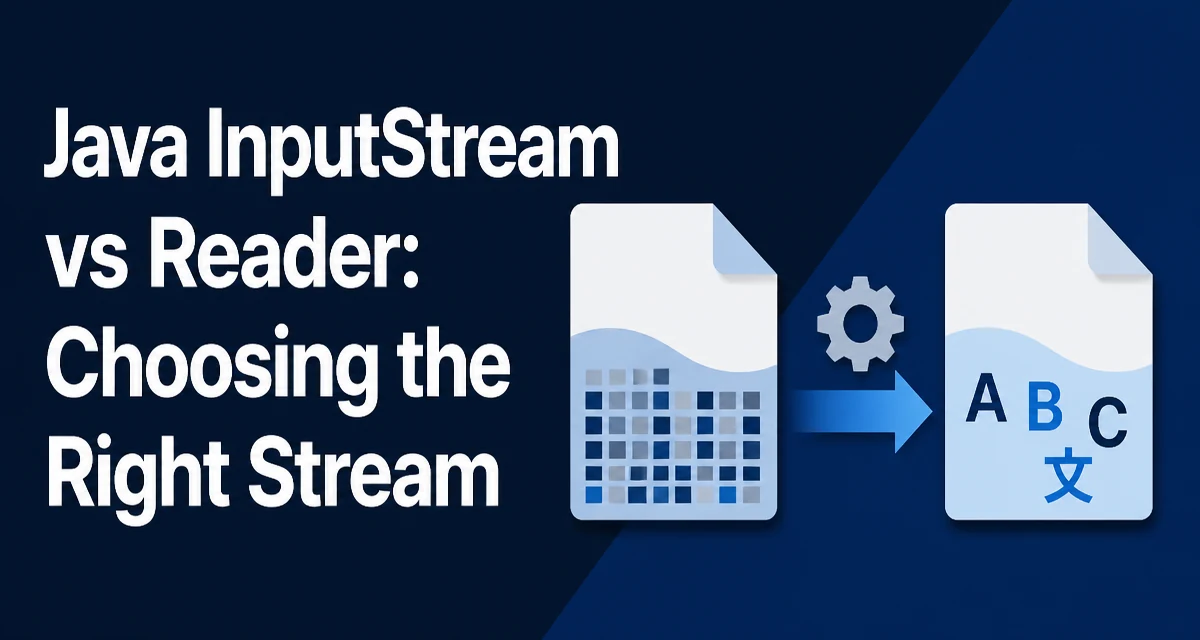
When you need to read data in Java, the choice between InputStream and Reader determines whether you work with raw bytes or decoded characters. This decision affects correctness, encoding handling, and performance. Understanding the distinction helps you pick the right abstraction for your data source.
The fundamental difference is that InputStream operates on bytes, while Reader operates on characters. InputStream is the base class for byte-oriented input streams, such as FileInputStream or ByteArrayInputStream. Reader is the base class for character-oriented streams, such as FileReader or StringReader. An InputStreamReader decodes bytes into characters using a character set, so it is aware of encodings like UTF-8 or ISO-8859-1.
The Core Difference: Bytes vs Characters
An InputStream reads raw bytes from a source. Its read() method returns an int representing the next byte (0–255) or -1 at end of stream. It does not interpret the bytes as text. If you read a text file with an InputStream, you get the raw byte values, and you must manually decode them into characters.
A Reader, on the other hand, reads characters. Its read() method returns an int containing a UTF-16 code unit (0–65535) or -1. When backed by an InputStream, it uses a CharsetDecoder to convert bytes into characters. This lets it handle multi-byte encodings such as UTF-8, where one Unicode code point may use one to four bytes. Note that for supplementary characters, the Reader returns surrogate pairs, so the value is a UTF-16 code unit rather than a full code point.
// Reading bytes from a file
InputStream in = new FileInputStream("data.txt");
int data;
while ((data = in.read()) != -1) {
    // data is a byte value, not a character
}

// Reading characters from a file
Reader reader = new FileReader("data.txt");
int ch;
while ((ch = reader.read()) != -1) {
    // ch is a character value, already decoded
}
In the first example, data is a raw byte. In the second, ch is a character decoded using the platform default charset unless you specify another one. This is the most important distinction to keep in mind.
When to Use InputStream
Use InputStream when you are dealing with binary data that is not meant to be interpreted as text. Common examples include:
- Reading image files, audio files, or compressed archives.
- Reading network sockets where the data may be a mix of binary and text.
- Processing any data where you need the exact byte sequence without charset conversion.
For binary data, using a Reader would be incorrect because it would attempt to decode bytes as characters, potentially corrupting the data. Even if the data happens to be ASCII text, an InputStream gives you the raw bytes, which you can later decode if needed.
Another reason to use InputStream is when you need to pass data to a library that expects a byte stream, such as a cryptographic cipher or a compression library. These APIs typically accept InputStream because they operate on raw bytes.
When to Use Reader
Use Reader when you are reading text data and you want the convenience of character decoding. A Reader built on a byte source handles the conversion from bytes to characters automatically, respecting the specified charset. This is especially important for internationalized text that uses multi-byte encodings like UTF-8 or UTF-16.
For example, reading a properties file or a JSON configuration file is easier with a Reader because you can directly work with String values without manual byte-to-character conversion. A Reader can also be wrapped in a BufferedReader to read lines efficiently.
// Reading text lines with a Reader
BufferedReader reader = new BufferedReader(new FileReader("config.properties"));
String line;
while ((line = reader.readLine()) != null) {
    // process line
}
Without a Reader, you would have to read bytes, decode them using a Charset, and then split lines manually. The Reader abstraction removes that boilerplate.
Handling Character Encoding with Reader
One of the most common mistakes when using Reader is forgetting to specify the character encoding. The FileReader() constructors that do not accept a charset use the platform's default charset, which may not be what you expect, especially in cross-platform applications. This can lead to corrupted text when reading files written with a different encoding.
To avoid this, explicitly specify the charset when creating a Reader. The recommended approach is to use InputStreamReader with a FileInputStream and a Charset object.
// Explicitly specifying UTF-8 encoding
Charset utf8 = StandardCharsets.UTF_8;
Reader reader = new InputStreamReader(new FileInputStream("data.txt"), utf8);
This ensures that the bytes are decoded using UTF-8 regardless of the platform's default charset. In contrast, an InputStream has no encoding concept; it simply gives you bytes, so encoding becomes your responsibility if you decode them later.
Performance and Memory Considerations
Performance differences between InputStream and Reader are primarily due to the decoding step. A Reader must decode bytes into characters, which involves extra CPU work compared with reading bytes. However, this overhead is usually negligible for most applications, especially when using buffered streams.
Memory usage also differs. A Reader may allocate a CharBuffer internally, while an InputStream works with a ByteBuffer. Buffer size and decoding logic can affect memory footprint, but this is typically not a deciding factor unless you are processing very large files or have strict memory constraints.
Neither stream abstraction is thread-safe by default. If you need to read from the same stream from multiple threads, you must synchronize externally.
For high-throughput scenarios, such as reading a large binary file, an InputStream can be slightly more efficient because it avoids the decoding step. But if you are reading text, decoding is necessary, and a Reader handles it with a CharsetDecoder that manages partial characters correctly.
Choosing Between InputStream and Reader in Practice
The decision often comes down to whether your data is text or binary. If you are reading a file that contains human-readable text, use a Reader. If you are reading any other kind of data, use an InputStream. There are also cases where you need both: for example, when reading a file that contains a text header followed by a binary payload. In such cases, you must be careful about buffering and the current stream position. If possible, create separate streams from the same source rather than trying to reuse a single stream after changing abstractions.
Another practical factor is the API you are integrating with. Many Java libraries accept either InputStream or Reader, but not both. For example, Properties.load(InputStream) and Properties.load(Reader) both exist, but they behave differently with respect to encoding. Properties.load(InputStream) uses ISO-8859-1, while Properties.load(Reader) uses the reader's charset. Knowing which one to use depends on the file's actual encoding.
A common pattern is to read a text file using BufferedReader.readLine() for line-by-line processing. That convenience method is only available on a Reader. If you need to process binary data, you might use BufferedInputStream to improve performance. Both can be wrapped with buffers, but the underlying type remains different.
Common Pitfalls and How to Avoid Them
One frequent mistake is using FileReader without specifying an encoding. This is especially problematic when the file uses a non-default charset. Use InputStreamReader with an explicit Charset when you need predictable behavior.
Another pitfall is mixing InputStream and Reader on the same underlying stream without considering buffering and position. If you read bytes from an InputStream and then create a Reader from the same source, buffered data or an already advanced position can cause you to miss or duplicate content. If you must switch, create a new stream from the source or carefully account for the current position.
Finally, be aware that Reader methods like read(char[], int, int) expect a character array, while InputStream methods expect a byte array. This distinction can cause confusion when adapting code, so check the method signatures before passing data.
Understanding the distinction between InputStream and Reader is not just about API choice; it directly affects the correctness of your data handling. For text data, Reader gives you proper decoding support. For binary data, InputStream preserves the raw bytes. By choosing the right abstraction for your data type, you avoid subtle bugs related to character encoding and data corruption.