Java Intermediate vs Terminal Operations Explained
Understand how Java Streams distinguish lazy intermediate operations from eager terminal operations and how that affects pipeline execution.
The Core Distinction: Lazy vs Eager
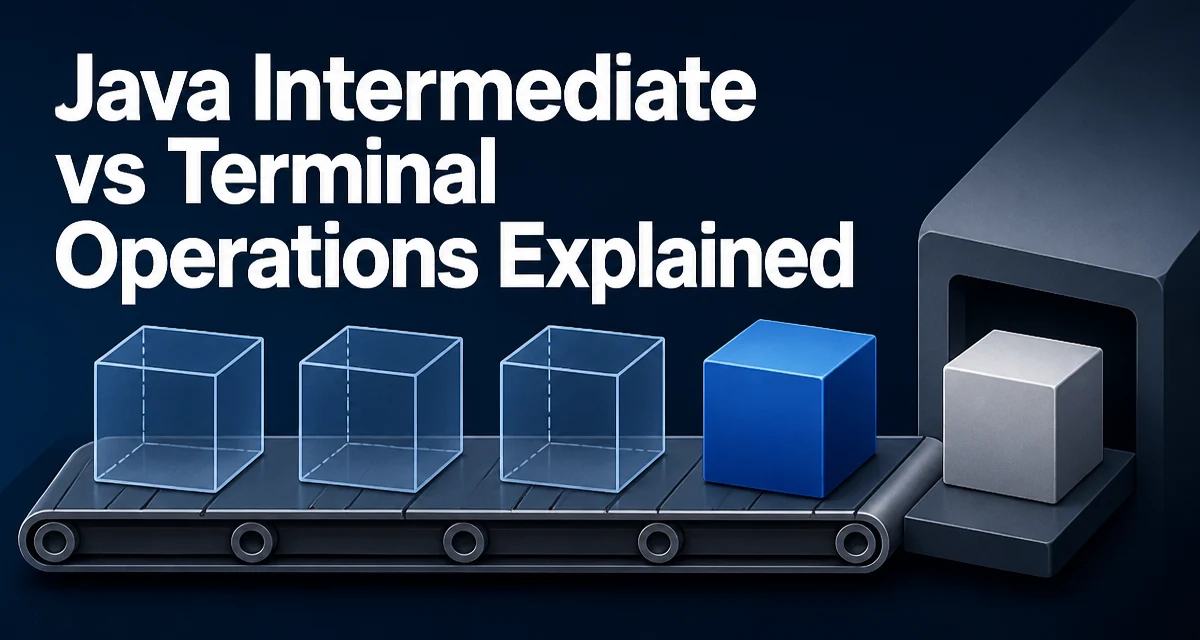
In the Java Stream API, the distinction between intermediate and terminal operations determines when work actually happens. Intermediate operations return a new Stream and are lazy—they do no work until a terminal operation is invoked. Terminal operations return a non-stream result (or void) and trigger the actual execution of the entire pipeline.
List<String> names = List.of("Alice", "Bob", "Charlie", "David");

List<String> result = names.stream()
    .filter(name -> name.length() > 3)   // intermediate
    .map(String::toUpperCase)            // intermediate
    .collect(Collectors.toList());       // terminal
Without the collect call, filter and map would do nothing. The pipeline is assembled, but no element is processed until a terminal operation runs.
What Makes an Operation Intermediate
An intermediate operation returns a Stream<T> (possibly of a different element type), is lazy, and can be chained. The returned stream represents the original source with the new operation added; the source is not consumed until a terminal operation runs.
| Operation | Behavior | Stateful |
|---|---|---|
filter(Predicate) | Keeps elements matching the predicate | No |
map(Function) | Transforms each element | No |
flatMap(Function) | Flattens nested streams into one | No |
peek(Consumer) | Performs a side effect, passes elements through | No |
distinct() | Removes duplicate elements | Yes |
sorted() | Sorts elements | Yes |
limit(long) | Truncates after n elements | Yes |
skip(long) | Discards the first n elements | Yes |
Stateful operations may buffer elements internally. sorted() must observe the entire stream before emitting its first element, so it cannot complete on an infinite stream. distinct() tracks every value it has seen and continues to hold that state; on an infinite stream it will not finish unless a downstream short-circuiting operation stops pulling values. This extra state increases memory usage.
What Makes an Operation Terminal
A terminal operation returns a non-stream result: a value, a collection, an Optional, or void. It triggers pipeline execution and consumes the stream.
long count = names.stream().filter(name -> name.startsWith("A")).count();
Optional<String> first = names.stream().findFirst();
List<String> collected = names.stream().collect(Collectors.toList());
names.stream().forEach(System.out::println);
Once a terminal operation runs, the stream is consumed. Attempting to use the same stream instance again, for example by invoking another terminal operation, throws IllegalStateException. Create a new stream from the source instead.
Lazy Evaluation in Practice
Lazy evaluation processes elements vertically, not in stages. Each element flows through all intermediate operations before the next element is pulled from the source.
Stream.of("apple", "banana", "cherry", "date")
    .filter(s -> {
        System.out.println("filter: " + s);
        return s.length() > 4;
    })
    .map(s -> {
        System.out.println("map: " + s);
        return s.toUpperCase();
    })
    .forEach(s -> System.out.println("forEach: " + s));
Output:
filter: apple
map: apple
forEach: APPLE
filter: banana
map: banana
forEach: BANANA
filter: cherry
map: cherry
forEach: CHERRY
filter: date
The terminal forEach requests elements one at a time. Each element traverses the entire chain before the next is requested. This pull-based model is why a pipeline without a terminal operation silently does nothing.
Short-Circuiting and Infinite Streams
Some terminal operations—findFirst(), findAny(), anyMatch(), allMatch(), noneMatch()—can return without processing every element. Combined with the intermediate limit(), this makes infinite streams practical.
Stream.iterate(0, n -> n + 1)
    .map(n -> n * n)
    .filter(n -> n % 2 == 0)
    .limit(5)
    .forEach(System.out::println);
This prints 0, 4, 16, 36, 64—the first five even squares. Without limit(), the stream would generate values forever. limit() stops pulling after five elements, and the pipeline terminates.
reduce vs collect: Two Terminal Reduction Strategies
reduce() performs an immutable reduction. It repeatedly applies a binary operator and produces a single value. collect() performs a mutable reduction into a container such as a List or Map.
int sum = numbers.stream().reduce(0, Integer::sum);

Map<Boolean, List<String>> partitioned = names.stream()
    .collect(Collectors.partitioningBy(name -> name.length() > 3));
Use reduce() when the result is a single value and the accumulation is associative. Use collect() when you need a collection, a map, or a grouping. collect() is usually more efficient for collections because it mutates one container instead of creating intermediate values at each step.
Performance and Ordering Considerations
The order of intermediate operations changes how much work the pipeline performs. Placing filter() before map() means map() only runs on elements that survive the filter. Reversing the order transforms every element, including those later discarded.
// map runs on every element, including rejected ones
stream.map(expensiveTransform).filter(predicate).collect(Collectors.toList());

// filter runs first; map only sees survivors
stream.filter(predicate).map(expensiveTransform).collect(Collectors.toList());
Stateful operations such as sorted() and distinct() add memory overhead: sorted() buffers the entire stream, and distinct() retains a set of every value it has seen. On parallel streams, sorted() also adds coordination overhead to merge sorted substreams. Short-circuiting terminal operations reduce work on large streams: anyMatch() stops at the first match, and findFirst() stops at the first element. For parallel streams, findAny() is more efficient than findFirst() when element order does not matter.
Common Mistakes and Their Consequences
Reusing a consumed stream. After a terminal operation, the stream cannot be reused. Create a fresh stream from the source.
Stream<String> stream = names.stream();
stream.filter(n -> n.length() > 3).collect(Collectors.toList());
stream.map(String::toUpperCase).collect(Collectors.toList()); // IllegalStateException
Using peek() for production logic. peek() is an intermediate operation intended for debugging. In a parallel stream, it is not guaranteed to observe every element, and relying on it for side effects is fragile.
Calling a terminal operation on the same stream inside peek(). This attempts to consume the stream while it is already being processed; it is almost always a design error.
Assuming intermediate operations execute eagerly. A pipeline without a terminal operation does nothing. If a stream appears to have no effect, check whether a terminal operation is missing.
Choosing the Right Terminal Operation
The practical decision in every pipeline is which terminal operation matches the result you need.
| Need | Terminal operation |
|---|---|
| Materialized collection | collect(Collectors.toList()), collect(Collectors.toSet()) |
| Single aggregated value | reduce(), count(), min(), max() |
| Boolean check across elements | anyMatch(), allMatch(), noneMatch() |
| One element, possibly absent | findFirst(), findAny() |
| Side effects per element | forEach() |
For large or infinite streams, ensure a short-circuiting operation exists in the pipeline. For parallel streams, prefer findAny() over findFirst() when order does not matter. For side effects, forEach() is explicit, but accumulating results inside it instead of using collect() creates concurrency hazards in parallel streams.