Java Varargs: Syntax, Pitfalls, and Performance
Java varargs let a method accept a variable number of arguments. This article covers syntax, array behavior, overload resolution, generics, performance, and common pitfalls such as null handling.
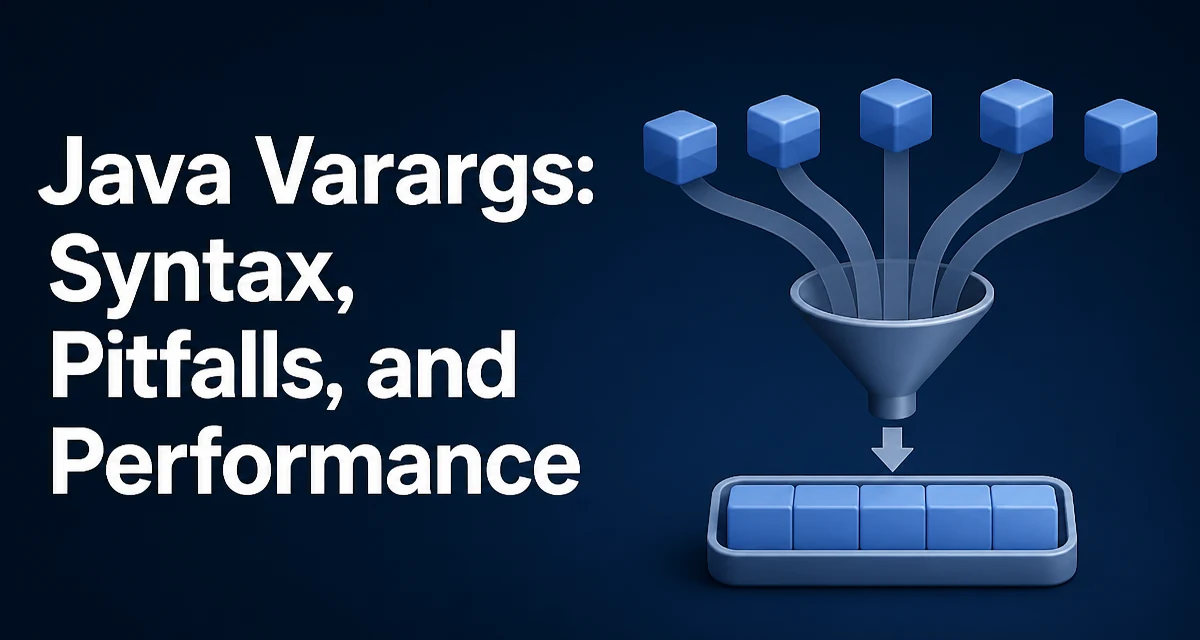
Java varargs (variable-length arguments) let a method accept zero or more arguments of a specified type. The feature was introduced in Java 5 and is a convenient way to design APIs that need to handle an unknown number of inputs. When you declare a varargs parameter, the compiler treats it as an array of that type, and the caller can pass either individual arguments or an array directly.
How Varargs Are Compiled
A varargs parameter is syntactic sugar for an array parameter. For example, void printAll(String... items) compiles to void printAll(String[] items). The caller can write printAll("a", "b") and the compiler builds the array new String[]{"a", "b"} behind the scenes. This means the method body always sees a real array, never null unless the caller explicitly passes null. Understanding this equivalence is key to avoiding surprises.
Declaring and Calling Varargs Methods
The syntax places three dots after the type. The varargs parameter must be the last parameter in the method signature, and a method can have only one varargs parameter.
public class Logger {
    public void log(String level, String... messages) {
        for (String msg : messages) {
            System.out.println(level + ": " + msg);
        }
    }
}
Call it with any number of messages:
Logger logger = new Logger();
logger.log("INFO", "started");
logger.log("WARN", "low disk", "retry pending");
logger.log("ERROR"); // messages is an empty array
You can also pass an existing array directly:
String[] errors = {"disk full", "connection lost"};
logger.log("ERROR", errors);
This works because the varargs parameter is an array at runtime.
Overloading and Overload Resolution
Overloading a varargs method with a fixed-arity method affects which overload is chosen. Consider:
public void process(String s) { ... }
public void process(String... s) { ... }
Calling process("hello") is not ambiguous: Java's overload resolution prefers the fixed-arity method, so process(String) is selected. Relying on this behavior can still be fragile, because adding other overloads may change resolution in unexpected ways. Prefer distinct method names or clearly separated signatures unless you are certain the resolution rules match your intent.
Varargs and the Array Parameter
Because a varargs parameter is simply an array, the method can modify the array, and those modifications are visible to the caller if the caller passed an array directly. If the caller passed individual arguments, the compiler creates a fresh array, so modifications are isolated. This distinction matters when you use varargs as a way to collect values that should not be mutated.
public static void clear(String... args) {
    for (int i = 0; i < args.length; i++) {
        args[i] = null;
    }
}
If you call clear("a", "b"), the original strings are unaffected because the array is new. If you call clear(existingArray), the array's contents are changed. This behavior is rarely intended, so treat the varargs array as read-only unless you document otherwise.
Performance and Memory Allocation
Each call to a varargs method with individual arguments allocates a new array. In a hot loop, this can create unnecessary garbage. For example:
for (int i = 0; i < 1_000_000; i++) {
    log("INFO", "value=" + i);
}
This creates one array per iteration. If the method is called frequently with a small number of arguments, the allocation cost is usually negligible, but in latency-sensitive code you may want to provide an overload that accepts an array directly to avoid the hidden allocation.
public void log(String level, String[] messages) { ... }
Then callers can reuse an array if they need to. The varargs version can delegate to the array version:
public void log(String level, String... messages) {
    log(level, messages);
}
This keeps the convenient syntax while giving performance-conscious callers an alternative.
Common Pitfalls: Null and Empty
Passing null to a varargs method is a common mistake. If you call log("INFO", null), the compiler does not create an array; it passes null as the array reference. Inside the method, iterating over messages throws a NullPointerException. To guard against this, check for null at the start:
public void log(String level, String... messages) {
    if (messages == null) {
        messages = new String[0];
    }
    // ...
}
Alternatively, document that null is not allowed. The empty call log("INFO") produces a zero-length array, which is safe to iterate.
Varargs with Generic Types
When you combine varargs with generics, you may see a warning about "possible heap pollution" or "unchecked generic array creation". This happens because a call to a generic varargs method can create an array whose component type is the erasure of the inferred type argument. For example, if T is inferred as List<String>, the runtime array is a plain List[], not a List<String>[]. If that array is later treated as a List<String>[], a ClassCastException can occur.
public static <T> List<T> asList(T... elements) {
    return Arrays.asList(elements);
}
To suppress the warning, you can add @SafeVarargs to the method, but only after verifying that the method does not expose the varargs array in a way that could compromise type safety. Using @SafeVarargs incorrectly can hide real issues; reserve it for methods that use the varargs array in a type-safe way, such as simply reading its elements.
When to Prefer Alternatives
Varargs are convenient for small, fixed-use APIs like String.format, System.out.printf, or logging. For larger or more complex parameter sets, a builder pattern or a List parameter gives you more flexibility and avoids the array allocation. If you need to pass a collection that is already a List, use List<T> instead of varargs to avoid copying. Varargs are best for simple, occasional calls, not for high-throughput paths where allocation matters.