Using Python Celery with FastAPI and Django
Integrate Celery with FastAPI and Django: configure a shared Celery app, define reusable tasks, call tasks from views and endpoints, and handle results, errors, and monitoring.
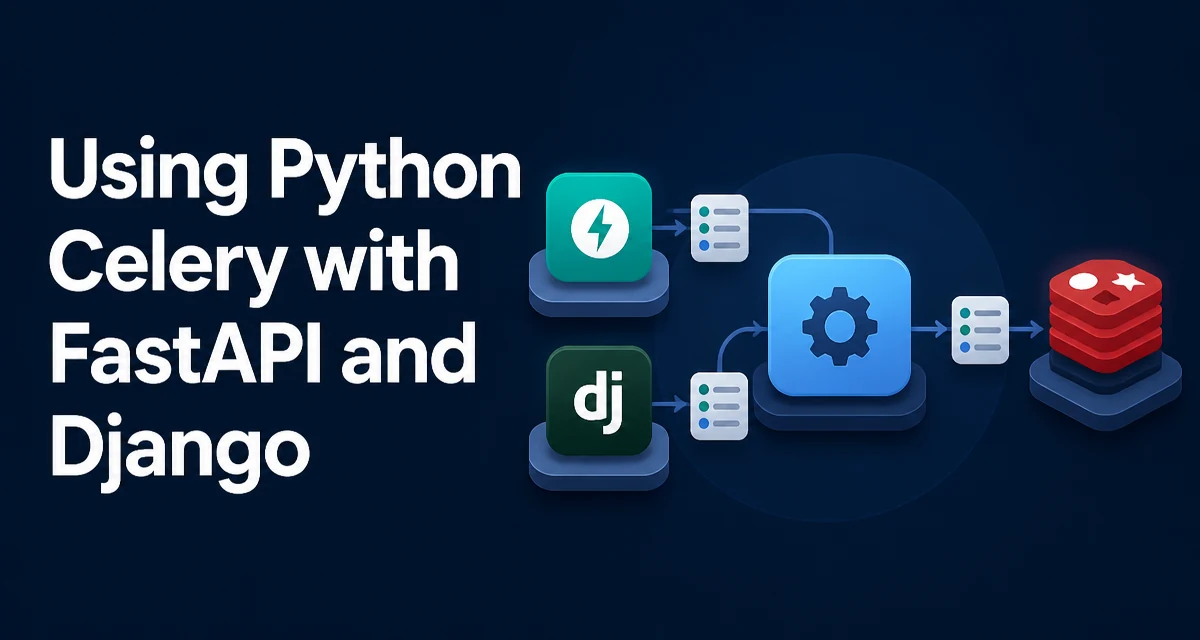
Celery is a distributed task queue for Python. It fits both Django and FastAPI projects when request handlers need to defer long-running work instead of waiting for it. If you maintain a Django admin site alongside a FastAPI API, you can run one Celery cluster and share task definitions between both applications.
Setting Up Celery in Django
Django integrates with Celery through a dedicated celery.py module in your project package. The standard setup defines a Celery application instance and loads configuration from Django settings.
# myproject/celery.py
import os
from celery import Celery

os.environ.setdefault('DJANGO_SETTINGS_MODULE', 'myproject.settings')

app = Celery('myproject')
app.config_from_object('django.conf:settings', namespace='CELERY')
app.autodiscover_tasks()
In myproject/__init__.py, import the app so it is loaded when Django starts:
# myproject/__init__.py
from .celery import app as celery_app

__all__ = ('celery_app',)
Then configure the broker and result backend in settings.py. With the CELERY_ namespace, Celery reads these settings and maps them to its own configuration options:
# settings.py
CELERY_BROKER_URL = 'redis://localhost:6379/0'
CELERY_RESULT_BACKEND = 'redis://localhost:6379/0'
CELERY_ACCEPT_CONTENT = ['json']
CELERY_TASK_SERIALIZER = 'json'
This setup lets Django apps define tasks with @shared_task, which creates a task bound to the current Celery app without requiring a direct import of the app instance.
Setting Up Celery in FastAPI
FastAPI does not have a built-in integration like Django's, but you can create a Celery instance in a module and import it wherever needed. A common pattern is to define the Celery app in a separate file, such as celery_app.py.
# celery_app.py
from celery import Celery

celery_app = Celery('fastapi_app', broker='redis://localhost:6379/0', backend='redis://localhost:6379/0')
celery_app.conf.update(
    task_serializer='json',
    accept_content=['json'],
    result_serializer='json',
)
In your FastAPI application, import the celery_app instance and use it to enqueue work. You do not have to tie Celery to the ASGI lifespan unless you want to clean up resources on shutdown.
# main.py
from fastapi import FastAPI
from celery_app import celery_app

app = FastAPI()

@app.post('/send-email')
async def send_email(email: str):
    celery_app.send_task('tasks.send_email', args=[email])
    return {'status': 'queued'}
The send_task call sends the task name and arguments to the broker and returns a result object; it does not execute the task in the endpoint. In an async def endpoint, enqueuing through the broker client is a blocking I/O call, but it is normally quick. If you expect high throughput or very slow broker connections, consider moving the enqueue call to a threadpool.
Defining Tasks That Work in Both Frameworks
To share tasks between Django and FastAPI, define them in a module that both applications can import. @shared_task is useful because it does not bind a task to a specific Celery app instance.
# tasks.py
from celery import shared_task

@shared_task
def send_email(to_address: str, subject: str, body: str):
    # Simulate sending an email
    print(f'Sending email to {to_address}: {subject}')
    return {'to': to_address, 'subject': subject}
In Django, put this file in an installed Django app and let app.autodiscover_tasks() find it. In FastAPI, import the task and call .delay():
from tasks import send_email

send_email.delay('user@example.com', 'Hello', 'Body')
Both processes must be able to import the task module. In a monorepo, make sure the module is on PYTHONPATH for both Django and FastAPI.
Calling Tasks from Django Views and FastAPI Endpoints
Django views are often synchronous, so calling a Celery task with .delay() or .apply_async() is safe: it enqueues the task and returns immediately.
# views.py
from django.http import JsonResponse
from tasks import send_email

def notify_user(request):
    send_email.delay(request.user.email, 'Welcome', 'Thanks for signing up')
    return JsonResponse({'status': 'queued'})
FastAPI endpoints can be def (sync) or async def. Either way, call .delay() to enqueue the task; do not call the task function as a plain function inside the request.
# main.py
from fastapi import FastAPI
from tasks import send_email

app = FastAPI()

@app.post('/notify')
async def notify(email: str):
    send_email.delay(email, 'Notification', 'You have a new message')
    return {'status': 'queued'}
Both frameworks enqueue tasks in the same way, so you can reuse the same task definitions without duplicating them.
Handling Task Results and Errors
Celery can store task results in a result backend. To retrieve a result, use an AsyncResult object. In Django, you can query it from a view, but avoid polling for long-running tasks in a request. Typically, you poll the result status in a background job or use a callback.
from celery.result import AsyncResult

def get_task_status(request, task_id):
    result = AsyncResult(task_id)
    return JsonResponse({'state': result.state, 'result': result.result})
In FastAPI, the same pattern works. If both frameworks use the same result backend, you can query task status from either. AsyncResult uses the current Celery app by default; if you have multiple Celery app instances in the same process, pass the app explicitly, for example celery_app.AsyncResult(task_id).
Error handling should be explicit in the task. Use try/except inside the task and log the exception. Celery's task_acks_late and task_reject_on_worker_lost settings control how failures are handled. For example, task_acks_late = True means a task is not acknowledged until it completes, so the broker can redeliver it if the worker crashes.
Production Considerations: Workers, Concurrency, and Monitoring
Running a Celery cluster in production requires attention to worker configuration. The --concurrency option controls how many tasks a worker can process in parallel. For CPU-bound tasks, set concurrency to the number of CPU cores. For I/O-bound tasks, you can increase it, but watch memory usage.
celery -A myproject worker --loglevel=info --concurrency=4
If you use both Django and FastAPI in one project, one worker pool can process tasks for both. If task queues have different priorities, consider separate queues and workers. For example, route email tasks to an email queue and image-processing tasks to an images queue.
Monitoring is essential. Flower is a web-based tool that shows task progress, worker status, and queue lengths. Run it beside your workers:
celery -A myproject flower --port=5555
Flower gives you visibility into task failures and bottlenecks. Also configure logging inside tasks to capture exceptions. task_soft_time_limit and task_time_limit put upper bounds on how long tasks can run.
Finally, ensure your broker (Redis or RabbitMQ) retains task messages. If you use Redis, set a maxmemory policy that does not evict task messages. Use a separate database or dedicated Redis instance for Celery to avoid interference with other application data.