Python Pandas Categorical Data Type: Usage and Tradeoffs
Learn how the pandas categorical dtype can reduce memory usage, enforce category order, and affect groupby behavior.
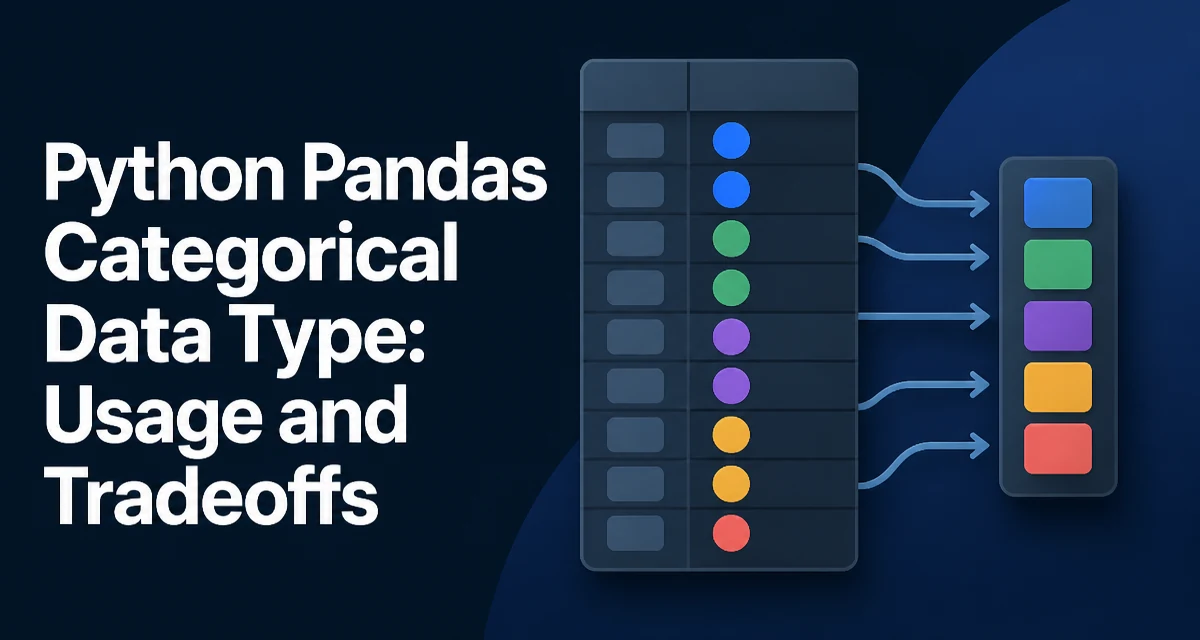
The pandas categorical data type stores values from a fixed set of categories and maps each value to an integer code. Compared with storing repeated strings as object dtype, this representation can use less memory and gives you explicit control over ordering and grouping behavior. The sections below cover when to use it, how to create and manage categorical columns, and its main tradeoffs.
When to Use the Categorical Data Type
Use categorical when a column contains a limited number of distinct values that repeat frequently. Common examples are country names, product categories, status flags, or survey responses. If the number of unique values is small relative to the number of rows, the categorical dtype can significantly reduce memory usage because pandas stores the category labels once and uses compact integer codes for each row.
Categorical also becomes useful when you need a guaranteed order for sorting or when you want groupby operations to respect a custom order rather than alphabetical or numeric order. For instance, a column with values low, medium, high sorts alphabetically as high, low, medium by default. Converting it to an ordered categorical lets you define the logical order.
Creating Categorical Columns
You can create a categorical column in several ways. The most direct method is pd.Categorical, which returns a Categorical object that you can assign to a DataFrame column.
import pandas as pd

data = {'priority': ['low', 'high', 'medium', 'high']}
df = pd.DataFrame(data)
df['priority'] = pd.Categorical(df['priority'], categories=['low', 'medium', 'high'], ordered=True)
Here the categories argument defines the allowed values, and ordered=True marks the ordering. If you omit categories, pandas infers them from the unique values in the column, but the order is alphabetical. For an existing column, astype is often more convenient:
df['priority'] = df['priority'].astype('category')
This converts the column to an unordered categorical with categories sorted alphabetically. To specify categories and ordering, use CategoricalDtype:
from pandas.api.types import CategoricalDtype

priority_type = CategoricalDtype(categories=['low', 'medium', 'high'], ordered=True)
df['priority'] = df['priority'].astype(priority_type)
When you convert with a CategoricalDtype, values not present in categories become NaN. If your data contains unexpected entries, this can silently turn them into missing values.
How Categories Affect Memory and Performance
The memory savings come from storing integer codes instead of the full values. For a column of 1 million rows with 10 unique strings, an object dtype stores each string reference, while a categorical stores 10 strings plus 1 million integer codes. The actual reduction depends on the string length and the number of categories, but it is often substantial.
Performance can also improve for operations that group by the categorical column. Because groupby can use the integer codes directly instead of hashing string values, it may reduce overhead in many cases. value_counts similarly benefits because it can operate on the category codes.
df['priority'].value_counts()
When the categorical is ordered, sort_values uses the category order rather than the lexicographic order. This is useful for reporting and for consistent display in plots.
Ordering and Sorting with Categories
An ordered categorical enforces a sequence that you define. Sorting a DataFrame by an ordered categorical column follows that sequence:
priority_type = CategoricalDtype(categories=['low', 'medium', 'high'], ordered=True)
df['priority'] = df['priority'].astype(priority_type)
df_sorted = df.sort_values('priority')
The result places all low rows first, then medium, then high. Without ordering, the sort would be alphabetical. You can also reorder categories using the cat accessor:
df['priority'] = df['priority'].cat.reorder_categories(['high', 'medium', 'low'], ordered=True)
This changes the sort order without altering the underlying values. Renaming categories is done with cat.rename_categories:
df['priority'] = df['priority'].cat.rename_categories({'low': 'L', 'medium': 'M', 'high': 'H'})
Be aware that renaming must preserve the number of categories; you cannot add or remove categories this way.
Operations That Respect Categories
Many pandas operations behave differently with categorical data. With observed=False, groupby includes all categories, even those with zero count. This can be surprising but is useful for keeping a consistent output shape.
# Assume 'priority' has categories low, medium, high
df.groupby('priority', observed=False).size()
If some categories are missing from the data, the result still shows them with a count of zero. Setting observed=True restricts the output to categories that actually appear.
merge and concat also handle categoricals carefully. When you concatenate two DataFrames with the same categorical dtype, the result preserves the categories. If the categories differ, pandas may convert the result to object dtype unless you explicitly unify the categories beforehand. This behavior can vary by pandas version, so check the dtype if your code depends on it.
left = pd.DataFrame({'k': ['a', 'b'], 'v': [1, 2]})
right = pd.DataFrame({'k': ['b', 'c'], 'v': [3, 4]})
left['k'] = left['k'].astype('category')
right['k'] = right['k'].astype('category')
combined = pd.concat([left, right])
Here the two category sets (['a', 'b'] and ['b', 'c']) are not identical, so the concatenated column may become object rather than categorical. To preserve categorical, align the categories before concatenating.
Compatibility and Common Pitfalls
Categorical columns do not always behave like ordinary columns. For example, arithmetic operations on categorical numeric data are not supported directly. If you have a categorical column of integers, you must convert it back to a numeric dtype before performing calculations.
df['count'] = df['count'].astype('int64')
Serialization is another area where care is needed. When writing to CSV, categorical columns are written as their category labels, not the integer codes. Reading them back requires re-applying the dtype. Parquet and other columnar formats preserve the categorical type natively, which makes them a better choice for round-tripping.
Missing values in a categorical column are represented as NaN. Adding a new category after creation is possible with cat.add_categories, but removing a category that is still in use will turn those values into NaN.
df['priority'] = df['priority'].cat.add_categories('urgent')
If you later try to assign a value that is not a category, pandas raises a ValueError. This strictness is often desirable, but it means you must plan for new categories that appear in incoming data.
When Not to Use Categorical
Categorical is not always the right choice. If the column has a high cardinality—many unique values relative to the number of rows—the overhead of storing the category mapping and integer codes may exceed the memory savings. For continuous numeric data, categorical is rarely useful because the number of distinct values is usually large and ordering is already numeric.
Categorical also adds complexity to operations that expect a standard dtype. Some third-party libraries do not support categorical columns, and certain pandas operations may require conversion before they work as expected. If your workflow depends on flexible string operations or frequent value updates, the overhead of managing categories can outweigh the benefits.
A practical approach is to profile memory usage with df.memory_usage(deep=True) before and after conversion. If the reduction is minimal or the column is not used in grouping or sorting, keeping the original dtype is simpler and more maintainable.
When you do adopt categorical, document the category order and the expected set of values. This is especially important in shared codebases where a column's dtype affects the behavior of downstream operations like sorting and groupby. A well-defined categorical dtype can make your data pipeline more predictable, but it requires explicit management of the category set.