Using the Python reduce Function Effectively
Learn how to use Python's reduce function to combine iterable elements into a single value, with practical examples and performance considerations.
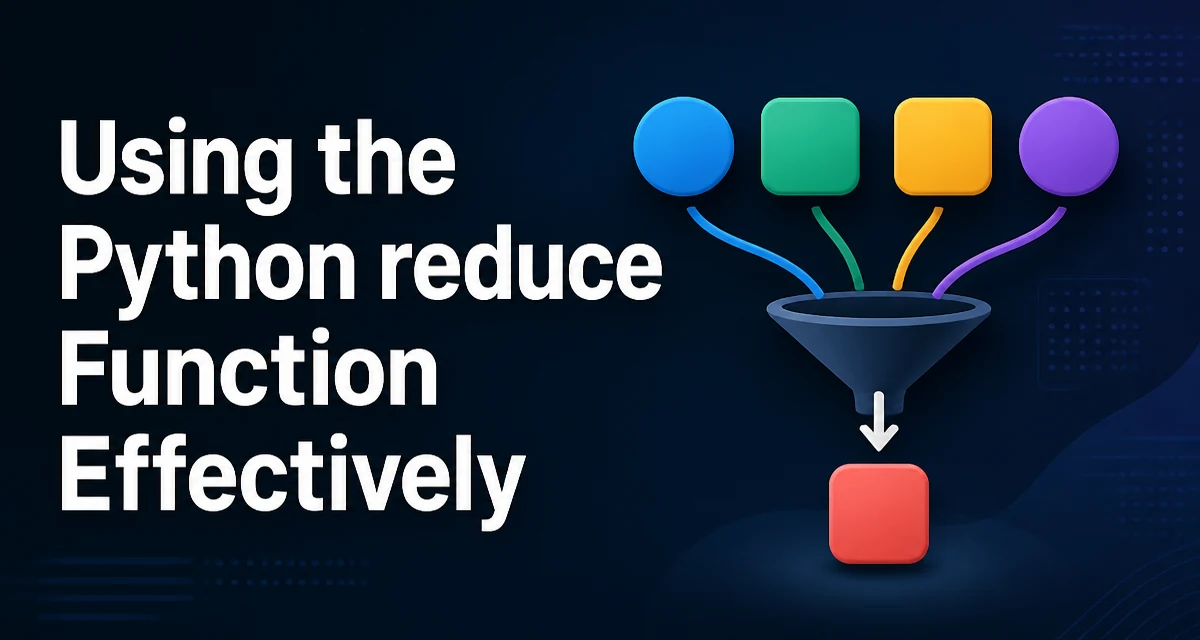
Python's reduce function lives in the functools module and applies a binary function cumulatively to the items of an iterable, reducing it to a single value. It is a core tool in functional-style Python, but its behavior and appropriate use are often misunderstood. This article explains how reduce works, when it is the right choice, and where a plain loop or another built-in is clearer.
What Does the Python reduce Function Do?
functools.reduce takes a function that accepts two arguments and an iterable. It applies the function to the first two items, then to that result and the next item, and so on until only one value remains. The signature is:
from functools import reduce

reduce(function, iterable[, initializer])
The initializer is optional. If provided, it is placed before the first item and acts as the starting value. If the iterable is empty and no initializer is given, reduce raises TypeError. With an initializer, an empty iterable returns the initializer itself.
How reduce Works Under the Hood
The mechanics are straightforward. Consider reduce(lambda x, y: x + y, [1, 2, 3, 4]). The lambda is called with 1 and 2 to get 3, then with 3 and 3 to get 6, then with 6 and 4 to get 10. The process is conceptually equivalent to a loop that keeps a running accumulator:
_missing = object()

def manual_reduce(func, iterable, initializer=_missing):
    it = iter(iterable)
    if initializer is _missing:
        try:
            value = next(it)
        except StopIteration:
            raise TypeError("reduce() of empty iterable with no initial value")
    else:
        value = initializer
    for element in it:
        value = func(value, element)
    return value
This Python version illustrates the same fold logic as the real reduce. It uses a sentinel object (_missing) to distinguish between no initializer and an explicit initializer of None; the real reduce treats those cases differently as well. In CPython, reduce is implemented in C, but the semantics are the same.
Practical Examples with reduce
A common way to illustrate reduce is computing the product of all numbers in a list. sum() handles addition; for multiplication, math.prod is the more direct choice in Python 3.8+, but the fold below shows how reduce works:
from functools import reduce

numbers = [2, 3, 4]
product = reduce(lambda x, y: x * y, numbers)
print(product)  # 24
You can also find the maximum or minimum without max() or min():
values = [5, 2, 9, 1]
max_value = reduce(lambda a, b: a if a > b else b, values)
print(max_value)  # 9
For a more realistic scenario, consider flattening a list of lists into a single list:
lists = [[1, 2], [3, 4], [5]]
flat = reduce(lambda acc, lst: acc + lst, lists, [])
print(flat)  # [1, 2, 3, 4, 5]
The initializer of [] makes an empty input return [] instead of raising TypeError, and it keeps the accumulator type consistent throughout the fold.
Using reduce with Lambda Functions
reduce is often paired with a lambda because the operation is usually simple enough to express inline. However, a named function improves readability when the logic is non-trivial. For example, computing the greatest common divisor of a list of numbers can use math.gcd directly:
from functools import reduce
import math

values = [48, 36, 24]
result = reduce(math.gcd, values)
print(result)  # 12
Using a named function makes the intent clear and easier to test. A lambda would work, but it would hide the operation behind a less readable expression.
When to Use reduce vs a Loop
A plain for loop is often more readable than reduce, especially for developers unfamiliar with functional programming. The loop explicitly shows the accumulator and each update:
total = 0
for n in numbers:
    total += n
This is clearer than reduce(lambda x, y: x + y, numbers) for addition, and Python already provides sum(). The real value of reduce appears when the operation is not a simple built-in and you want to avoid a mutable accumulator or a separate function. For instance, building a dictionary from a list of key-value pairs:
pairs = [("a", 1), ("b", 2)]
result = reduce(lambda d, kv: {**d, kv[0]: kv[1]}, pairs, {})
But this is less readable than a loop that updates the dictionary in place. The choice depends on whether the functional style matches the rest of your codebase and whether the left-to-right application order is the one you want.
Performance and Memory Considerations
In CPython, reduce is implemented in C and can be faster than a hand-written Python loop for large iterables because it avoids repeated Python-level attribute lookups and bytecode execution. However, the difference is often small compared to the cost of the function being applied. The real performance pitfall is using reduce with a function that creates a new container each time, such as acc + lst in the flattening example. That operation is O(n²) because each concatenation copies the entire accumulator. A loop that extends a list in place is O(n) and far more efficient.
If you need to accumulate values but also want to inspect intermediate results, itertools.accumulate is a better choice. It yields each intermediate value lazily and can be used with any binary function. reduce only returns the final result, so it is unsuitable for streaming or incremental processing.
Alternatives to reduce: sum, itertools.accumulate, and Comprehensions
Python's built-in sum, min, max, any, and all cover many common accumulation patterns. For example, sum(numbers) is clearer and faster than reduce(lambda x, y: x + y, numbers). For running totals or prefix calculations, use itertools.accumulate:
from itertools import accumulate
list(accumulate([1, 2, 3, 4]))  # [1, 3, 6, 10]
List comprehensions and generator expressions are often more readable for transforming sequences. reduce is most appropriate when you need a custom binary operation that doesn't map to a built-in, when the final result is the only output, and when the left-to-right application order matches your intent. If you find yourself writing a complex lambda inside reduce, consider a named function or a loop.
Common Pitfalls and Edge Cases
The most frequent mistake is forgetting the initializer when the iterable might be empty. Without it, an empty iterable raises TypeError. Adding an initializer also changes the result when the iterable has one element: reduce(func, [5], 10) returns func(10, 5), not 5. This behavior can surprise developers who expect the single element to be returned directly.
Another edge case is using an order-dependent operation. reduce applies the function from left to right, so reduce(lambda a, b: a - b, [1, 2, 3]) yields (1 - 2) - 3 = -4. If your operation is order-dependent, make sure the left-to-right order matches your intent. For operations like division or subtraction, a loop may be clearer because the order is explicit.
Finally, avoid using reduce with functions that have side effects. The function should be pure and return a new value; otherwise, the accumulator can become corrupted or the result may depend on the internal order of iteration. This is a maintainability concern more than a correctness one, but it matters in production code where predictability is key.