Python ThreadPoolExecutor: Running Tasks Concurrently
Learn how to use Python's ThreadPoolExecutor to run I/O-bound tasks concurrently, collect results with submit() and map(), handle exceptions, and choose the right worker pool.
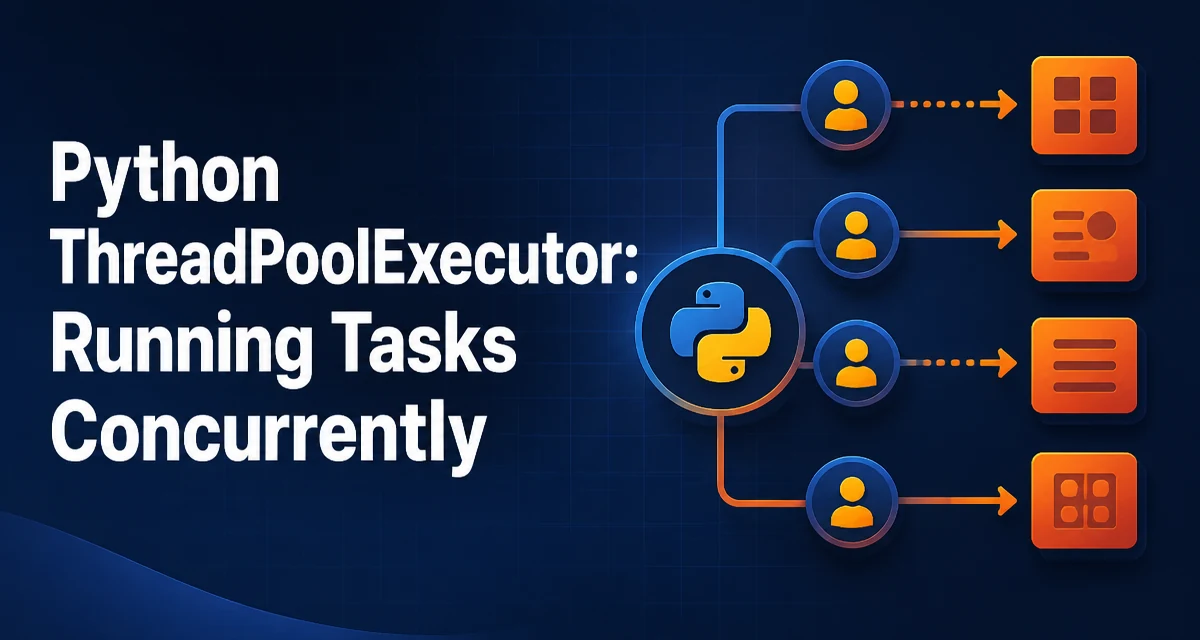
The ThreadPoolExecutor class in Python's concurrent.futures module runs callables asynchronously in a pool of worker threads. It is a good fit for I/O-bound work such as HTTP requests, file operations, and database queries, where threads spend much of their time waiting. This article explains how to submit tasks, retrieve results, handle failures, and choose the right pool size.
How ThreadPoolExecutor Works
ThreadPoolExecutor is part of the standard-library concurrent.futures module and provides a high-level interface for executing callables in a pool of threads. It manages thread creation, task queueing, and result delivery for you.
The executor maintains a pool of up to max_workers worker threads, creating them as needed and reusing them. When you submit a task, the executor places it in an internal queue. The next available worker takes the task and runs it. Reusing workers avoids the cost of creating a new thread for each task.
Here is a minimal example:
from concurrent.futures import ThreadPoolExecutor

def square(n):
    return n * n

with ThreadPoolExecutor(max_workers=4) as executor:
    future = executor.submit(square, 5)
    print(future.result())  # 25
The with block calls shutdown(wait=True) when it exits, so the program waits for all submitted tasks to finish.
Submitting Tasks with submit() and map()
The executor offers two main ways to run tasks: submit() and map().
submit() schedules one callable and returns a Future. The Future represents the eventual result and lets you check its state, retrieve the result, or attach a callback. submit() is useful when tasks have different arguments or when you need to process results as they finish, often with as_completed().
with ThreadPoolExecutor(max_workers=4) as executor:
    futures = [executor.submit(square, i) for i in range(10)]
    for future in futures:
        print(future.result())
map() applies a function to each item in an iterable and spreads those calls across the workers. It returns an iterator that yields results in the order the inputs were submitted, not in completion order.
with ThreadPoolExecutor(max_workers=4) as executor:
    results = executor.map(square, range(10))
    for result in results:
        print(result)
If you want to act on results as they complete, use submit() with as_completed() instead of map().
Handling Results and Exceptions
When a task raises an exception, the exception is stored in its Future and re-raised when you call future.result(). This lets you handle errors where you consume the result instead of inside the worker thread.
def divide(a, b):
    return a / b

with ThreadPoolExecutor() as executor:
    future = executor.submit(divide, 1, 0)
    try:
        result = future.result()
    except ZeroDivisionError as e:
        print(f"Task failed: {e}")
With map(), an exception is raised when you iterate over the results, and iteration stops at that point. To continue after individual failures, wrap each task in a function that catches exceptions, or use submit() and inspect each future separately.
Choosing the Number of Worker Threads
The max_workers parameter controls how many threads can be in the pool. There is no universal best value; the right size depends on the tasks and the environment.
For I/O-bound tasks such as network requests or file reads, worker threads spend most of their time waiting, so a pool larger than the number of CPU cores can be effective. A good starting point is a few threads per core, but you should benchmark your workload and adjust. Too many threads can increase memory use and scheduling overhead.
For CPU-bound Python code, adding more threads does not help in the standard CPython implementation because the Global Interpreter Lock (GIL) allows only one thread to execute Python bytecode at a time. For CPU-bound work, ProcessPoolExecutor is a better choice because each process has its own GIL and can run Python code on multiple cores.
ThreadPoolExecutor vs ProcessPoolExecutor
The choice between ThreadPoolExecutor and ProcessPoolExecutor depends mainly on whether the work is I/O-bound or CPU-bound.
| Criterion | ThreadPoolExecutor | ProcessPoolExecutor |
|---|---|---|
| Best for | I/O-bound tasks | CPU-bound tasks |
| Memory | Threads share the process memory | Each process has separate memory |
| GIL | Affected by the GIL | Not affected; each process has its own GIL |
| Overhead | Lower than creating processes | Higher process creation and teardown cost |
| Data sharing | Threads can access shared objects | Arguments and results must be pickled |
If tasks wait on network responses, files, or databases, ThreadPoolExecutor is usually sufficient. If tasks do heavy computation, use ProcessPoolExecutor.
Managing Shared State and Thread Safety
Because threads share the same process memory, you must be careful with mutable objects accessed from multiple tasks. Python's built-in containers do not provide atomic, high-level operations: two threads can interleave a multi-step update and leave data in a broken state. Use a lock from the threading module around critical sections, or use thread-safe queues such as queue.Queue.
import threading

counter = 0
lock = threading.Lock()

def increment():
    global counter
    with lock:
        counter += 1
In many cases, you can avoid shared state by keeping tasks independent. If you must share data, prefer immutable values or thread-local storage with threading.local().
Cancellation, Timeouts, and Clean Shutdown
A Future can be cancelled only if its task has not started running. future.cancel() returns True if the future was cancelled and False if the task is already running or finished.
You can also wait for a result with a timeout:
import concurrent.futures
from concurrent.futures import ThreadPoolExecutor

def slow_task():
    import time
    time.sleep(5)
    return "done"

with ThreadPoolExecutor() as executor:
    future = executor.submit(slow_task)
    try:
        result = future.result(timeout=2)
    except concurrent.futures.TimeoutError:
        print("Task took too long")
The timeout does not stop the underlying task; it only stops waiting for the result.
The context manager calls shutdown(wait=True) when it exits, so it waits for pending tasks to finish. To cancel pending tasks that have not started, call executor.shutdown(cancel_futures=True) explicitly on an executor you manage yourself. This parameter is available in Python 3.9 and later.
A Practical Example: Concurrent HTTP Requests
A common use case for ThreadPoolExecutor is downloading multiple web pages concurrently. This example uses the requests library, which you can install with pip install requests.
import requests
from concurrent.futures import ThreadPoolExecutor, as_completed

urls = [
    "https://example.com",
    "https://httpbin.org/get",
    "https://jsonplaceholder.typicode.com/todos/1",
]

def fetch(url):
    response = requests.get(url, timeout=10)
    return response.status_code, url

with ThreadPoolExecutor(max_workers=3) as executor:
    futures = {executor.submit(fetch, url): url for url in urls}
    for future in as_completed(futures):
        status, url = future.result()
        print(f"{url} returned {status}")
This pattern starts multiple requests at once and processes each response as soon as it arrives, rather than waiting for every request to finish before printing any results.