Parsing Nested XML and Attributes with Python xmltodict
Learn how to use xmltodict to parse nested XML into dictionaries, read attributes with the @ prefix, handle repeated elements and namespaces, and write XML back out.
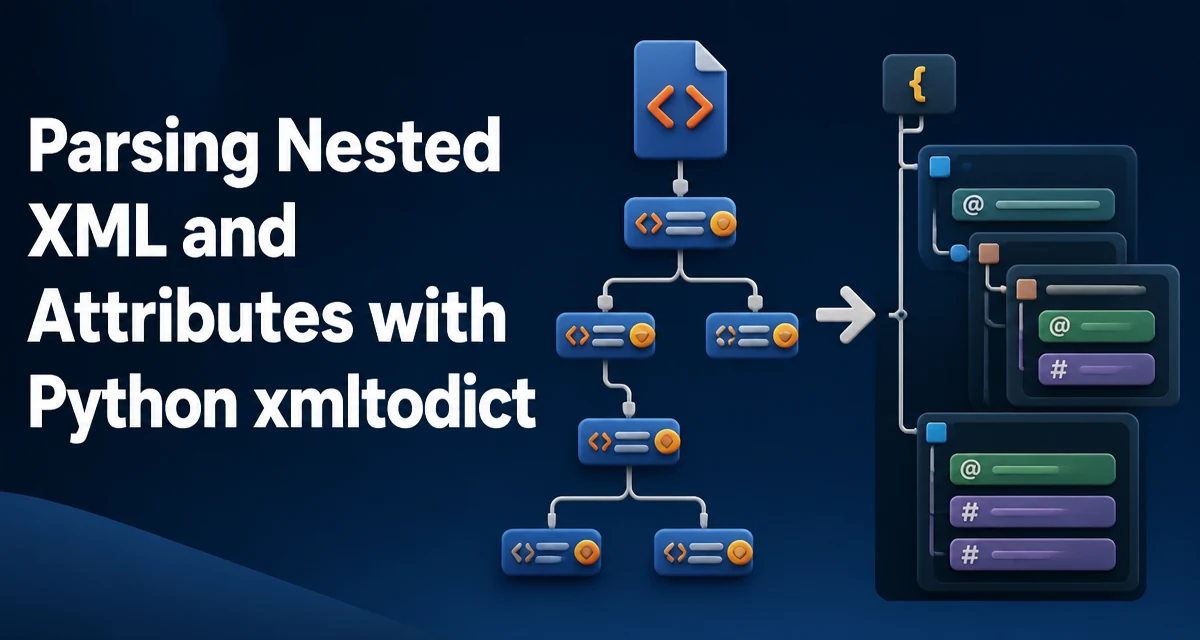
When working with XML in Python, the standard library's xml.etree.ElementTree can be verbose for nested structures. The xmltodict library provides a simpler mapping: XML becomes nested dictionaries and lists, with attributes prefixed by @. This article explains how to parse complex XML, access attributes, handle repeated elements and namespaces, and convert the result back to XML.
Parsing XML into Python Dictionaries with xmltodict
The core function is xmltodict.parse(). It takes an XML string or file-like object and returns an OrderedDict. For a simple element without attributes, the mapping is straightforward:
import xmltodict

xml_string = """
<book>
  <title>Python for Data Analysis</title>
  <author>Wes McKinney</author>
</book>
"""

data = xmltodict.parse(xml_string)
print(data)
# OrderedDict([('book', OrderedDict([('title', 'Python for Data Analysis'), ('author', 'Wes McKinney')]))])
The root element becomes the key, and child elements become keys in the nested dictionary. For text-only elements, the text is stored as a string. This mapping makes XML feel like JSON, which is why many developers reach for xmltodict.
How xmltodict Represents XML Attributes
Attributes are distinguished from child elements by an @ prefix. For example:
xml_string = """
<book id="123" lang="en">
  <title>Python for Data Analysis</title>
</book>
"""

data = xmltodict.parse(xml_string)
print(data['book']['@id'])  # '123'
print(data['book']['@lang'])  # 'en'
Attributes are stored as keys with @ at the same level as child elements. This convention is consistent across the library. When converting back to XML, the @ prefix tells unparse() that the key is an attribute.
Text content mixed with attributes or child elements is stored under the key #text. For instance:
xml_string = """
<message id="1">Hello world</message>
"""

data = xmltodict.parse(xml_string)
print(data['message'])  # OrderedDict([('@id', '1'), ('#text', 'Hello world')])
This #text key is essential when an element has both attributes and text content.
Handling Nested XML Structures
Nested elements become nested dictionaries naturally. Consider a deeper structure:
xml_string = """
<company>
  <employee>
    <name>Alice</name>
    <department>Engineering</department>
  </employee>
</company>
"""

data = xmltodict.parse(xml_string)
print(data['company']['employee']['name'])  # 'Alice'
Accessing nested data is intuitive. However, when an element repeats, xmltodict stores it as a list. This is a common source of confusion because the structure changes based on the number of occurrences.
Managing Repeated Elements and Lists
If an XML element appears more than once under the same parent, xmltodict groups them into a list. For example:
xml_string = """
<company>
  <employee>
    <name>Alice</name>
  </employee>
  <employee>
    <name>Bob</name>
  </employee>
</company>
"""

data = xmltodict.parse(xml_string)
employees = data['company']['employee']
print(type(employees))  # <class 'list'>
print(employees[0]['name'])  # 'Alice'
But if only one <employee> exists, data['company']['employee'] is a dictionary, not a list. This inconsistency forces you to write defensive code. A common pattern is to normalize with a helper:
def as_list(value):
    if value is None:
        return []
    if isinstance(value, list):
        return value
    return [value]
Then you can always iterate over as_list(data['company']['employee']). This is a practical workaround for the dynamic typing that xmltodict introduces.
Converting Dictionaries Back to XML with unparse
The reverse operation uses xmltodict.unparse(). It accepts a dictionary and returns an XML string. Attributes must use the @ prefix, and text content uses #text:
import xmltodict

data = {
    'book': {
        '@id': '123',
        'title': 'Python for Data Analysis',
        'author': 'Wes McKinney'
    }
}

xml_string = xmltodict.unparse(data, pretty=True)
print(xml_string)
# <book id="123">
#   <title>Python for Data Analysis</title>
#   <author>Wes McKinney</author>
# </book>
When a value is a list, unparse generates repeated elements. For simple documents, this allows round-tripping, but you must ensure the dictionary structure matches the @ and #text conventions. If you omit the @ prefix on an attribute, it will be treated as a child element instead.
Common Pitfalls with Namespaces and Mixed Content
XML namespaces can make parsed keys harder to read. By default, xmltodict keeps the qualified name, so <h:table> becomes the key 'h:table'. With process_namespaces=True, it resolves the prefix to its namespace URI and uses the namespace_separator (default :) to combine them. That is more robust but often verbose. You can keep keys short by passing a namespaces mapping; mapping a URI to None removes that namespace from the generated keys:
xml_string = """
<root xmlns:h="http://www.w3.org/TR/html4/">
  <h:table>
    <h:tr><h:td>Cell</h:td></h:tr>
  </h:table>
</root>
"""

data = xmltodict.parse(xml_string, process_namespaces=True,
                       namespaces={'http://www.w3.org/TR/html4/': None})
print(data['root']['table'])  # 'table', not 'h:table' or a full namespace URI
Mixed content — an element with both text and child elements — is rare but possible. xmltodict will place text under #text and children as separate keys. This can make traversing the dictionary awkward because the order is lost. If your XML relies heavily on mixed content, xmltodict may not be the right tool; consider lxml instead.
Performance and Memory Considerations
xmltodict builds a complete in-memory representation of the XML document. For large files, this can consume significant memory and CPU. Unlike ElementTree's iterparse, xmltodict does not support streaming. If you need to process a multi-gigabyte XML file, you should use a streaming parser. For typical configuration files or API responses, the convenience outweighs the overhead.
xmltodict returns OrderedDict objects. They preserve document order, but have slightly higher memory overhead than plain dict. In Python 3.7+, plain dict also preserves insertion order, so if you only need a plain dictionary, converting the top-level mapping is safe. To convert nested OrderedDict values as well, you would need a small recursive helper. In practice, most developers accept the OrderedDict output.
When converting back to XML, unparse serializes the entire dictionary tree. This is also an in-memory operation. For large dictionaries, consider whether you truly need to produce XML or if JSON is a better interchange format.