SQL Window Functions: ROW_NUMBER, RANK, DENSE_RANK, and LEAD/LAG Explained
How the four ranking and offset functions differ on ties, why the default RANGE frame makes running totals repeat, and how LAG builds gap-and-island detection.
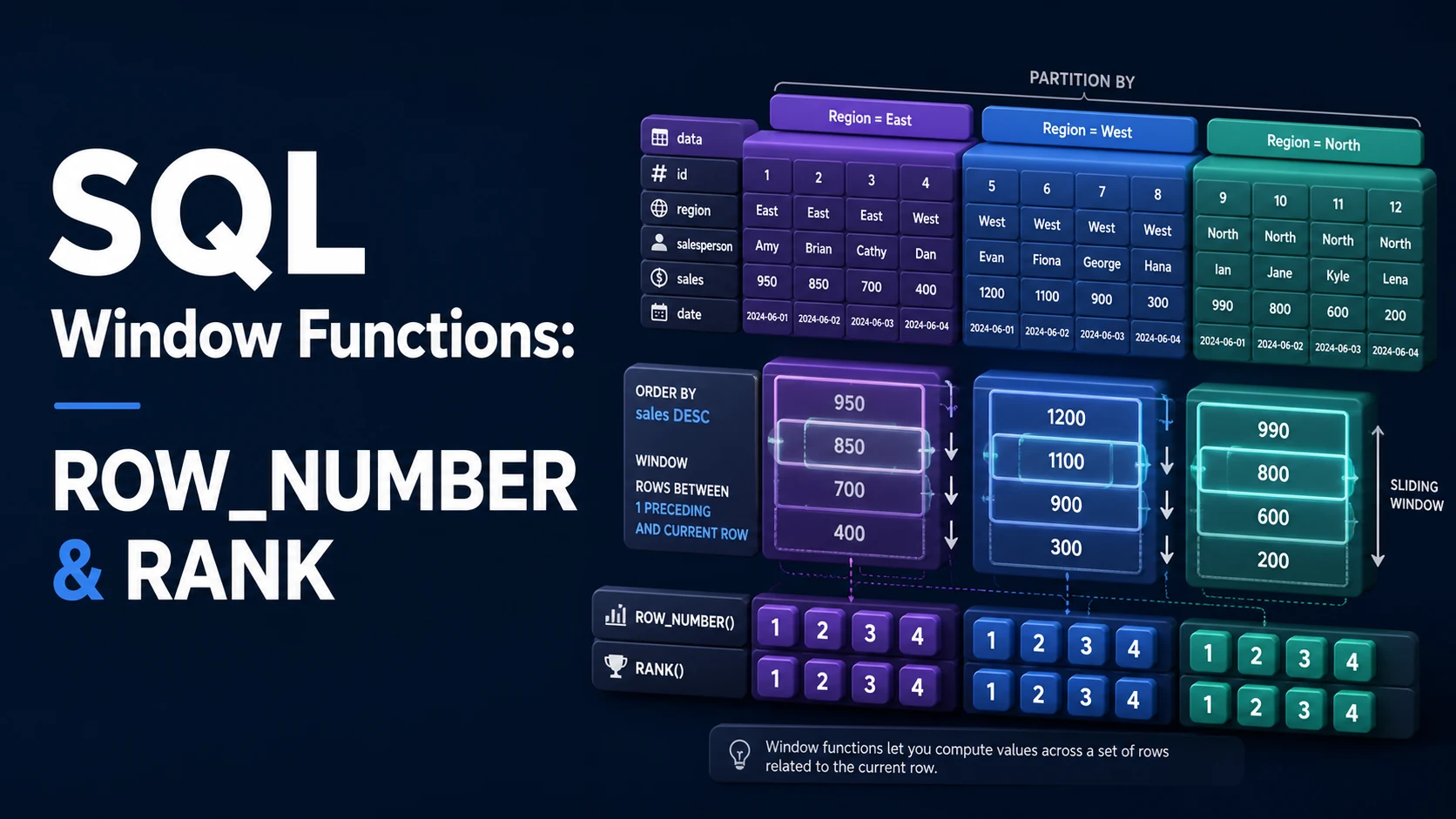
Quick Summary
A window function computes a value across a set of rows related to the current row without collapsing those rows into a single output row. That is the whole difference from GROUP BY: aggregation reduces, windowing annotates. The four ranking and offset functions below cover most real work — deduplicating rows, numbering pages, ranking within categories, and comparing a row to its neighbours.
ROW_NUMBER assigns 1, 2, 3 in order and never repeats a value. RANK repeats the same rank for ties and then skips the numbers it used. DENSE_RANK repeats for ties and does not skip. LEAD and LAG reach forward and backward within the partition. Getting the query wrong rarely produces an error; it produces a plausible number that is quietly wrong, usually because of a missing tiebreaker or a frame clause that includes peer rows you did not expect.
Basic syntax and query signatures
<function>() OVER (
    PARTITION BY <expr> [, ...]
    ORDER BY    <expr> [ASC|DESC] [NULLS FIRST|LAST] [, ...]
    [ROWS | RANGE | GROUPS BETWEEN <start> AND <end>]
)
The three clauses are independent. PARTITION BY resets the computation per group and behaves like GROUP BY scoped to the function. ORDER BY defines the sequence inside each partition and, for ranking functions, decides what "first" means. The frame clause decides which rows the function can see at each step; it applies to aggregates and to FIRST_VALUE/LAST_VALUE, and is meaningless for the four ranking functions.
SELECT
    id,
    customer_id,
    total_cents,
    ROW_NUMBER() OVER (PARTITION BY customer_id ORDER BY placed_at DESC, id DESC) AS rn,
    RANK()       OVER (PARTITION BY customer_id ORDER BY total_cents DESC)          AS spend_rank,
    DENSE_RANK() OVER (PARTITION BY customer_id ORDER BY total_cents DESC)          AS spend_dense_rank,
    LAG(total_cents, 1, 0) OVER (PARTITION BY customer_id ORDER BY placed_at)       AS previous_total
FROM orders;
LEAD(expr, offset, default) and LAG take the column, how many rows to travel (default 1), and the value to return when the row is out of range (default NULL). An explicit default removes an entire class of downstream COALESCE calls and, more importantly, keeps the type stable: a LAG(price) on a numeric column returns numeric, but an unhandled NULL will propagate into arithmetic and turn a comparison into UNKNOWN.
Named windows cut repetition and, more usefully, document intent once:
SELECT
    id,
    SUM(amount) OVER w AS running_total
FROM payments
WINDOW w AS (PARTITION BY account_id ORDER BY paid_at, id ROWS BETWEEN UNBOUNDED PRECEDING AND CURRENT ROW);
A window definition can be extended — OVER (w ORDER BY paid_at ROWS ...) — but not overridden: you cannot redefine PARTITION BY in a window that references w, and the referenced window must appear after it in the WINDOW list.
Key comparison table
| Function | Repeats on ties | Skips after ties | Needs ORDER BY | Typical use |
|---|---|---|---|---|
ROW_NUMBER() | Never | n/a | Practically yes | Deduplication, keyset pagination, "first per group" |
RANK() | Yes | Yes (1, 1, 3) | Yes | Leaderboards where a tie consumes positions |
DENSE_RANK() | Yes | No (1, 1, 2) | Yes | "Top N distinct values", bucket boundaries |
LEAD(expr, n, def) | No (per-row) | No | Yes | Comparing to the next row, gaps detection |
LAG(expr, n, def) | No (per-row) | No | Yes | Deltas, run detection, previous state |
NTILE(n) | No | n/a | Yes | Even bucket splits (deciles, quartiles) |
Frame behaviour is the second axis. With ORDER BY and no explicit frame, the default is RANGE BETWEEN UNBOUNDED PRECEDING AND CURRENT ROW, which includes every peer row with the same ORDER BY key. ROWS counts physical rows; GROUPS counts peer groups; RANGE with an offset counts value distance, which requires exactly one numeric or date ORDER BY expression.
Practical edge cases and deep dives
1. Deduplicating rows when the sort key is not unique
The common "keep the latest row per key" query is a ROW_NUMBER filter, and it is wrong the moment the ordering column ties.
-- Broken: two rows with the same created_at both get rn = 1 in some runs
WITH ranked AS (
    SELECT *, ROW_NUMBER() OVER (PARTITION BY email ORDER BY created_at DESC) AS rn
    FROM users
)
SELECT * FROM ranked WHERE rn = 1;
Two rows with identical created_at are ordered arbitrarily, and the planner may return a different winner as data grows or an index changes. Add a total-order tiebreaker — usually the primary key — so the row chosen is deterministic:
WITH ranked AS (
    SELECT *, ROW_NUMBER() OVER (PARTITION BY lower(email) ORDER BY created_at DESC, id DESC) AS rn
    FROM users
)
SELECT * FROM ranked WHERE rn = 1;
The same query also hides a second bug: partitioning on email treats Name@Example.com and name@example.com as different accounts. Partition on lower(email) or on a normalised column, and put a unique index on that expression so the duplicate cannot come back.
2. Running totals and the peer-row surprise
SELECT
    id,
    paid_at,
    amount,
    SUM(amount) OVER (PARTITION BY account_id ORDER BY paid_at)                    AS total_default,
    SUM(amount) OVER (PARTITION BY account_id ORDER BY paid_at
                      ROWS BETWEEN UNBOUNDED PRECEDING AND CURRENT ROW)            AS total_rows
FROM payments
ORDER BY account_id, paid_at, id;
Two payments with identical paid_at produce a different total_default for each row: both see each other, so both report the same cumulative figure. total_rows produces a strict running sum that advances one row at a time. Neither is "correct" in the abstract — the first is what an accountant reconciling by timestamp wants, the second is what a chart drawing a line wants. The mistake is not choosing deliberately. Add , id to the ORDER BY and the values become stable without changing the frame.
3. Gaps and islands with LAG
Finding consecutive runs is the canonical LAG job: mark where a new run starts, then sum the markers.
WITH marked AS (
    SELECT
        user_id,
        day,
        CASE
            WHEN day - LAG(day) OVER (PARTITION BY user_id ORDER BY day) = 1 THEN 0
            ELSE 1
        END AS is_new_run
    FROM activity
), runs AS (
    SELECT
        user_id,
        day,
        SUM(is_new_run) OVER (PARTITION BY user_id ORDER BY day
                              ROWS BETWEEN UNBOUNDED PRECEDING AND CURRENT ROW) AS run_id
    FROM marked
)
SELECT user_id, MIN(day) AS run_start, MAX(day) AS run_end, COUNT(*) AS streak_days
FROM runs
GROUP BY user_id, run_id
HAVING COUNT(*) >= 3
ORDER BY streak_days DESC;
The LAG(day) at the first row of a partition is NULL, and NULL compared with = yields UNKNOWN, so the CASE falls through to ELSE 1 and the first row always starts a new run. This is the one place where the default NULL is exactly what the logic needs. If you replace it with LAG(day, 1, day) the first row becomes "not a new run", and the first streak silently disappears from the output.
For dates, day - LAG(day) assumes a date type where subtraction yields days. In PostgreSQL use day - LAG(day) = 1 on date; on timestamp use EXTRACT(DAY FROM day - LAG(day)) or compare day::date - LAG(day)::date, because timestamp subtraction yields an interval.
4. LEAD past the partition edge and comparison across partitions
SELECT
    id,
    plan,
    started_at,
    LEAD(started_at) OVER (PARTITION BY customer_id ORDER BY started_at) AS next_start,
    LEAD(started_at) OVER (PARTITION BY customer_id ORDER BY started_at)
        - started_at AS days_on_plan
FROM subscriptions;
The last row of every customer gets NULL for next_start and therefore NULL for days_on_plan — which is usually the signal that the subscription is still active, not a data error. Where the report needs a number, supply a sentinel and handle it deliberately:
LEAD(started_at, 1, DATE '9999-12-31') OVER (PARTITION BY customer_id ORDER BY started_at)5. Window results are not filterable in WHERE
Window functions are evaluated after WHERE, GROUP BY, and HAVING, so the only way to filter on one is a subquery or a QUALIFY clause where the dialect supports it.
-- PostgreSQL, MySQL, SQL Server: wrap the window in a CTE
WITH ranked AS (
    SELECT p.*, ROW_NUMBER() OVER (PARTITION BY category ORDER BY views DESC) AS rn
    FROM posts p
    WHERE status = 'published'
)
SELECT * FROM ranked WHERE rn <= 5;

-- Snowflake, BigQuery, DuckDB and Redshift: same result in one pass
SELECT p.* FROM posts p
WHERE p.status = 'published'
QUALIFY ROW_NUMBER() OVER (PARTITION BY category ORDER BY views DESC) <= 5;
Note the placement of the WHERE status = 'published' filter. Putting it inside the CTE is not just stylistic: filtering before ranking means the top five are the top five published posts. Filtering after ranking can leave a category with three rows because two of its top five were drafts.
Common mistakes and runtime errors
| Error or symptom | Cause | Fix |
|---|---|---|
window functions are not allowed in WHERE (PostgreSQL 42P20) | Filtering on the function directly | Wrap in a subquery/CTE and filter on the alias; use QUALIFY on dialects that have it |
misuse of window function row_number() (SQLite) | Same, in WHERE, GROUP BY, or HAVING | Same workaround |
RANGE with offset PRECEDING/FOLLOWING requires exactly one ORDER BY column | ROWS/RANGE frame with an offset and a multi-column sort | Use ROWS with offsets, or collapse the sort into one expression |
column "x" must appear in the GROUP BY clause | Mixing a bare column with GROUP BY when a window aggregate was intended | Drop the GROUP BY, or aggregate inside the window and group outside |
| Ranking numbers skip 2 after a tie | RANK used where DENSE_RANK was meant | Switch function, or accept that RANK encodes competition position |
| Different row chosen on every run | Non-deterministic ORDER BY tiebreaker | Add the primary key as the final sort key |
LAG returns NULL on the first row of each partition | Boundary of the partition, not a missing value | Supply a third default argument, or handle NULL explicitly |
SUM over window returns the same value twice for ties | Default RANGE frame includes peers | Use ROWS BETWEEN ... or add a unique tiebreaker to ORDER BY |
OVER clause not supported at all | MySQL 5.7, SQL Server 2008, SQLite < 3.25 | Upgrade, or emulate with self-joins and correlated subqueries |
LAST_VALUE returns the current row, not the last row | Default frame ends at CURRENT ROW | Add ROWS BETWEEN UNBOUNDED PRECEDING AND UNBOUNDED FOLLOWING |
Two of these deserve a note. The LAST_VALUE trap catches nearly everyone once: with ORDER BY present, the frame ends at the current row, so LAST_VALUE is the current row's value and the query looks broken. Either widen the frame or use FIRST_VALUE with a reversed sort. And ROW_NUMBER inside a paginated API is not a cursor: pages five and six run their own window over the whole table, so a row inserted between requests duplicates later pages. Keyset pagination is what keeps paging stable, and ROW_NUMBER normally belongs in the batch job.
Try matching browser tools
All toolsSmall utilities that fit SQL work — they run entirely in this browser tab, so nothing you paste leaves your device.
Related SQL guides
All SQL guidesSQL Cursors vs Set-Based Operations: Syntax, Memory, and Performance
Why a row-by-row cursor costs minutes where one UPDATE takes seconds, how server cursors spool to disk, and the set-based replacements for each loop.
SQL String Functions: CONCAT, SUBSTRING, REPLACE, and Pattern Matching
The concatenation and slice functions that differ between engines, why LIKE 'x%' uses an index and '%x%' cannot, plus escaping and NULL rules.
SQL Date and Time Functions: INTERVAL Arithmetic, Time Zones, and DST
timestamptz versus timestamp, half-open ranges that keep an index, and the daylight saving gaps that make local scheduling wrong once a year.
SQL Row Locking: SELECT FOR UPDATE, SKIP LOCKED, and NOWAIT
How FOR UPDATE locks rows until commit, why the plan decides the lock scope, and the SKIP LOCKED claim-queue pattern that scales to many workers.
More in SQL
All SQL guidesThe guides filed next to this one in SQL, in library order.