TypeScript Ambient Declarations: .d.ts Files, declare, and declare global
How declare and .d.ts files describe runtime values, wildcard modules for assets, declare global with var, and module augmentation of third-party types.
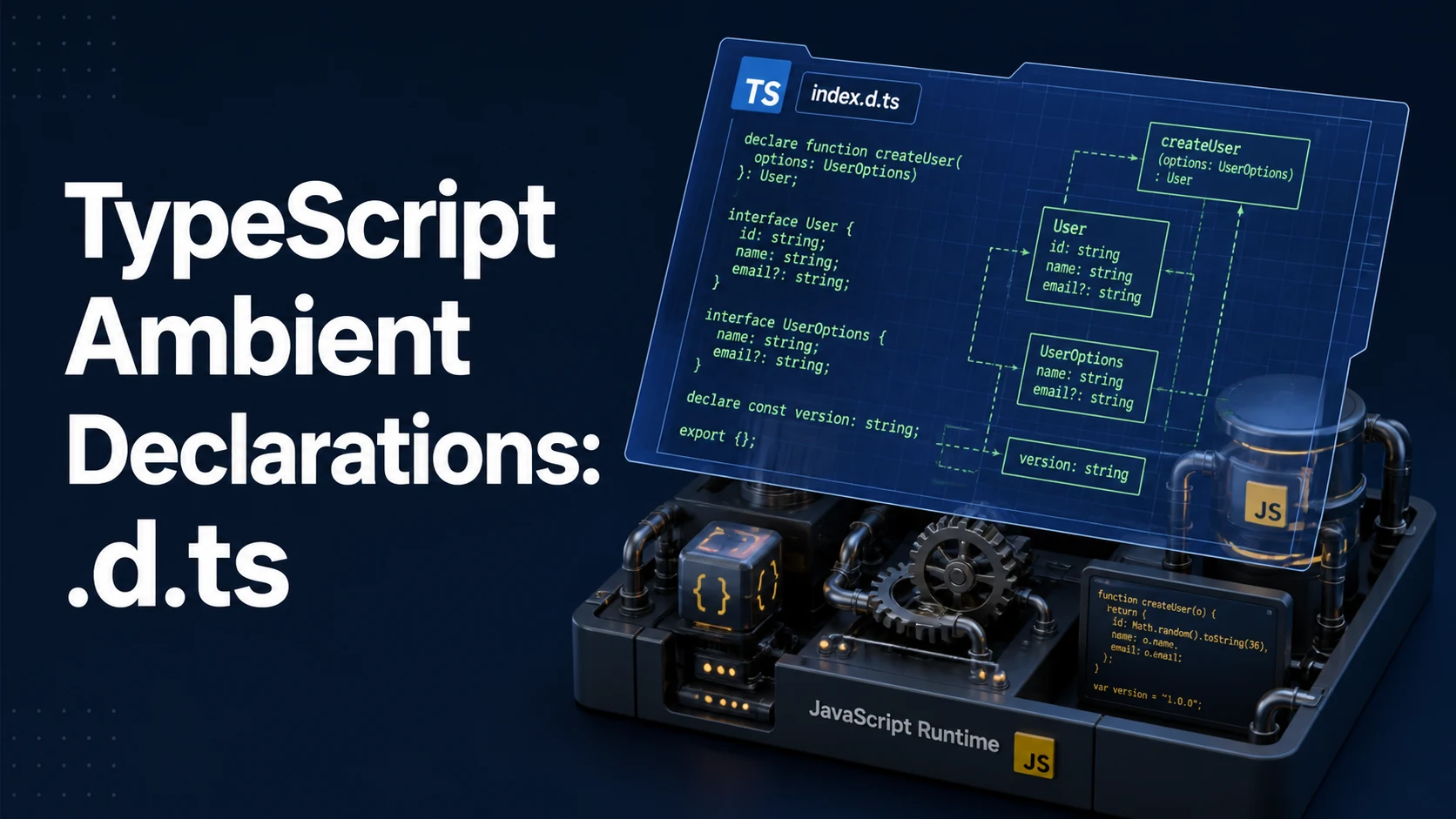
An ambient declaration states the type of something that already exists at runtime without describing where it comes from. declare const version: string tells the compiler that a global version exists and has that type; the declaration emits nothing, so the value must be supplied by a script tag, a bundled global, or a module whose implementation lives elsewhere. Declaration files (.d.ts) are the container for these statements, and every @types package is a folder of them.
Quick Summary
declareremoves the need for an implementation: the compiler records the type and emits no code for it.declare const,let,var,function,class,enum, andnamespacedescribe values;interfaceandtypedescribe shapes and never emit in the first place.declare module "name"creates an ambient module, which is how an untyped JavaScript package or a non-JavaScript import (CSS, SVG) gets a type.- A wildcard module (
declare module "*.svg") uses one pattern for many files, and the module body must export something the import site expects. declare globalaugments the global scope and is legal only inside a module; a script file needsexport {}first (TS2669).- Augmenting a global variable requires
var, becauseletandconstcannot be redeclared (TS2403). - Module augmentation (
declare module "lib" { interface X { ... } }) merges into an existing module and is how a third-party type gains an application-specific field. - A declaration is a promise about runtime; nothing checks that the emitted JavaScript still matches, so a stale
.d.tscompiles cleanly and fails in the browser.
Basic syntax and type signatures
// globals.d.ts — describes values that exist at runtime
declare const BUILD_ID: string;
declare function gtag(command: "config" | "event", ...args: unknown[]): void;
declare class LegacyWidget {
  constructor(el: HTMLElement);
  render(): void;
}
declare enum Theme { Light = "light", Dark = "dark" }

// an untyped package
declare module "legacy-chart" {
  export interface Options { width: number; height: number }
  export function render(el: HTMLElement, options: Options): void;
  export default render;
}

// non-JavaScript imports
declare module "*.svg" {
  const src: string;
  export default src;
}
declare module "*.module.css" {
  const classes: Readonly<Record<string, string>>;
  export default classes;
}
The global augmentation form, which must live in a module:
export {};                       // makes this file a module

declare global {
  interface Window {
    __APP_CONFIG__?: { apiUrl: string };
  }
  var __DEBUG__: boolean;        // `var`, not `let`/`const`
}

interface ImportMetaEnv {
  readonly VITE_API_URL: string;
}
An ambient declaration is a type statement with no body, so declare function f(): void; is legal while a body is not: TS1183: An implementation cannot be declared in ambient contexts. The same rule makes declare inside a .d.ts redundant (TS1038: A 'declare' modifier cannot be used in an already ambient context) — every statement in a .d.ts is already ambient.
Comparison of declaration forms
| Declaration | Describes | Can merge with | Emits | Typical location |
|---|---|---|---|---|
declare const / let | a variable | nothing | no | .d.ts global |
declare var | a global variable | another var of the same name | no | declare global |
declare function | a function | namespace of the same name | no | .d.ts |
declare class | a class value and type | interface, namespace | no | .d.ts |
declare enum | an enum value and type | namespace | no | .d.ts |
declare namespace | a container of types and values | another namespace | no | .d.ts, UMD |
declare module "x" | a whole module | itself (augmentation) | no | .d.ts |
declare global | the global scope | the global scope | no | inside a module |
The merge column explains most of the idioms: attaching static members to a function, adding a field to Window, and extending a library's interface are all cases of one declaration merging into another. A const cannot merge, which is why global variables are augmented with var.
Practical edge cases and deep dives
1. An untyped package and the error that points here
import { render } from "legacy-chart";
// TS7016: Could not find a declaration file for module 'legacy-chart'.
//   '.../node_modules/legacy-chart/index.js' implicitly has an 'any' type.
Three routes, in order of durability:
// 1. Install the types, if they exist.
//    npm i -D @types/legacy-chart

// 2. Write a local declaration and include it via tsconfig "include" or "files".
// types/legacy-chart.d.ts
declare module "legacy-chart" {
  export interface Options { width: number; height: number }
  export function render(el: HTMLElement, options: Options): void;
}

// 3. Declare only what is used, as a shorthand module.
declare module "legacy-chart";
Option 3 declares the module as any and silences TS7016 without adding any safety; it is a stopgap for a build that must pass today. Option 2 is the real fix and costs one file. If the package ships JavaScript with JSDoc, allowJs plus checkJs in the project can sometimes infer the types without a declaration; if it ships its own .d.ts but the import still fails, the problem is resolution (moduleResolution, exports in the package's package.json) rather than a missing declaration, and writing another declare module will shadow the real one.
2. Wildcard modules for build-tool imports
declare module "*.png" {
  const src: string;
  export default src;
}

declare module "*?raw" {
  const content: string;
  export default content;
}

declare module "*.json" {
  const value: unknown;
  export default value;
}
A wildcard module is matched by the import specifier, not the file system, so "*?raw" catches "./schema.sql?raw" and the body decides the shape. The usual mistake is exporting a named binding where the importing code expects a default: import src from "./logo.svg" requires export default, while import { ReactComponent } from "./logo.svg" requires a named export, and a wildcard that declares only one of them fails the other with TS2614 or TS1192. Frameworks increasingly ship these declarations (Vite in vite/client, Next in next-env.d.ts), so check for an existing reference before writing a duplicate — two wildcard declarations for the same pattern merge the module bodies and can produce conflicting default exports.
3. Global augmentation: var, Window, and typed configuration
export {};

declare global {
  interface Window {
    dataLayer: unknown[];
  }
  var __BUILD__: { commit: string; time: number };
}

window.dataLayer = window.dataLayer ?? [];
console.log(__BUILD__.commit);
interface Window merges into the DOM library's interface because interfaces merge; var __BUILD__ merges into the global variable scope for the same reason var exists there. Replacing it with let __BUILD__: ... produces TS2403: Cannot redeclare block-scoped variable '__BUILD__' as soon as a second file declares it, because block-scoped declarations cannot merge. The export {} is not decoration: without it the file is a script, the declare global is illegal, and the interfaces declared at the top level silently become global rather than module-scoped.
The same pattern types build-time configuration that a bundler defines:
interface ImportMetaEnv {
  readonly VITE_API_URL: string;
  readonly VITE_FEATURE_FLAGS: string;
}
interface ImportMeta {
  readonly env: ImportMetaEnv;
}
ImportMeta and ImportMetaEnv are interfaces, so declaring them in any included file merges with the library's definitions, and import.meta.env.VITE_API_URL becomes typed without a cast.
4. Module augmentation of a third-party type
// auth.d.ts
import "next-auth";                 // the module must be resolvable
import type { DefaultSession } from "next-auth";

declare module "next-auth" {
  interface Session {
    user: { id: string } & DefaultSession["user"];
  }
}
This merges an extra field into the library's Session interface everywhere in the project. Three conditions must hold: the file must be a module (the import does that), the module name must resolve (TS2664: Invalid module name in augmentation, module 'next-auth' cannot be found otherwise), and the target must be an interface or a namespace, since a type alias cannot be reopened. Augmenting a class's prototype type is the same operation on an interface declared by the class:
declare module "express-serve-static-core" {
  interface Request {
    userId?: string;
  }
}
The runtime side is separate: the augmentation says req.userId is a string | undefined, and some middleware must actually assign it. When the two drift — the declaration remains after the middleware is deleted — every read compiles and none is defined.
5. Declarations that drift from the runtime
// package.json scripts
// "build": "tsc -p tsconfig.build.json"
// tsconfig.build.json: { "declaration": true, "emitDeclarationOnly": true }
A library generates its .d.ts from its source, so the declaration matches the implementation by construction. A hand-written .d.ts for a JavaScript package has no such guarantee, and the failure is delayed: the declaration says render(el, options) while the shipped function takes (options, el), and every consumer compiles while none works. Two cheap defenses apply. First, when a package ships both .js and .d.ts, verify the declaration is referenced from types/exports in package.json rather than assumed. Second, keep skipLibCheck: true for speed in application builds but run at least one CI job with it off for the packages you maintain — skipLibCheck skips checking inside declaration files, which is exactly where a broken .d.ts hides.
Common mistakes and compiler errors
| Error or symptom | Cause | Fix |
|---|---|---|
TS7016: Could not find a declaration file for module 'x' | untyped package | install @types/x, or declare the module |
TS2664: Invalid module name in augmentation, module 'x' cannot be found | augmenting a module that does not resolve | fix resolution, or use declare module instead of augmentation |
TS2669: Augmentations for the global scope can only be directly nested in external modules | declare global in a script | add export {} |
TS2403: Cannot redeclare block-scoped variable | let/const used in declare global | use var |
TS1038: A 'declare' modifier cannot be used in an already ambient context | declare inside a .d.ts | remove the modifier |
TS1183: An implementation cannot be declared in ambient contexts | a function body in declare | remove the body |
TS2614/TS1192 on an asset import | wildcard module exports the wrong shape | match the import (default vs named) |
| Declaration ignored entirely | file not included by tsconfig | add it to include, files, or types |
TS2307: Cannot find module 'x' after writing a declaration | the declaration's module name differs from the import specifier | match the string exactly |
| Types work in the editor and fail in CI | the editor picked up a global .d.ts that the build excludes | put the file in the build's include |
The discipline that keeps ambient declarations useful is to keep them few and close to the code that needs them. A wildcard module that a bundler already provides, a Window field nothing assigns, or a declare module "x" that silently makes the package any all convert a real error into a compile that passes. The test for whether a declaration belongs: can the runtime value it describes be pointed at — a script tag, a bundler define, a module's exports? If not, the declaration is a description of something that does not exist, and every use of it is a cast in disguise.
Try matching browser tools
All toolsSmall utilities that fit TypeScript work — they run entirely in this browser tab, so nothing you paste leaves your device.
Related TypeScript guides
All TypeScript guidesTypeScript Generic Parameter Defaults: Syntax, Precedence, and Inference
When a default applies and when inference wins, defaults that reference earlier parameters, and how a defaulted type parameter keeps a library change non-breaking.
TypeScript Branded Types: Nominal Typing, Type Tags, and Validation
How a phantom property makes two strings incompatible, unique symbol brands, unit-typed numbers, and the places where a brand quietly disappears.
TypeScript Discriminated Unions: Exhaustiveness Checking and the never Type
Why the discriminant must be a literal, how never closes an exhaustive switch, and the duplicate-discriminant bug that lets a missing case compile.
TypeScript Enums: Numeric, String, const Enums, and Alternatives
How each enum form compiles, why numeric enums emit a reverse mapping, what const enums cost under per-file transpilation, and how an as const object replaces them.
More in TypeScript
All TypeScript guidesThe guides filed next to this one in TypeScript, in library order.