Linux Networking Diagnostics: ss, ip, dig, curl, and TCP Troubleshooting
A layer-by-layer path from interface to TLS that localises a failure in five commands, with the socket states and curl timings that identify each cause.
Quick Summary
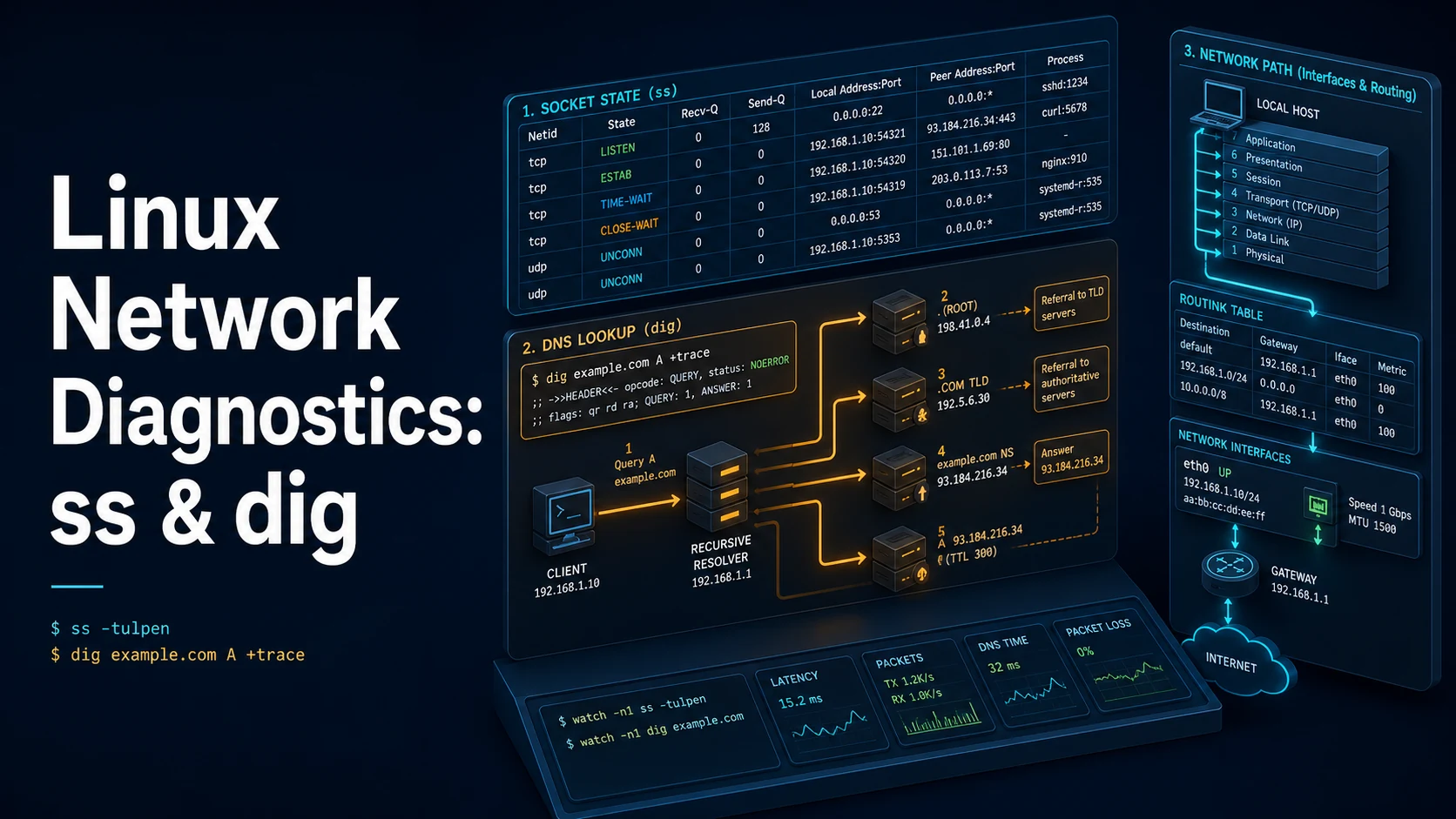
Most "the network is down" reports decompose into three layers, and each has one command that answers it. Is there an address and a route? ip addr and ip route. Is anything listening on the port, and can it be reached? ss -tulpn. Does the name resolve, and does the request survive to a response? dig, curl -v, and traceroute.
The order matters more than the tools. Checking DNS before checking the socket wastes time on a problem that is one layer below, and checking the application before checking TLS terminates the investigation in the wrong place. Following the path — name, address, route, listener, handshake, response — localises the fault in a handful of commands instead of a packet capture.
curl is the closest thing to a complete probe because -v prints every stage of a request: DNS resolution, TCP connect, TLS handshake, request, and response headers. When curl works and the application does not, the fault is in the application; when curl fails, the line where it fails names the layer.
Basic Syntax & Signature
# Interfaces, addresses, routes
ip -br addr                       # one line per interface
ip addr show dev eth0
ip route                          # default gateway and connected networks
ip -6 route
ip neigh                          # ARP/neighbour table

# Sockets
ss -tulpn                         # TCP+UDP listening, numeric, with process
ss -tn state established '( dport = :443 or sport = :443 )'
ss -s                             # summary counts by state
ss -ltnp 'sport = :8080'

# Name resolution
dig example.com +short
dig +noall +answer example.com A
dig @1.1.1.1 example.com MX
dig +trace example.com            # walk from the root
getent hosts example.com          # what the system resolver actually returns
resolvectl status                 # systemd-resolved configuration

# Request and path
curl -v https://example.com/                       # full handshake detail
curl -sS -o /dev/null -w '%{http_code} %{time_total}\n' https://example.com/
curl -I https://example.com/
curl --resolve api.example.com:443:203.0.113.10 https://api.example.com/
curl -w '@curl-format.txt' -o /dev/null -s https://example.com/

# Path
traceroute -n example.com
tracepath example.com
mtr -rwzbc 20 example.com
ping -c 4 1.1.1.1
A timing template for curl -w, saved as curl-format.txt:
dns=%{time_namelookup} connect=%{time_connect} tls=%{time_appconnect} ttfb=%{time_starttransfer} total=%{time_total} code=%{http_code}\nKey Comparison Table
| Question | Command | What a bad answer looks like |
|---|---|---|
| Do I have an address? | ip -br addr | DOWN or no inet |
| Is there a default route? | ip route | No default via line |
| Is the port listening? | ss -ltnp | No entry for the port |
| Is a connection established? | ss -tn state established | Only SYN-SENT |
| Does DNS answer? | dig name +short | Empty, or SERVFAIL |
| Does the system resolver agree? | getent hosts name | Different answer from dig |
| Does the service respond? | curl -v | Fails at Trying (connect) or SSL |
| How far does traffic get? | traceroute -n | * * * from a hop onward |
| Is the firewall dropping? | nft list ruleset / iptables -S | DROP rules on the port |
| Is the route asymmetric? | mtr -rw | Return path never arrives |
Practical Edge Cases & Deep Dives
1. Reading ss states
ss -tan | awk 'NR>1 {print $1}' | sort | uniq -c | sort -rn| State | Meaning | Typical cause |
|---|---|---|
LISTEN | Accepting connections | Normal |
ESTAB | Established | Active connection |
SYN-SENT | Connecting, no reply | Firewall drop, wrong host |
SYN-RECV | Half-open | SYN flood, or slow accept |
TIME-WAIT | Closed, waiting | Normal; high counts mean short-lived connections |
CLOSE-WAIT | Peer closed, app has not | Application is not closing sockets |
FIN-WAIT-2 | Local closed, awaiting peer FIN | Peer not closing |
A server with thousands of CLOSE-WAIT sockets has a file-descriptor leak in the application, not a network problem. A load generator with thousands of TIME-WAIT sockets needs connection reuse, and SYN-SENT piling up means outbound packets are being dropped before any response arrives.
2. DNS: dig versus the system resolver
dig +short api.example.com
getent hosts api.example.com
cat /etc/resolv.conf
resolvectl query api.example.com
If dig @1.1.1.1 returns the right address and getent hosts returns nothing, the resolver configuration is the problem — a stale /etc/resolv.conf, a search domain that appends the wrong suffix, or a systemd-resolved stub that is not running. dig queries the DNS server directly and bypasses nsswitch.conf; getent is what the application actually uses.
# Search-domain surprise: `api` resolves as api.corp.example.com first
dig +search api
getent hosts api
The search directive is why short names work in one place and fail in a container: the container's resolver has a different search list.
3. Separating DNS, connect, and TLS with curl
curl -v --connect-timeout 5 --max-time 20 https://api.example.com/health
# ...
# * Trying 203.0.113.10:443...
# * Connected to api.example.com (203.0.113.10) port 443
# * TLSv1.3 (OUT), TLS handshake, Client hello (1)
# * SSL certificate verify ok.
# * HTTP/2 200
The last line before the failure names the layer. It stops at Trying — the TCP connect is being dropped, so look at routing and firewall. It prints Connected and then hangs — TLS or the application's accept loop. It completes the handshake and returns a 502 — the reverse proxy cannot reach its upstream, and the problem is one hop behind the server.
# Hit a specific backend through a load balancer without touching DNS
curl -sS -H 'Host: api.example.com' http://10.0.4.15/health
curl --resolve api.example.com:443:10.0.4.15 https://api.example.com/health
--resolve pins the name to an address, which tests one backend directly while keeping SNI and the Host header correct — the difference between "the service is broken" and "one instance behind the balancer is broken".
4. Where traceroute stops being useful
traceroute -n -T -p 443 example.com    # TCP SYN instead of UDP
mtr -rwzbc 50 example.com              # continuous: loss per hop
ICMP-based traceroute is blocked by most networks, so the first hop that prints * * * is usually a filtering device, not a failure. For a web service, traceroute -T -p 443 sends TCP SYN packets that firewalls are more likely to pass. mtr is the better tool for intermittent problems because it keeps sampling and reports loss per hop — a single high-latency hop that does not affect later hops is rate limiting on that router's control plane, not a path problem.
5. Confirming the firewall is the cause
sudo nft list ruleset | head -40
sudo iptables -S
sudo iptables -t nat -S
sudo ufw status verbose
sudo conntrack -L | grep :443 | head
A DROP rule produces a timeout in the client; a REJECT rule produces "connection refused", which is indistinguishable from no listener. That distinction is the fastest way to tell a firewall from a stopped service: refused means something answered, timed out means nothing did.
6. MTU and the connection that works until it does not
ping -M do -s 1472 example.com        # 1472 + 28 = 1500 bytes total
ping -M do -s 1400 example.com
ip link show eth0 | grep mtu
SSH connects, the first few kilobytes transfer, then the session hangs — the classic MTU symptom. Small packets pass, large ones are dropped because ICMP "fragmentation needed" is filtered somewhere on the path. Reducing the interface MTU, or clamping MSS on the router, confirms and fixes it. Nothing in the application logs shows a fault because the packets never arrive.
Common Compilation/Runtime Mistakes
| Symptom | Cause | Fix |
|---|---|---|
| "Connection refused" | Nothing listening, or a REJECT rule | ss -ltnp, then check the firewall |
| Connection times out | DROP rule or wrong route | ip route, nft list ruleset |
| Resolves outside, not inside | Split-horizon DNS or search domain | dig @resolver, check search |
| Works by IP, not by name | DNS or SNI mismatch | dig, curl --resolve |
| TLS error only in one client | SNI or certificate chain order | openssl s_client -servername |
curl succeeds, app fails | Proxy env vars or app config | env | grep -i proxy |
High TIME-WAIT count | Connection churn | Enable keep-alive |
CLOSE-WAIT piling up | App not closing sockets | Fix the application |
ss shows no process | Run without root | sudo ss -ltnp |
Traceroute shows * * * | ICMP filtered | traceroute -T -p 443 or mtr |
| Large transfers stall | MTU/PMTUD blackhole | Lower MTU, clamp MSS |
The discipline that makes these tools fast is refusing to skip a layer. Every check should produce one bit: address present, route present, port listening, name resolves, TCP connects, TLS verifies, request returns. The first bit that comes back wrong is the layer to investigate, and everything above it can be ignored until it is fixed.
Try matching browser tools
All toolsSmall utilities that fit Linux work — they run entirely in this browser tab, so nothing you paste leaves your device.
Related Linux guides
All Linux guidesBash Indexed Arrays, Associative Maps, and Parameter Expansion
Quoting decides whether an array stays a list, and the expansion operators replace most external text tools. Includes set -u, mapfile, namerefs, and the bash 3.2 differences that break scripts on macOS.
Parsing JSON and YAML in Shell Pipelines with jq and yq
jq is a filter language, not a pretty-printer. The operators that do the work, --arg versus string interpolation, in-place YAML edits, and how to tell which yq is installed before writing a command.
Linux Memory, Swap, the OOM Killer, vmstat, and sysctl Tuning
MemAvailable versus used, the vmstat columns that prove thrashing, how the OOM killer picks its victim, and the sysctl keys that belong in /etc/sysctl.d instead of a one-off command.
Linux Firewalls: ufw, iptables, and nftables Rules and Persistence
First-match ordering, stateful filtering, and persistence: the three ideas behind every Linux firewall. Plus why Docker-published ports ignore ufw and how DOCKER-USER closes them.
More in Linux
All Linux guidesThe guides filed next to this one in Linux, in library order.