PyTorch Dataset and DataLoader for Custom Datasets
Implement custom PyTorch datasets with __getitem__ and __len__, then use DataLoader for batching, shuffling, and parallel loading.
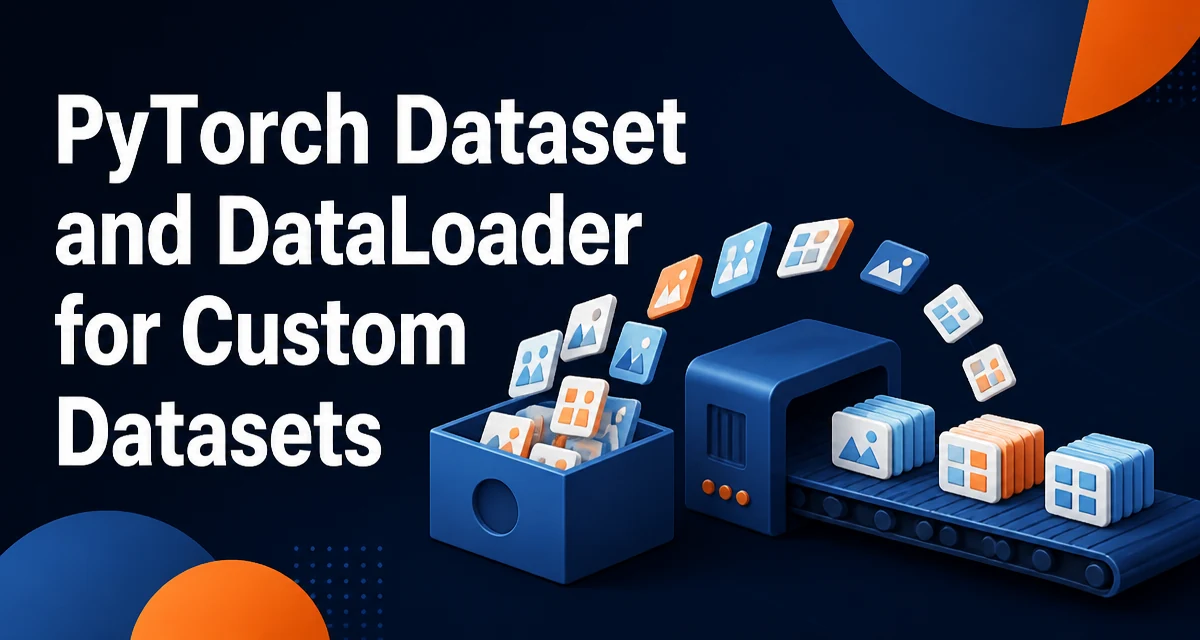
PyTorch's torch.utils.data.Dataset and torch.utils.data.DataLoader define the pipeline that moves data from disk into batches for a training loop. When your data does not fit one of the built-in datasets, you write a custom Dataset that locates and loads individual samples. DataLoader then handles batching, shuffling, and parallel loading.
The Dataset contract and what DataLoader adds
A Dataset is a map from indices to samples. In practice, you implement two methods:
__len__returns the number of samples in the dataset.__getitem__(index)returns the sample at that index.
The base class requires __getitem__; __len__ is optional on the base class, but DataLoader's default samplers rely on it, so implement it for normal custom datasets.
A sample can be a single tensor, or a tuple of tensors such as (input, label). DataLoader accepts any Dataset and produces batches by calling __getitem__ repeatedly, grouping the results, and optionally shuffling them.
The separation of responsibilities matters. The Dataset knows where data lives and how to load one sample. The DataLoader knows how to iterate, batch, shuffle, and parallelize. You can reuse the same Dataset with different DataLoader configurations, and you can swap datasets without changing the training loop.
Implementing the core Dataset methods
A custom dataset usually defines three methods, even though only __getitem__ and __len__ form the core contract.
__init__ stores the metadata needed to locate samples: file paths, labels, or a parsed index. Keep this method cheap; loading every sample into memory here defeats the purpose of a lazy pipeline and can exhaust RAM on large datasets.
__len__ returns the length of the index structure. It should match the number of valid indices that __getitem__ accepts. If __len__ is too large, the sampler can request an invalid index and raise an IndexError.
__getitem__ does the real work. It reads the sample at the given index, applies any transforms, and returns tensors. Because DataLoader calls this method once per sample, heavy I/O happens here, which is why parallel workers can overlap disk reads with GPU computation.
A concrete custom dataset example
A common case is tabular data stored in a CSV file. The dataset below reads the file once in __init__ to build an index, then converts rows to tensors in __getitem__.
import torch
from torch.utils.data import Dataset
import pandas as pd

class CSVDataset(Dataset):
    def __init__(self, csv_path, transform=None):
        self.df = pd.read_csv(csv_path)
        self.transform = transform

    def __len__(self):
        return len(self.df)

    def __getitem__(self, idx):
        row = self.df.iloc[idx]
        features = torch.tensor(
            row.drop('label').to_numpy(), dtype=torch.float32
        )
        label = torch.tensor(row['label'], dtype=torch.long)
        if self.transform is not None:
            features = self.transform(features)
        return features, label
__getitem__ returns a tuple of two tensors. With the default collation, DataLoader groups these into a batch where the first element has shape (batch_size, num_features) and the second has shape (batch_size,). The optional transform is applied per sample, which keeps preprocessing consistent whether you train, validate, or test with the same dataset.
Adding transforms and preprocessing
Transforms are callables that take a sample and return a modified sample. For image data, torchvision.transforms provides ToTensor, Normalize, Resize, and Compose to chain them.
from torchvision import transforms

transform = transforms.Compose([
    transforms.ToTensor(),
    transforms.Normalize(mean=[0.5], std=[0.5]),
])
Sample-level transforms should be applied inside __getitem__, because that is where one sample is available. If you need a transform that operates on an entire batch, implement it in a custom collate_fn or inside the training loop. Do not run sample-level transforms on the batched tensor. For non-image data, a transform is any callable; you can write a small function that standardizes features or augments inputs.
How DataLoader batches and parallelizes
DataLoader wraps the dataset and controls iteration.
from torch.utils.data import DataLoader

loader = DataLoader(
    dataset,
    batch_size=32,
    shuffle=True,
    num_workers=4,
    pin_memory=True,
)
batch_size controls how many samples are grouped per iteration. shuffle=True randomizes sample order each epoch, which is important for stochastic gradient descent. num_workers spawns separate processes, each holding its own copy of the dataset, so sample loading can happen concurrently with training. pin_memory=True allocates page-locked memory, which speeds up the transfer of batches to a GPU.
When shuffle=True, DataLoader uses a random sampler to produce indices. Each worker prefetches samples in the background, so the training loop waits less often on disk I/O when the worker count is reasonable.
Common failure modes
Several errors appear repeatedly when people first build custom datasets.
Returning samples with inconsistent shapes breaks the default collation. If one sample is a 3-channel image and another has 1 channel, DataLoader cannot stack them into a batch tensor and raises an error during collation. Every sample should have the same shape and dtype.
An incorrect __len__ can cause an IndexError. If __len__ reports more samples than __getitem__ can handle, the sampler eventually requests an invalid index.
On Windows, multiprocessing with num_workers > 0 requires the dataset creation and training code to be inside an if __name__ == '__main__': guard, because worker processes re-import the main module. Without the guard, workers can recursively spawn new processes.
Setting num_workers too high for a small dataset adds process-spawning overhead without benefit. The workers may spend more time starting up than loading samples.
Forgetting to convert data to tensors is another common issue. If __getitem__ returns lists of varying length, DataLoader cannot collate them into a tensor. Convert to tensors with a fixed shape inside __getitem__.
Performance and memory considerations
The dominant cost in a data pipeline is usually I/O, not the DataLoader loop itself. num_workers is the primary lever: more workers can overlap disk reads with computation. The right value depends on the storage system and dataset size, so test a few values rather than assuming more is better.
For small datasets that fit in memory, caching inside __getitem__ avoids repeated disk reads. A simple dictionary keyed by index stores loaded samples after the first access. This trades memory for I/O and is only sensible when the dataset is small enough to hold in RAM. If you use multiple workers, each worker keeps its own cache.
pin_memory=True is a low-cost improvement for GPU training. It allocates batches in pinned memory, which the CUDA runtime can copy to the device without an extra staging step. On CPU-only training it has no effect.
PyTorch's DataLoader also supports prefetch_factor, which controls how many batches each worker prefetches ahead of time. Increasing it can hide latency on slow storage, but it also increases memory usage per worker. The default is usually sufficient unless profiling shows the training loop waiting on data.
Choosing between built-in datasets and a custom implementation
torchvision.datasets provides ready-made classes for common formats: ImageFolder for directory-structured images, plus datasets such as MNIST and CIFAR10. If your data matches one of these layouts, using the built-in class saves code and is well tested.
Write a custom Dataset when the data lives in a proprietary format, requires domain-specific preprocessing, streams from a database, or is generated on the fly. The custom class gives you full control over how each sample is loaded and transformed, and it keeps that logic in one place rather than scattered through the training script.
The decision comes down to fit. If a built-in class matches your data layout, prefer it. If you need control over loading, caching, or augmentation, a custom Dataset is the right tool, and DataLoader works with it unchanged.