SQL PIVOT and UNPIVOT: Row-to-Column and Column-to-Row Data Transformation
The literal column list, the NULL rows that UNPIVOT drops, and the type coercion that turns dates into strings — plus the portable FILTER form.
Quick Summary
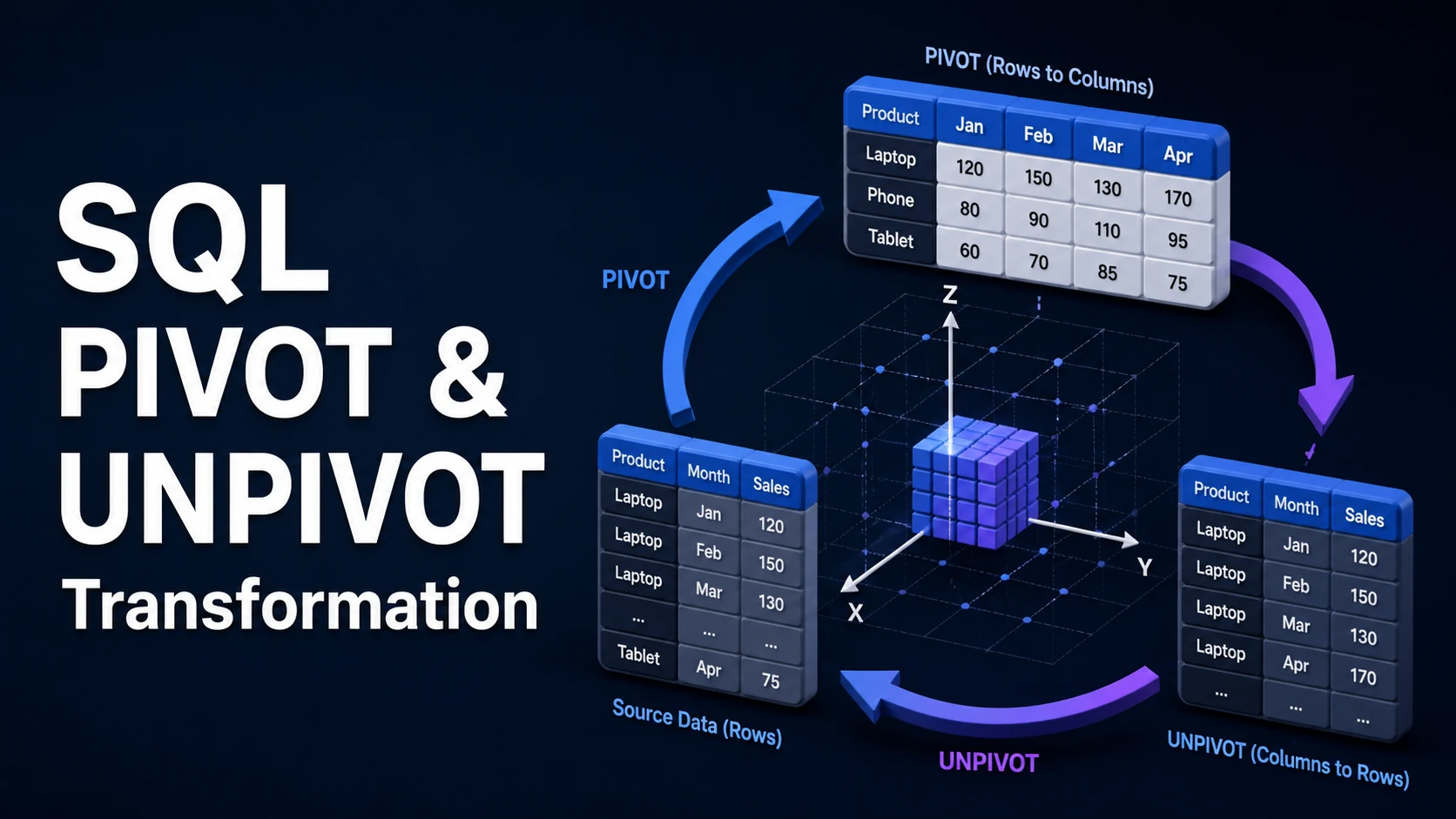
Pivoting turns rows into columns: values that appear as rows in a (product, month, sales) table become one column per month. Unpivoting does the reverse, turning a wide table with jan, feb, mar columns into narrow rows. Both are presentation transforms, and both have a hard constraint that shapes every implementation: the output column set must be known when the statement is parsed.
That is why PIVOT needs a literal list of values. SQL Server and Oracle provide PIVOT/UNPIVOT as table operators; PostgreSQL has the crosstab function from the tablefunc extension plus the portable alternative, conditional aggregation with FILTER; MySQL has no pivot at all and expects SUM(CASE WHEN ...) or GROUP_CONCAT. BigQuery, Snowflake and Databricks have PIVOT and UNPIVOT as clauses and can often infer the values from the data.
Choose conditional aggregation unless the dialect's operator is clearly better. One pass over the table, one index on (grouping column, pivot column), readable SQL, and no dynamic string building. Reach for dynamic SQL only when the column list genuinely cannot be known ahead of time, and then treat the values as identifiers to be quoted, not as text to be concatenated.
Basic syntax and query signatures
-- SQL Server / Azure SQL
SELECT product, [2026-01], [2026-02], [2026-03]
FROM (SELECT product, month, amount FROM sales) AS src
PIVOT (SUM(amount) FOR month IN ([2026-01], [2026-02], [2026-03])) AS p;-- Oracle
SELECT * FROM (
SELECT product, month, amount FROM sales
)
PIVOT (SUM(amount) FOR month IN ('2026-01' AS jan, '2026-02' AS feb, '2026-03' AS mar));-- PostgreSQL / MySQL / SQLite: conditional aggregation (portable)
SELECT product,
SUM(amount) FILTER (WHERE month = '2026-01') AS jan,
SUM(amount) FILTER (WHERE month = '2026-02') AS feb,
SUM(amount) FILTER (WHERE month = '2026-03') AS mar
FROM sales
GROUP BY product
ORDER BY product;
-- MySQL 8: no FILTER, use CASE
SELECT product,
SUM(CASE WHEN month = '2026-01' THEN amount END) AS jan
FROM sales GROUP BY product;-- PostgreSQL crosstab (requires CREATE EXTENSION tablefunc)
SELECT * FROM crosstab(
'SELECT product, month, SUM(amount) FROM sales GROUP BY 1, 2 ORDER BY 1, 2',
'SELECT unnest(ARRAY[''2026-01'',''2026-02'',''2026-03''])'
) AS ct(product text, jan numeric, feb numeric, mar numeric);Unpivoting:
-- SQL Server
SELECT product, month, amount
FROM sales_wide
UNPIVOT (amount FOR month IN ([jan], [feb], [mar])) AS u;

-- PostgreSQL: LATERAL values, keeps types aligned per source column
SELECT w.product, v.month, v.amount
FROM sales_wide w
CROSS JOIN LATERAL (VALUES
    ('jan', w.jan), ('feb', w.feb), ('mar', w.mar)
) AS v(month, amount);

-- PostgreSQL: unnest from an array or jsonb
SELECT product, k AS month, (v)::numeric AS amount
FROM sales_json, LATERAL jsonb_each_text(months) AS t(k, v);
Key comparison table
| Task | SQL Server | Oracle | PostgreSQL | MySQL | BigQuery / Snowflake |
|---|---|---|---|---|---|
| Static pivot | PIVOT operator | PIVOT clause | Conditional aggregation, crosstab | Conditional aggregation | PIVOT clause |
| Dynamic column list | Dynamic SQL | Dynamic SQL, XML option | Dynamic SQL, crosstab with query string | Dynamic SQL in the app | Often inferred from data |
| Multiple aggregates | Several PIVOTs joined | Several PIVOTs | One FILTER per aggregate | Several CASE per aggregate | PIVOT with multiple aggregates |
| Unpivot | UNPIVOT | UNPIVOT | VALUES + LATERAL, unnest | UNION ALL | UNPIVOT |
| Keeps NULL rows on unpivot | No — NULLs are dropped | Yes, INCLUDE NULLS | Yes | n/a | INCLUDE NULLS available |
| Column type on unpivot | Unified to the highest precedence type | Per column | Per VALUES row, unified | Per SELECT branch | Per column |
| Result column count limit | 1,024 | 1,000 | 1,600 (block size dependent) | 4,096 | High, but expensive |
| Approach | Plan stability | Handles new values | Cost on large tables |
|---|---|---|---|
| Conditional aggregation | One stable plan | Needs a new column in the SQL | One scan, index-friendly |
Native PIVOT | Stable for a fixed list | Needs dynamic SQL | One scan plus a sort |
| Application-side pivot | Trivial | Automatic | Transfers all rows |
| JSON aggregation | Stable | Automatic | Compact output, client parses |
Practical edge cases and deep dives
1. The literal list is the whole problem
PIVOT ... FOR month IN (...) accepts only constant values, so a monthly report needs a literal for every month that exists. Two or three months is a maintenance nuisance; forty-eight is a generator. The usual solution is a dynamic statement — and the moment you build it by concatenating values from the data, you have an injection surface, because the value becomes an identifier:
-- SQL Server, safe: quoteidentifier before concatenation
DECLARE @cols nvarchar(max), @sql nvarchar(max);
SELECT @cols = STRING_AGG(QUOTENAME(month), ',') WITHIN GROUP (ORDER BY month)
FROM (SELECT DISTINCT month FROM sales) AS m;

SET @sql = N'
SELECT product, ' + @cols + N'
FROM (SELECT product, month, amount FROM sales) d
PIVOT (SUM(amount) FOR month IN (' + @cols + N')) p;';
EXEC sp_executesql @sql;
PostgreSQL's equivalent is format('%I', value) and string_agg; MySQL's is QUOTE() or a whitelist. Beyond injection, a dynamic plan is recompiled for every distinct column set, and the output shape changes between calls — both of which break naive ORMs and dashboards that cache the schema.
2. NULL means two different things after a pivot
After pivoting, a NULL in jan means either "the product had no January sales" or "the January total is NULL because every amount was NULL". Aggregates ignore NULLs, so SUM cannot distinguish them; COUNT(*) FILTER (WHERE month = '2026-01') can, and that becomes a second column or a COALESCE(..., 0) decision:
SELECT product,
       COUNT(*) FILTER (WHERE month = '2026-01') AS jan_orders,   -- 0 when absent
       SUM(amount)  FILTER (WHERE month = '2026-01') AS jan_amount -- NULL when absent
FROM sales GROUP BY product;
Choose deliberately. A report that shows 0 where the data is absent cannot be told apart from a genuine zero later, and a LEFT JOIN against a calendar table is the only way to make "absent" explicit.
3. UNPIVOT silently changes your row count and your types
SQL Server's UNPIVOT drops rows where the value is NULL, so a wide table with 1,000 rows and three optional measures can return 1,400 rows instead of 3,000. Add WHERE amount IS NOT NULL equivalent handling in PostgreSQL or use INCLUDE NULLS in Oracle and BigQuery. The type problem is worse:
Msg 8114: Error converting data type varchar to int.
-- or, without an error, dates silently become strings
UNPIVOT unifies all source columns to a single type using data type precedence, so a date column next to a decimal column forces a conversion, and a varchar column forces everything to varchar. The fix is to cast each source to the same type before unpivoting, or to use CROSS APPLY (VALUES (...)), which keeps per-row types and evaluates lazily:
SELECT w.product, v.month, v.amount
FROM sales_wide w
CROSS APPLY (VALUES ('jan', CAST(w.jan AS decimal(12,2))),
                    ('feb', CAST(w.feb AS decimal(12,2)))
) AS v(month, amount);
4. Pivot over a large table: one scan or many
Conditional aggregation is a single pass with a GROUP BY. If the table has an index on (product, month) and the query filters a date range, the scan is bounded and the aggregates are cheap. Two anti-patterns dominate real code:
-- anti-pattern: one subquery per column, N scans
SELECT p.product,
       (SELECT SUM(amount) FROM sales WHERE product = p.product AND month = '2026-01') AS jan,
       (SELECT SUM(amount) FROM sales WHERE product = p.product AND month = '2026-02') AS feb
FROM products p;
That runs the aggregate once per product per column. The second anti-pattern is pivoting before filtering: SELECT * FROM (SELECT ... FROM sales) src PIVOT ... without a WHERE on the inner query, which pivots the entire history and then discards most of it. Push the filter inside: WHERE month BETWEEN '2026-01' AND '2026-03'.
5. When the column set is genuinely unbounded
If the pivot key has thousands of distinct values, columns are the wrong output. Return JSON instead: one row per product, one object of key-value pairs, and let the client decide what to render.
SELECT product,
       jsonb_object_agg(month, total) AS by_month
FROM (SELECT product, month, SUM(amount) AS total FROM sales GROUP BY 1, 2) s
GROUP BY product;
BigQuery and Snowflake have the same shape (TO_JSON_STRING, OBJECT_AGG). It avoids a 1,600-column limit, keeps the output stable as new months arrive, and is cheaper to transfer. The trade-off is that filters on individual months move into the client unless you also keep a narrow table.
6. crosstab needs sorted, unique input
PostgreSQL's crosstab requires the source query to be sorted by the row identifier and by the category, and it matches the category list positionally. Unsorted input produces silently shifted columns rather than an error. crosstab needs each (row, category) pair to appear once — pre-aggregate — and the AS ct(...) column list has to match both the number of categories and their types exactly:
ERROR: return and sql tuple descriptions are incompatible
For anything that will be maintained by someone else, conditional aggregation is the better choice: the failure is a compile error naming the column, not a shifted report.
Common mistakes and runtime errors
| Error or symptom | Cause | Fix |
|---|---|---|
The column name "x" was specified multiple times for 'p' | Two source values map to the same output alias | Give distinct aliases in the IN list |
Incorrect syntax near 'PIVOT' | PIVOT placed before a WHERE or used in a subquery without an alias | Pivot the derived table, then filter the outer query |
| Pivoted columns shifted by one | crosstab input not sorted, or category list order differs | Sort by row and category, match the AS list order |
return and sql tuple descriptions are incompatible | Output column count or types do not match the crosstab definition | Align the AS ct(...) list exactly |
Msg 8114: Error converting data type on UNPIVOT | Mixed source types unified by precedence | CAST each source, or use CROSS APPLY (VALUES ...) |
| Row count drops after unpivot | NULL values are skipped | INCLUDE NULLS, or coalesce before unpivoting |
Report shows 0 for missing months | COALESCE(SUM(...), 0) | Use COUNT(*) to distinguish absent from zero |
| New month appears as a missing column | Literal IN list is fixed | Dynamic SQL with QUOTENAME, or JSON output |
| Query slow after adding columns | One scan per subquery, or no filter pushdown | Single GROUP BY with FILTER, filter inside the derived table |
column reference "month" is ambiguous | Both the source and the pivot output expose month | Qualify the source column, alias the pivot |
The summary worth keeping: pivot in the database only when you are reducing rows — an aggregate per cell. If you are merely reshaping a result set the client will render, do it in the client, where the column list can grow without a migration and without a dynamic statement that nobody dares to touch.
Try matching browser tools
All toolsSmall utilities that fit SQL work — they run entirely in this browser tab, so nothing you paste leaves your device.
Related SQL guides
All SQL guidesSQL Cursors vs Set-Based Operations: Syntax, Memory, and Performance
Why a row-by-row cursor costs minutes where one UPDATE takes seconds, how server cursors spool to disk, and the set-based replacements for each loop.
SQL String Functions: CONCAT, SUBSTRING, REPLACE, and Pattern Matching
The concatenation and slice functions that differ between engines, why LIKE 'x%' uses an index and '%x%' cannot, plus escaping and NULL rules.
SQL Date and Time Functions: INTERVAL Arithmetic, Time Zones, and DST
timestamptz versus timestamp, half-open ranges that keep an index, and the daylight saving gaps that make local scheduling wrong once a year.
SQL Row Locking: SELECT FOR UPDATE, SKIP LOCKED, and NOWAIT
How FOR UPDATE locks rows until commit, why the plan decides the lock scope, and the SKIP LOCKED claim-queue pattern that scales to many workers.
More in SQL
All SQL guidesThe guides filed next to this one in SQL, in library order.