Linux File Permissions: chmod, chown, umask, and Setuid/Sticky Bits
Octal modes, directory execute bits, umask arithmetic and the three special bits, with the failure modes each one causes in production.
Quick Summary
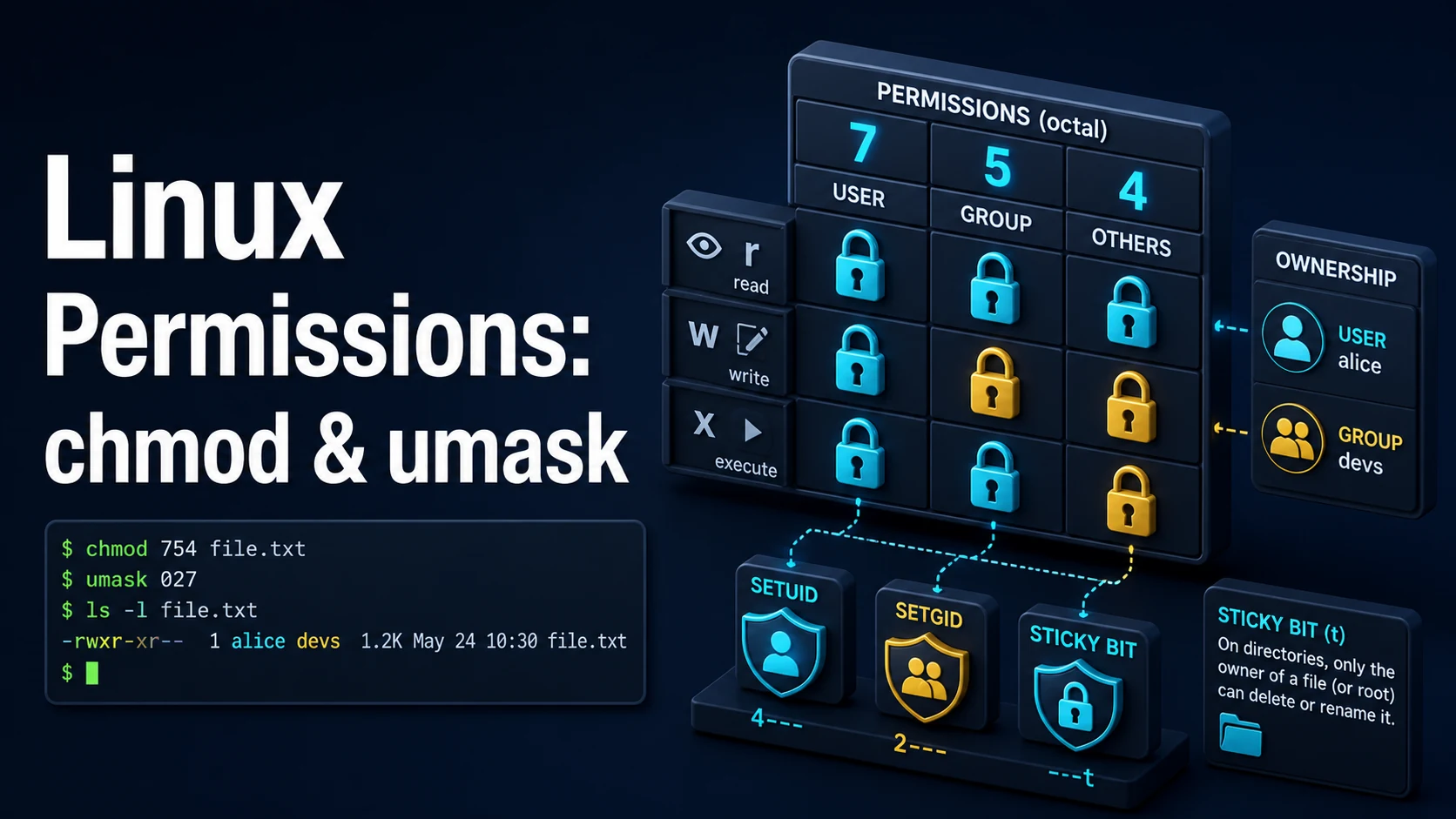
Every file on a Linux filesystem carries three permission triads — owner, group, other — each with read, write, and execute bits. chmod sets them, chown decides which user and group they apply to, and umask subtracts from the permissions new files receive at creation. Those four tools cover nearly all of day-to-day permission work; the special bits (setuid, setgid, sticky) are a separate layer with separate consequences.
The mode is a number, and the number is the model. 644 means owner read/write, group read, other read; 755 adds execute everywhere; 600 is private; 700 is private and executable. Directory permissions do not mean the same thing as file permissions: r lists names, x allows traversal and access to entries, and w allows creating or deleting entries. A directory with r-- is one you can list but not enter.
The special bits are where permissions become security. setuid on an executable runs it with the owner's identity — root-owned passwd is the classic case — and is a permanent escalation risk on anything writable by a non-root user. The sticky bit on a shared directory (think /tmp) lets users delete only their own files. setgid on a directory makes new files inherit the directory's group, which is how shared project directories stay usable.
Basic Syntax & Signature
# Octal: three digits, each 0-7 = r(4) + w(2) + x(1)
chmod 644 notes.txt        # rw-r--r--
chmod 755 deploy.sh        # rwxr-xr-x
chmod 600 ~/.ssh/id_ed25519 # rw------- (ssh refuses looser modes)

# Symbolic: who (u/g/o/a), operator (+/-/=), what (r/w/x/X/s/t)
chmod u+x deploy.sh
chmod go-w /etc/motd
chmod a+r public.html
chmod u=rw,g=r,o= file.txt   # trailing '=' clears the remaining bits

# Recursive, with directories distinguished from files
chmod -R u=rwX,go=rX /var/www/site   # X = execute only on directories

# Ownership and group
chown app:app /srv/app
chown -R www-data: /var/www/site
chgrp developers /srv/project

# Defaults for new files
umask                 # current mask, usually 0022
umask 027             # new files 640, new directories 750
chown accepts user, user:group, :group, and user. (a legacy form). A numeric id is unambiguous when names collide between the host and a container:
chown 1000:1000 /srv/app/dataThe special bits are the leading digit:
chmod 4755 /usr/local/bin/tool   # setuid
chmod 2755 /srv/shared           # setgid on a directory
chmod 1777 /srv/scratch          # sticky bit on a shared directory
chmod u+s,g+s,+t ./bin ./shared ./scratch   # symbolic equivalents
Key Comparison Table
| Mode | Numeric | Owner | Group | Other | Typical use |
|---|---|---|---|---|---|
rw-r--r-- | 644 | read, write | read | read | Regular files |
rw-r----- | 640 | read, write | read | none | Config with secrets |
rw------- | 600 | read, write | none | none | Private keys, tokens |
rwxr-xr-x | 755 | all | read, execute | read, execute | Directories, executables |
rwx------ | 700 | all | none | none | Private directories |
rwxrwxrwx | 777 | all | all | all | Never in production |
rwsr-xr-x | 4755 | all + setuid | read, execute | read, execute | Root-owned escalation tools |
rwxrwsr-x | 2755 | all | all + setgid | read, execute | Shared group directories |
rwxrwxrwt | 1777 | all | all | all + sticky | /tmp and shared drop boxes |
Practical Edge Cases & Deep Dives
1. Why 644 breaks a directory and 755 breaks a file
mkdir /srv/www
chmod 644 /srv/www        # directories need x to be entered
cd /srv/www               # permission denied
ls /srv/www               # works: r allows listing names

chmod 755 /srv/www
touch /srv/www/index.html
chmod 755 /srv/www/index.html  # a file with no shebang: x is meaningless but harmless
./index.html                   # exec format error, not permission denied
For a directory, x is the right to traverse it and to stat entries inside it. A web server needs x on every path component from / down to the document root, which is why a 700 home directory breaks a site served from ~/public_html even when the files themselves are readable.
2. Shared directory with setgid and the sticky bit
sudo groupadd project
sudo mkdir /srv/project
sudo chgrp project /srv/project
sudo chmod 2770 /srv/project     # setgid: new files inherit group 'project'

sudo -u alice touch /srv/project/a.txt
ls -l /srv/project/a.txt
# -rw-rw-r-- 1 alice project ... a.txt   <- group inherited, not alice's primary group
setgid on a directory only affects the group of new entries; it does not change the permissions they get. For those, add a default ACL:
sudo setfacl -d -m g:project:rwx /srv/project
getfacl /srv/project
Without the sticky bit, any member with write access to a shared directory can delete another member's files, because deletion modifies the directory, not the file. /tmp is 1777 for exactly this reason.
3. umask arithmetic
umask 022    # files: 666 & ~022 = 644, directories: 777 & ~022 = 755
umask 027    # files: 666 & ~027 = 640, directories: 777 & ~027 = 750
umask 077    # files: 600, directories: 700

# A umask is not applied to an explicit mode: touch always creates 666 & ~umask-ish,
# but install and cp -p preserve what the source had.
install -m 640 secret.conf /etc/app/secret.conf
Base modes are 666 for files and 777 for directories, and the mask clears bits. umask 077 for a service account means new files are private by default, which is usually what you want for anything that handles credentials; 002 is the group-friendly counterpart.
4. Finding files whose permissions are too open
# world-writable files, excluding the sticky-bit dirs
find /srv -xdev -type f -perm -0002 -not -path '/srv/tmp/*' -ls

# setuid and setgid binaries outside the package-managed paths
find / -xdev -type f \( -perm -4000 -o -perm -2000 \) -ls 2>/dev/null

# everything not owned by root inside /etc
find /etc -xdev ! -user root -ls

# exact mode match: 777 files only
find /var/www -type f -perm 0777 -ls
-perm -0002 means "all of these bits are set"; -perm 0777 means "exactly this mode"; -perm /0002 means "any of these bits". The difference between - and / is the difference between a search that works and a list that returns every executable on the box.
5. setuid on a script does nothing
# A shell script with setuid: the kernel ignores the bit on interpreted files.
# Most distributions mount /tmp and /home with nosuid or refuse outright.
chmod 4755 /usr/local/bin/backup.sh
ls -l /usr/local/bin/backup.sh   # -rwsr-xr-x
sudo -u nobody /usr/local/bin/backup.sh  # runs as nobody, not root
Setuid works on real ELF binaries whose owner is root and whose permissions are not writable by anyone else. For privileged scripts, the correct tools are sudo with a narrow sudoers rule or a systemd unit with User= — both leave an audit trail and both can be scoped to a single command.
6. ACLs when three triads are not enough
setfacl -m u:deploy:rx /var/www/site
setfacl -m g:analytics:r /var/log/app/access.log
getfacl /var/www/site
# user::rwx
# user:deploy:r-x
# group::r-x
# mask::r-x

# The mask caps named entries: tightening it silently changes effective rights.
setfacl -m m::r-x /var/www/site
A + at the end of ls -l output means an ACL is present, and the group column then shows the ACL mask rather than the group permission. chmod g-w on such a file changes the mask, which can revoke named-user rights you did not intend to touch.
Common Compilation/Runtime Mistakes
| Symptom | Cause | Fix |
|---|---|---|
| "Permission denied" reading a file you own | A parent directory lacks x | chmod o+x or a+x on the path components |
cd fails but ls works | Directory has r without x | Add x to the directory mode |
| Can list a directory but not create files | No w on the directory | chmod u+w on the directory |
chmod -R 777 "fixes" a deployment | Masking the real problem | Set ownership and 755/644 correctly |
| SSH refuses a key | Mode looser than 600 | chmod 600 ~/.ssh/id_* |
| New files in a shared dir have the wrong group | No setgid on the directory | chmod g+s or a default ACL |
| Users can delete each other's files | Shared dir without the sticky bit | chmod +t |
chown silently does nothing | Non-root user, or NFS root_squash | Run as root; check mount options |
| Setuid script ignored | Kernel ignores setuid on scripts | A binary, sudo, or a systemd unit |
chmod 644 on a key breaks the service | Readable but not private | 600, owned by the service user |
The reliable mental model is that a file's mode is only half the check. The kernel walks the path, requires x on every directory, then compares uid/gid against the inode, then applies the first matching triad, then the ACL mask. Most "it should work" permission bugs are a missing x somewhere on the path rather than a wrong mode on the file itself.
Try matching browser tools
All toolsSmall utilities that fit Linux work — they run entirely in this browser tab, so nothing you paste leaves your device.
Related Linux guides
All Linux guidesBash Indexed Arrays, Associative Maps, and Parameter Expansion
Quoting decides whether an array stays a list, and the expansion operators replace most external text tools. Includes set -u, mapfile, namerefs, and the bash 3.2 differences that break scripts on macOS.
Parsing JSON and YAML in Shell Pipelines with jq and yq
jq is a filter language, not a pretty-printer. The operators that do the work, --arg versus string interpolation, in-place YAML edits, and how to tell which yq is installed before writing a command.
Linux Memory, Swap, the OOM Killer, vmstat, and sysctl Tuning
MemAvailable versus used, the vmstat columns that prove thrashing, how the OOM killer picks its victim, and the sysctl keys that belong in /etc/sysctl.d instead of a one-off command.
Linux Firewalls: ufw, iptables, and nftables Rules and Persistence
First-match ordering, stateful filtering, and persistence: the three ideas behind every Linux firewall. Plus why Docker-published ports ignore ufw and how DOCKER-USER closes them.
More in Linux
All Linux guidesThe guides filed next to this one in Linux, in library order.