TypeScript Namespaces vs Modules: Syntax, Declaration Merging, and Use Cases
How namespace merging works across files, why isolatedModules rejects it, and a migration path to ES modules with barrels and export * as.
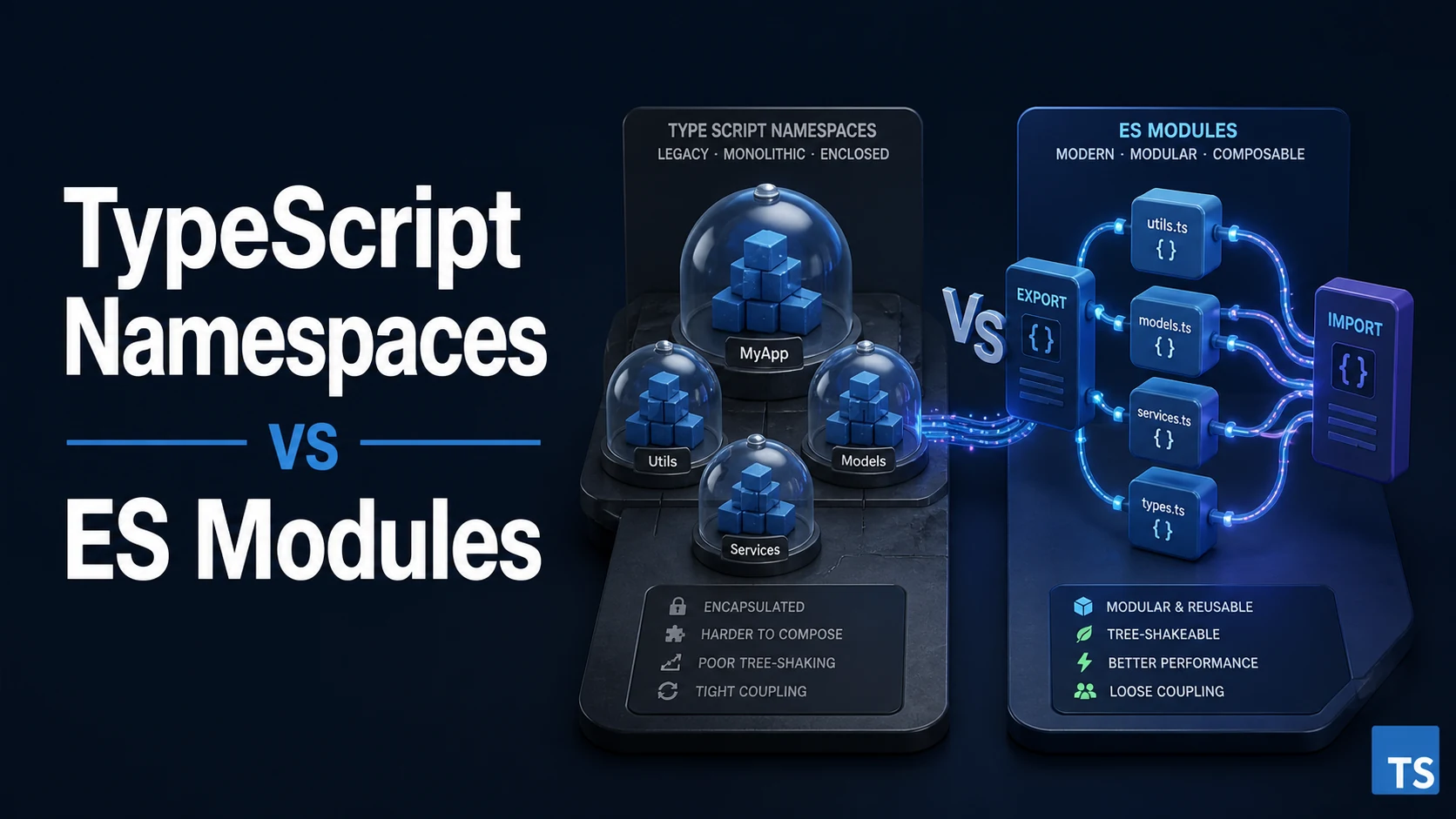
A namespace groups names under one global-ish object; a module is a file with its own scope and explicit imports and exports. Both can hold types, values, and nested members, and both compile to JavaScript that looks similar in a debugger — which is why the two are confused. The difference that matters is where the boundary sits: a namespace is a declaration that can merge across files and leaks into whatever scope declares it, while a module is a file the loader resolves and the bundler can analyze, split, and tree-shake.
Quick Summary
namespace N { export const x = 1 }emits an object (an IIFE assigning toN) and exposes onlyexported members.- A file with any top-level
importorexportis a module; everything else is a global script, and two scripts declaring the same name collide. - Namespace declarations with the same name merge across files, which was useful before modules and is now the main reason namespaces survive in hand-written ambient typings.
- Under
isolatedModules(implied byverbatimModuleSyntax), a global script is an error (TS1208), so a namespace file without an export no longer compiles. import x = require("m")andexport =are TypeScript's CommonJS syntax; both are rejected or warning-prone in ES module output.export as namespace Libplusdeclare namespaceis how a UMD library describes its global variable in a.d.ts.- Modern replacement: one module per file, a barrel that re-exports, and
export * as Typeswhen a namespace-shaped object is genuinely wanted. - Namespaces are not dead: ambient declarations, global augmentation, and merged function/class/enum companions still use them.
Basic syntax and type signatures
// 2012-era style: one namespace, merged across files.
namespace App {
  export interface User { id: string }
  export const version = "1.0.0";

  export namespace Api {
    export function getUser(id: string): User { return { id }; }
  }
}

App.Api.getUser("1");// Module style: one file, explicit exports.
export interface User { id: string }
export const version = "1.0.0";
export function getUser(id: string): User { return { id }; }
// Importing a namespace-shaped object from a module.
import * as App from "./app";
App.getUser("1");The less common but still current forms:
// CommonJS interop written by hand.
import fs = require("node:fs");
export = class Logger { log(msg: string) {} };

// Ambient namespace for a global library.
declare namespace MyLib {
  function init(options: { el: string }): void;
  namespace Config { let debug: boolean }
}
declare const myLib: typeof MyLib;

// UMD declaration.
export as namespace MyLib;      // the global variable name, in a .d.ts
export = MyLib;
import * as App produces a namespace object at runtime only if the module has runtime exports; a module with only types gives an object the compiler erases. import type * as Types from "./types" is the form that guarantees erasure under verbatimModuleSyntax. The import x = require() syntax is not the same construct as a namespace — it is the CommonJS call spelled in type syntax — but it is the piece most often found next to one, because the namespaces that remain in the wild are usually attached to a CommonJS library.
Comparison of namespaces and ES modules
| Property | namespace | ES module |
|---|---|---|
| Scope | global script, or the enclosing module | the file |
| Emitted code | IIFE assigning an object | import/export per loader |
| Cross-file merge | yes, by name | no; each file is its own module |
| Loading | load order in script tags, or outFile with AMD/System | resolved by the loader or bundler |
| Tree-shaking | effectively none | per export |
| Lazy loading | no | dynamic import() |
| Circular references | silent, order-dependent | detected by the loader, partly tolerated |
| Ambient use | still the standard (declare namespace) | declare module |
| Status | legacy for application code | the default |
The row that decides most migrations is the loading row. A namespace tree works only when every file is either concatenated (outFile, which requires module: "amd" | "system" and is not supported for ES output) or loaded by script tags in the right order. A bundler given ES modules can start from an entry point, build the graph, drop unused exports, and split chunks — none of which it can do with a set of IIFEs it must assume are order-dependent.
Practical edge cases and deep dives
1. Merging works only inside the same scope
// models/user.ts
namespace Models {
  export interface User { id: string }
}

// models/post.ts
namespace Models {
  export interface Post { id: string; author: Models.User }
}
Without top-level imports or exports, both files are global scripts and the two Models declarations merge, so Models.Post can reference Models.User. Add a single import to either file and it becomes a module, the namespace is now module-scoped, and the merge silently stops: TS2503: Cannot find namespace 'Models' or a missing member. That is the failure mode of the style as a codebase grows — a refactor that adds an import to one file breaks a merge three directories away, with an error that points at the consumer.
Merging also works for a namespace plus a function, class, or enum of the same name, which is how static-like members are attached:
function parse(input: string): parse.Result {
  return { ok: true, value: input };
}
namespace parse {
  export interface Result { ok: boolean; value: string }
  export const version = 1;
}
The function and the namespace merge into one value with a type attached. TypeScript itself uses this pattern (export = with a namespace), and it is the one place where a namespace is the natural tool rather than a legacy habit.
2. export = and import = under ES module output
// legacy.d.ts
declare function legacy(options: { debug?: boolean }): void;
declare namespace legacy {
  const version: string;
}
export = legacy;// consumer.ts, with esModuleInterop
import legacy from "legacy";
legacy({ debug: true });
console.log(legacy.version);export = describes a CommonJS module.exports = ..., and a consumer must either use import legacy = require("legacy") (which requires module: "commonjs" or similar, not esnext) or import legacy from "legacy" with esModuleInterop enabled. The friction is not cosmetic: under module: "esnext" with verbatimModuleSyntax, import = require is an error (TS1202: Import assignment cannot be used when targeting ECMAScript modules), and the default import only works because the compiler synthesizes the interop wrapper at emit. A library migrating to ESM needs a real export default plus named exports, and its .d.ts needs export default with no export =.
The error that gives this away in application code is TS1259: Module '"x"' can only be default-imported using the 'esModuleInterop' flag, which appears when a .d.ts says export = and the import is written as a default import without the flag.
3. Ambient namespaces are still the right tool
// types/analytics.d.ts
declare namespace Analytics {
  interface Options {
    apiKey: string;
    batchSize?: number;
  }
  function init(options: Options): void;
  function track(event: string, props?: Record<string, unknown>): void;
  namespace internal {
    let queue: unknown[];
  }
}

declare global {
  interface Window {
    analytics?: typeof Analytics;
  }
}

export {};      // makes this file a module so `declare global` is legal
An ambient namespace does not emit anything; it describes a global object that exists at runtime. Inside a .d.ts the namespace is the correct construct because a module declaration would say "this name is imported" when the library's actual API is a global. The export {} at the end is required for declare global (TS2669: Augmentations for the global scope can only be directly nested in external modules or ambient module declarations), and it is the same trick used to turn a file with only types into a module without adding a runtime import.
4. Migrating a namespace tree to modules
// before: js/utils.ts (global script)
namespace Utils {
  export function clamp(n: number, min: number, max: number): number {
    return Math.min(Math.max(n, min), max);
  }
  export interface Range { min: number; max: number }
}

// after: utils/clamp.ts
export function clamp(n: number, min: number, max: number): number {
  return Math.min(Math.max(n, min), max);
}
export interface Range { min: number; max: number }

// after: utils/index.ts (barrel)
export * from "./clamp";
export * as Math from "./math";       // keeps the namespace-shaped object when needed
The migration is mechanical but has three traps. First, consumers that referenced Utils.clamp must change to import { clamp }, and any Utils.Range used in a type position must become import type { Range }. Second, a namespace member called default or new needs renaming, since those are reserved in import syntax. Third, side-effectful namespace initializers (code that ran when the namespace object was created) must move into an explicit init() or a module-level statement whose timing is now decided by the import graph rather than by script order.
A safe order is: convert leaf namespaces to modules while keeping a shim (export const Utils = { clamp }), update imports file by file, then delete the shim. The shim keeps both styles working during the migration, which matters in a codebase without a type checker in CI.
5. import type and type-only namespaces
import type * as Models from "./models";        // erased, never a runtime object
import { type User, getUser } from "./models";  // mixed: type erased, value kept

export type { User } from "./models";

// A namespace of types only, exported from a module.
export namespace Shapes {
  export type Circle = { kind: "circle"; r: number };
  export type Square = { kind: "square"; s: number };
}
import type * as Models is the module replacement for import Models = require("./models") when only types are needed, and it is required under verbatimModuleSyntax for imports that would otherwise be emitted. A namespace containing only types inside a module is legal, emits nothing, and is occasionally preferred for grouping — but export type { ... } and a plain barrel give the same ergonomics without the namespace syntax, and they work with isolatedModules where a namespace-only file can trip the global-script check.
Common mistakes and compiler errors
| Error or symptom | Cause | Fix |
|---|---|---|
TS1208: 'file.ts' cannot be compiled under 'isolatedModules' because it is considered a global script | a file with no import/export | add export {} or convert to a module |
TS2503: Cannot find namespace 'X' | the namespace is module-scoped, or the file is not included | export/import it explicitly |
TS2694: Namespace 'X' has no exported member 'Y' | member not marked export | add export, or fix the reference |
| Merge stops after adding an import | the file became a module | move the shared types into an imported module |
TS2309: An export assignment cannot be used in a module with other exported elements | export = mixed with export | choose one style; use export default |
TS1202: Import assignment cannot be used when targeting ECMAScript modules | import = require under module: esnext | switch to import ... from, or change module target |
TS1259: can only be default-imported using 'esModuleInterop' | export = in the declaration, default import in code | enable esModuleInterop or fix the import |
TS2669: Augmentations for the global scope can only be directly nested in external modules | declare global in a script file | add export {} |
Namespace object is undefined at runtime | only types were declared, or the file was not loaded | check emit, use a module import |
| Two files declare the same global name | both are scripts and the names collide | make them modules |
The migration decision is not about style. Application code that ships through a bundler gains splitting, tree-shaking, and cycle detection from ES modules, and loses nothing that namespaces provided except a merged global name — which was the source of the problem in the first place. The places to keep namespaces are the places where nothing is loaded: .d.ts files describing a global script, UMD declarations, and the function-plus-namespace merge that attaches statics to a callable. Everywhere else, one file with export and a barrel is shorter, checkable, and supported by every tool in the chain.
Try matching browser tools
All toolsSmall utilities that fit TypeScript work — they run entirely in this browser tab, so nothing you paste leaves your device.
Related TypeScript guides
All TypeScript guidesTypeScript Generic Parameter Defaults: Syntax, Precedence, and Inference
When a default applies and when inference wins, defaults that reference earlier parameters, and how a defaulted type parameter keeps a library change non-breaking.
TypeScript Branded Types: Nominal Typing, Type Tags, and Validation
How a phantom property makes two strings incompatible, unique symbol brands, unit-typed numbers, and the places where a brand quietly disappears.
TypeScript Ambient Declarations: .d.ts Files, declare, and declare global
How declare and .d.ts files describe runtime values, wildcard modules for assets, declare global with var, and module augmentation of third-party types.
TypeScript Discriminated Unions: Exhaustiveness Checking and the never Type
Why the discriminant must be a literal, how never closes an exhaustive switch, and the duplicate-discriminant bug that lets a missing case compile.
More in TypeScript
All TypeScript guidesThe guides filed next to this one in TypeScript, in library order.