TypeScript Template Literal Types: Syntax, String Manipulation, and Patterns
Template literal types as patterns over string types: union cross products, the four intrinsic case types, key remapping with as, infer-based splitting, and the depth limit that ends recursive types.
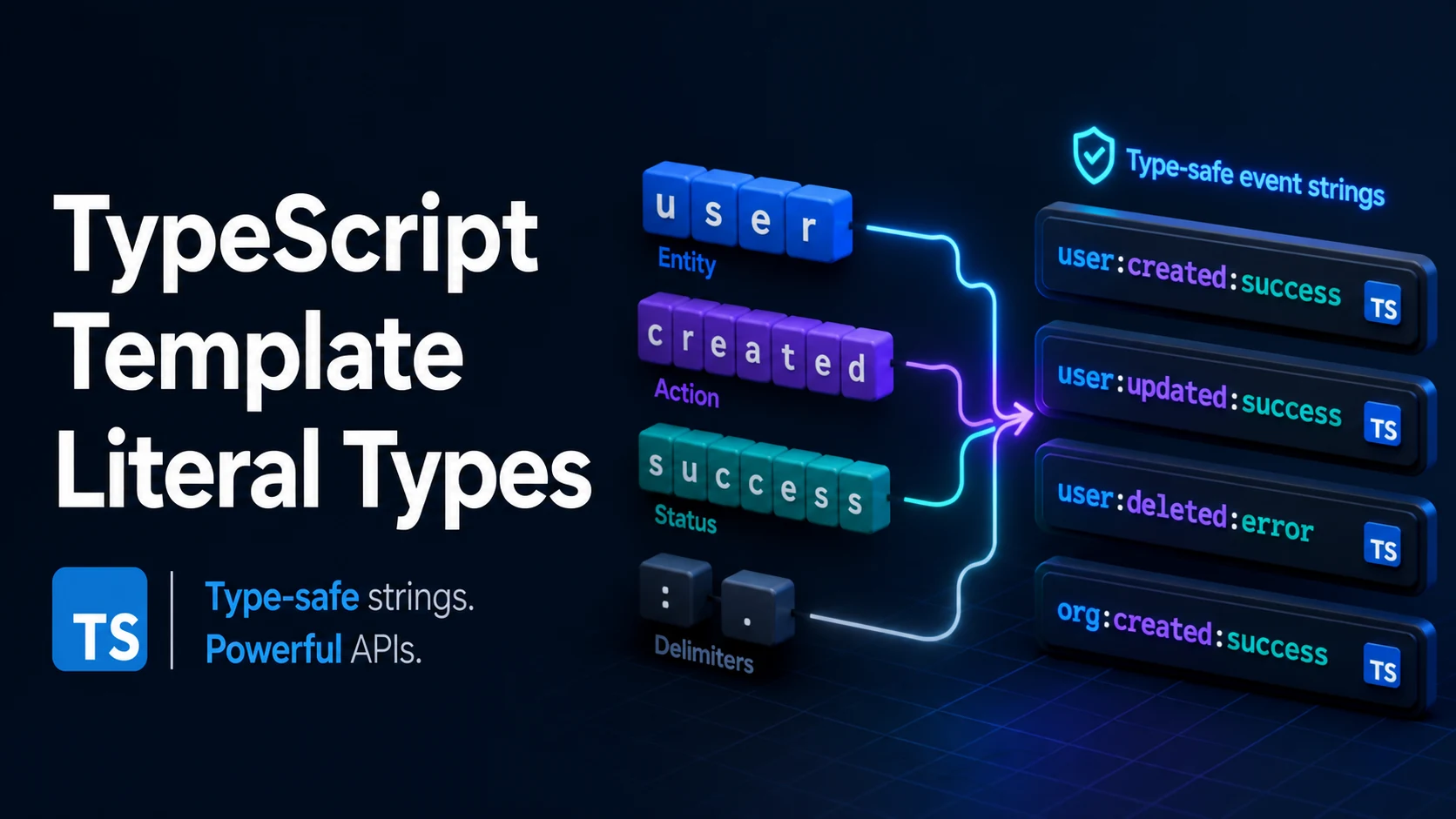
A template literal type is a string type written with backticks, and it behaves like a pattern over text rather than a value: `user:${string}` is the set of all strings starting with user:. The ${} holes accept any type, and when a hole receives a union the result is the cross product, so one small declaration can describe thousands of concrete string types that the compiler checks exactly — no runtime parsing, no as cast at the call site.
Quick Summary
- Type-level template literals use the same syntax as runtime templates but are erased at compile time; nothing validates a value unless the value's type is a literal.
- A union inside a hole distributes:
`${"a" | "b"}-${1 | 2}`is four members, not one type with a union inside. - The four intrinsic types —
Uppercase,Lowercase,Capitalize,Uncapitalize— only transform literal types. Applied tostring, each returnsstring. - Mapped types can rewrite keys with
asand a template literal, which is how{ onClick, onKey }gets generated from{ click, key }(TypeScript 4.1). inferinside a template literal splits a string at a pattern, and the first placeholder takes as little as possible, so the rest falls to the later one.- Recursive conditional types can split, join, and parse strings at the type level, but the compiler has a depth limit and reports
TS2589when you exceed it. - Template literal types constrain spelling, never content:
`${number}`accepts any numeric spelling, and"1e9"is as valid as"1".
Basic syntax and type signatures
// A pattern over string literals.
type EventName = `on${Capitalize<"click" | "focus" | "blur">}`;
// "onClick" | "onFocus" | "onBlur"

// Cross product of two unions.
type Axis = "x" | "y";
type Side = "left" | "right";
type Edge = `${Axis}-${Side}`;      // "x-left" | "x-right" | "y-left" | "y-right"

// A generic wrapper that requires a string.
type Route<T extends string> = `/api/${T}`;
type Users = Route<"users">;        // "/api/users"
type AnyUsers = Route<`users/${string}`>; // "/api/users/..." for any suffix

// Index signatures with a pattern key (TypeScript 4.4).
type DataAttributes = { [key: `data-${string}`]: string | number };
const attrs: DataAttributes = { "data-id": 1, "data-role": "admin" };
// attrs["aria-label"] = "x";       // TS2322: not a data- attribute key

// Key remapping in a mapped type (TypeScript 4.1).
type Handlers<T> = {
  [K in keyof T & string as `on${Capitalize<K>}`]: (payload: T[K]) => void;
};
type Events = { save: void; delete: { id: string } };
type EventHandlers = Handlers<Events>;
// { onSave: (p: void) => void; onDelete: (p: { id: string }) => void }
keyof T & string is the usual companion because keyof T may contain number or symbol, and Capitalize requires a string. The intersection drops those members, and because it is a union operation it costs nothing at runtime.
A template literal type with no holes is just a string literal type, and one with a single string hole contributes nothing: `id-${string}` is useful, `${string}` is exactly string. Widening is silent, so a helper that returns `${string}` and a helper that returns string are indistinguishable to the caller.
Type-level string operations side by side
| Construct | In the type system | Example result |
|---|---|---|
`a${B}c` | concatenation | `a${"x" | "y"}c` → "axc" | "ayc" |
`${number}` | numeric spelling | "1", "-2.5", "1e3" |
`${bigint}` | integer spelling | "42", "-7" (not "1.5") |
`${boolean}` | two members | "true" | "false" |
Uppercase<S> | literal transform | "dev" → "DEV"; string → string |
Capitalize<S> | first character only | "click" → "Click" |
S extends `${infer A}-${infer B}` | split at a pattern | "a-b" → ["a", "b"] |
[K in keyof T as `x${K}`] | key rewrite | new property names |
{ [k: data-${string}]: V } | pattern index signature | any key with that prefix |
Capitalize is defined by the Unicode-aware first code unit, so Capitalize<"émile"> yields "Émile" and Capitalize<"ß"> yields "SS"; the transformation follows toUpperCase, not ASCII. That is worth knowing when a generated key looks different from what a reader expects — and it means two distinct literals can collide after casing, which the compiler resolves by unioning the remapped keys rather than reporting an error.
Practical edge cases and deep dives
1. Splitting a string type with infer
type Split<S extends string, Sep extends string> =
  S extends `${infer Head}${Sep}${infer Tail}`
    ? [Head, ...Split<Tail, Sep>]
    : [S];

type A = Split<"com.example.app", ".">;  // ["com", "example", "app"]
type B = Split<"single", ".">;           // ["single"]

type Join<Parts extends string[], Sep extends string> =
  Parts extends [infer Only extends string]
    ? Only
    : Parts extends [infer Head extends string, ...infer Rest extends string[]]
      ? `${Head}${Sep}${Join<Rest, Sep>}`
      : "";

type C = Join<["a", "b", "c"], "/">;     // "a/b/c"
The split works because the first placeholder is matched as briefly as possible: for "com.example.app" the first match takes "com" and the tail keeps "example.app", which is what makes the recursion terminate. Written against `${infer Head}${infer Rest}` with no separator, Head would be a single character, which is exactly how a character-level type loop is built. The compiler unrolls this about fifty levels deep by default; past that, TS2589 (Type instantiation is excessively deep and possibly infinite) appears, and the usual response is to widen the type — accept `${string}` for the tail instead of splitting it — rather than to raise the limit.
2. Typed event maps without hand-written key lists
type Emitter<Events extends Record<string, unknown[]>> = {
  on<K extends keyof Events & string>(
    event: K,
    handler: (...args: Events[K]) => void
  ): void;
  emit<K extends keyof Events & string>(event: K, ...args: Events[K]): void;
};

type AppEvents = {
  "user:created": [id: string];
  "user:deleted": [id: string, reason: string];
};

declare const bus: Emitter<AppEvents>;
bus.on("user:deleted", (id, reason) => {
  console.log(id.toUpperCase(), reason);   // both parameters typed
});
// bus.emit("user:deleted", "u1");          // TS2554: expected 2 arguments
The template literal appears in the keys here, not in the handler names: the event strings are literal types, and K extends keyof Events keeps the parameter tuple tied to the chosen event. Combine this with key remapping (as \on${Capitalize<K>}`) when the API wants bus.onDelete(...)instead ofbus.on("delete", ...); the single source of truth stays the AppEvents` map, and the method names are derived rather than maintained by hand.
3. Parsing path parameters at the type level
type Params<Path extends string> =
  Path extends `${string}:${infer Param}/${infer Rest}`
    ? { [K in Param | keyof Params<`/${Rest}`>]: string }
    : Path extends `${string}:${infer Param}`
      ? { [K in Param]: string }
      : {};

type P1 = Params<"/users/:id/posts/:postId">;
// { id: string; postId: string }
type P2 = Params<"/health">;                 // {}
This is the pattern behind typed routers, and it is also where the limits show. Params cannot detect a duplicate parameter name, cannot distinguish an optional :id? from a required one without more branches, and cannot check that a :slug is a valid slug — those are runtime concerns. What it does buy is a compile error when a link is built with the wrong parameter names, which is the mistake that actually reaches production.
The recursion relies on keyof Params<...> becoming never at the base case; { [K in never]: string } is {}, and Param | never is Param. That never-absorbing behavior is the type-level equivalent of an empty loop, and it is why the base case must return an empty object rather than the original string.
4. What ${number} does not do
type Id = `id-${number}`;
const ok: Id = "id-42";
const ok2: Id = "id--0.5";   // accepted: "-0.5" is a numeric spelling
const ok3: Id = "id-1e3";    // accepted: exponent notation
// const bad: Id = "id-42px";   // TS2322

function parseId(value: string): number {
  const id: Id = `id-${Number(value)}`; // compiles, but normalizes the input
  return Number(id.slice(3));
}
const n: number = parseId("id-1e3"); // 1000
The type constrains the shape of the text, so a value that is typed as Id is still a string at runtime and still has to be parsed. Two further gaps matter in practice: Number("") is 0, so `id-${Number("")}` is "id-0" and every empty input collapses to the same id; and parseInt truncates "42abc" to 42 while Number returns NaN. The template literal type is a spelling check with no opinion about which of those conversions you want, so the conversion function still needs its own guard.
Common mistakes and compiler errors
| Error | Message | Cause | Fix |
|---|---|---|---|
| TS2322 | Type string is not assignable to type `id-${number}` | a plain string value used where a pattern is required | validate at the boundary, or type the value as the pattern |
| TS2344 | Type string does not satisfy the constraint string | T extends string missing on a generic used in a template | add the constraint |
| TS2589 | Type instantiation is excessively deep and possibly infinite | recursive split without a base case, or more than ~50 levels | add the base case, or widen the tail |
| TS2345 | Argument of type "x" is not assignable to parameter of type "X" | Capitalize applied to a runtime value, not a type | apply the transform at runtime instead |
| TS1337 | Type cannot be used to index type | a template key used on an object without a matching index signature | add the pattern index signature |
| — | Uppercase<string> silently equals string | the intrinsic types only transform literals | narrow to a literal union first |
The last row is not an error but the most expensive one to miss: a helper typed Uppercase<S> where S is widened to string returns string, every check after it passes, and the intended constraint has quietly disappeared. When a template literal type seems to have no effect, print the resolved type at the call site before changing anything else — if it shows string, the hole was wider than the pattern you thought you had written.
Try matching browser tools
All toolsSmall utilities that fit TypeScript work — they run entirely in this browser tab, so nothing you paste leaves your device.
Related TypeScript guides
All TypeScript guidesTypeScript Generic Parameter Defaults: Syntax, Precedence, and Inference
When a default applies and when inference wins, defaults that reference earlier parameters, and how a defaulted type parameter keeps a library change non-breaking.
TypeScript Branded Types: Nominal Typing, Type Tags, and Validation
How a phantom property makes two strings incompatible, unique symbol brands, unit-typed numbers, and the places where a brand quietly disappears.
TypeScript Ambient Declarations: .d.ts Files, declare, and declare global
How declare and .d.ts files describe runtime values, wildcard modules for assets, declare global with var, and module augmentation of third-party types.
TypeScript Discriminated Unions: Exhaustiveness Checking and the never Type
Why the discriminant must be a literal, how never closes an exhaustive switch, and the duplicate-discriminant bug that lets a missing case compile.
More in TypeScript
All TypeScript guidesThe guides filed next to this one in TypeScript, in library order.