React Custom Hooks: Design Patterns, Rules of Hooks, and TypeScript Types
A custom hook shares logic, never state. The rules that keep hook order stable, plus debounce, localStorage and fetch hooks written correctly.
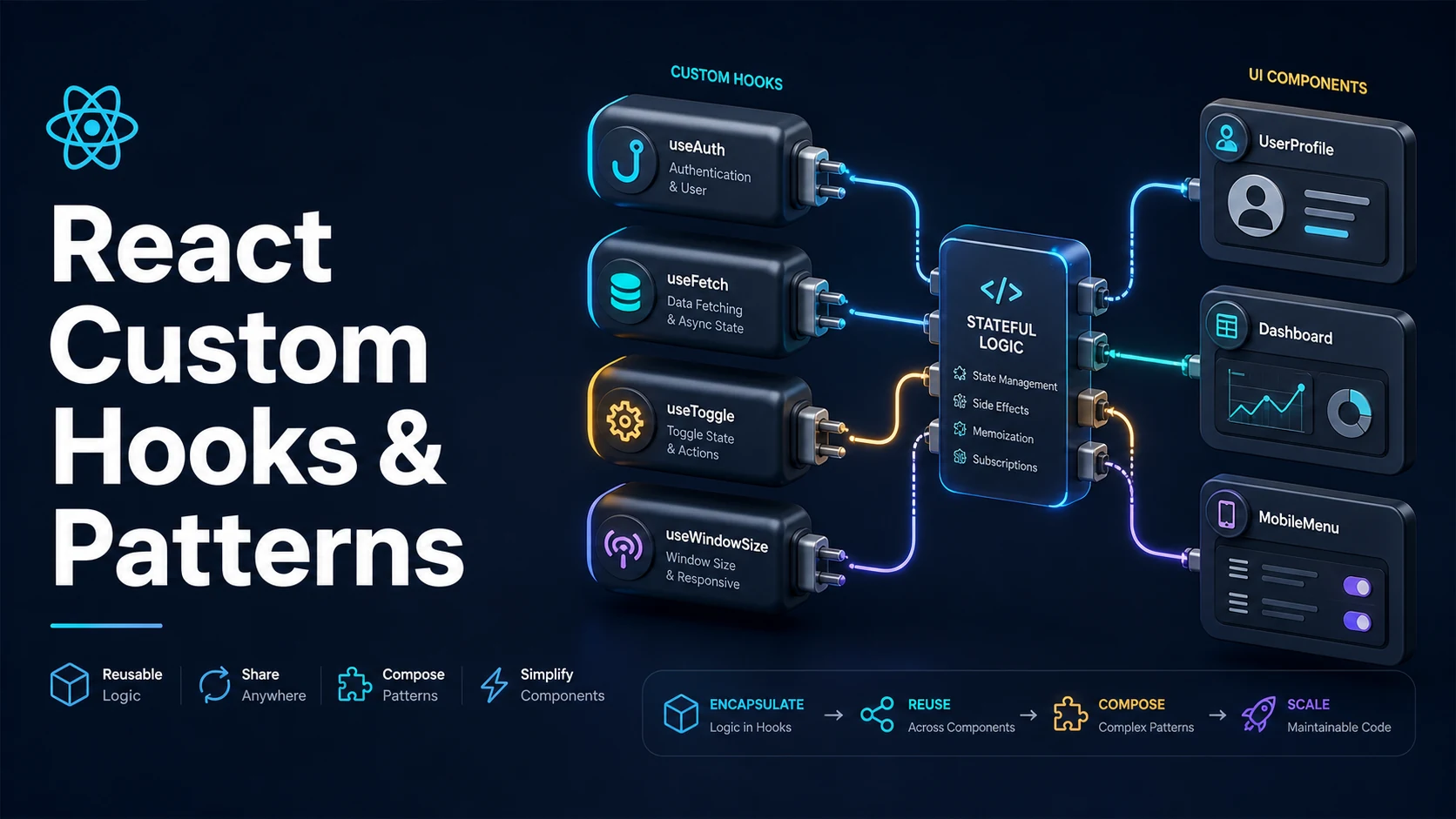
Quick Summary
A custom hook is a function whose name starts with use and which calls other hooks. It is not a new React feature — it is a naming convention that lets the lint rules treat the function as part of the hook graph. The rules of hooks then apply inside it: call hooks at the top level, never conditionally, never in loops, never in callbacks.
Custom hooks share logic, never state. Two components that call useLocalStorage("theme") get two independent states backed by the same storage key; they do not see each other's updates unless something external notifies them. That distinction is the most common misconception, and the reason "shared state" problems are solved with context or an external store rather than a shared hook call.
The value of a custom hook is a named boundary: useDebouncedValue(query, 300) says what it does and hides the timer, the cleanup, and the dependency handling behind one call. Good hooks are small, return a narrow tuple or object, and leave the dependency arrays of their own effects correct by construction.
Basic Syntax & Signature
import { useCallback, useEffect, useRef, useState } from "react";

// Tuple return, like useState: names come from the caller.
export function useToggle(initial = false): [boolean, () => void, (v: boolean) => void] {
  const [value, setValue] = useState(initial);
  const toggle = useCallback(() => setValue((v) => !v), []);
  return [value, toggle, setValue];
}

// Object return when there are more than two or three values.
type AsyncState<T> =
  | { status: "idle" }
  | { status: "loading" }
  | { status: "error"; error: Error }
  | { status: "success"; data: T };

export function useFetch<T>(url: string | null): AsyncState<T> {
  const [state, setState] = useState<AsyncState<T>>({ status: "idle" });

  useEffect(() => {
    if (!url) {
      setState({ status: "idle" });
      return;
    }

    const controller = new AbortController();
    setState({ status: "loading" });

    fetch(url, { signal: controller.signal })
      .then((res) => {
        if (!res.ok) throw new Error(`HTTP ${res.status}`);
        return res.json() as Promise<T>;
      })
      .then((data) => setState({ status: "success", data }))
      .catch((err: unknown) => {
        if (err instanceof DOMException && err.name === "AbortError") return;
        setState({ status: "error", error: err instanceof Error ? err : new Error("unknown") });
      });

    return () => controller.abort();
  }, [url]);

  return state;
}

// Generic hook: the type parameter is inferred from the argument.
export function useDebouncedValue<T>(value: T, delayMs = 300): T {
  const [debounced, setDebounced] = useState(value);

  useEffect(() => {
    const id = setTimeout(() => setDebounced(value), delayMs);
    return () => clearTimeout(id);
  }, [value, delayMs]);

  return debounced;
}

// Usage
export function Demo() {
  const [open, toggle, setOpen] = useToggle();
  const [query, setQuery] = useState("");
  const debounced = useDebouncedValue(query, 250);
  const users = useFetch<{ id: number }[]>(debounced ? `/api/users?q=${debounced}` : null);

  return (
    <div>
      <button onClick={toggle}>{open ? "close" : "open"}</button>
      <button onClick={() => setOpen(false)}>reset</button>
      <input value={query} onChange={(e) => setQuery(e.target.value)} />
      {users.status === "success" && <p>{users.data.length} results</p>}
      {users.status === "error" && <p role="alert">{users.error.message}</p>}
    </div>
  );
}
The rules that make a function a hook:
// 1. Name starts with "use" — enforced by eslint-plugin-react-hooks.
// 2. Hooks are called unconditionally, in the same order every render.
// 3. It is called from a component or another hook, never from a plain function.
// 4. Returned functions that consumers put in deps should have stable identity.
Key Comparison Table
| Custom hook | Helper function | Context | |
|---|---|---|---|
| May call hooks | Yes | No | Yes (via consumers) |
| Shares state between callers | No | No | Yes |
| Name convention | useSomething | Any | SomethingProvider |
| Re-renders callers | Yes, when its state changes | No | Yes, when the value changes |
| Testable in isolation | Yes, with renderHook | Yes, plain function | Yes, render a provider |
| Return shape | Example | Best when |
|---|---|---|
Tuple with as const | [value, setValue] | Two or three values, caller renames them |
| Object | { data, loading, error } | More values, order is not memorable |
| Single value | useDebouncedValue(x) | The hook wraps one derived value |
| Void | useEventListener(...) | The hook is a side effect only |
| Rule of hooks violation | What happens | Fix |
|---|---|---|
Hook inside if | "Rendered fewer hooks than expected" | Move the condition inside the hook |
| Hook inside a loop | Hook order changes between renders | Extract a child component per item |
| Hook after an early return | Order changes | Call all hooks before any return |
| Hook inside a callback | Runtime error or silent misuse | Call at the top level; pass values in |
Practical Edge Cases & Deep Dives
1. Conditional logic inside the hook, not around it
// Broken: the number of hooks changes between renders.
function Bad({ enabled }: { enabled: boolean }) {
  if (enabled) {
    const [value, setValue] = useState(0);   // lint error, runtime crash
  }
  useEffect(() => {}, []);
  return null;
}

// Correct: always call the hook; decide inside it.
function useOptionalCounter(enabled: boolean) {
  const [value, setValue] = useState(0);

  useEffect(() => {
    if (!enabled) return;
    const id = setInterval(() => setValue((v) => v + 1), 1000);
    return () => clearInterval(id);
  }, [enabled]);

  return enabled ? value : null;
}

function Good({ enabled }: { enabled: boolean }) {
  const value = useOptionalCounter(enabled);
  return <p>{value ?? "off"}</p>;
}
React tracks hooks by call order, not by name. A hook that is skipped on one render and called on the next shifts every later hook by one slot, so useState reads another hook's state. The rule is not stylistic; it is how the internal list is indexed.
2. useLocalStorage with SSR safety and cross-tab sync
import { useCallback, useEffect, useState } from "react";

export function useLocalStorage<T>(key: string, initialValue: T) {
  const [stored, setStored] = useState<T>(() => {
    // The initializer runs on the client only for the first render, but the
    // server render has no window, so guard it.
    if (typeof window === "undefined") return initialValue;
    try {
      const raw = window.localStorage.getItem(key);
      return raw ? (JSON.parse(raw) as T) : initialValue;
    } catch {
      return initialValue;
    }
  });

  const setValue = useCallback(
    (value: T | ((prev: T) => T)) => {
      setStored((prev) => {
        const next = value instanceof Function ? value(prev) : value;
        try {
          window.localStorage.setItem(key, JSON.stringify(next));
        } catch {
          // Quota exceeded or storage disabled: keep the in-memory value.
        }
        return next;
      });
    },
    [key],
  );

  // Another tab wrote the same key.
  useEffect(() => {
    function onStorage(event: StorageEvent) {
      if (event.key !== key || event.newValue === null) return;
      try {
        setStored(JSON.parse(event.newValue) as T);
      } catch {
        /* ignore malformed values from other tabs */
      }
    }
    window.addEventListener("storage", onStorage);
    return () => window.removeEventListener("storage", onStorage);
  }, [key]);

  return [stored, setValue] as const;
}
Two details make this hook correct rather than almost correct: the initializer is lazy so it reads storage once, and the read is guarded for SSR. The storage event only fires in other tabs, which is exactly what is needed to keep them in sync without writing a broadcast channel.
3. Stable identities from a hook
export function useCounter(step = 1) {
  const [count, setCount] = useState(0);

  // Without useCallback, every render returns new functions and any consumer
  // that puts them in a dependency array re-runs its effect every render.
  const increment = useCallback(() => setCount((c) => c + step), [step]);
  const decrement = useCallback(() => setCount((c) => c - step), [step]);
  const reset = useCallback(() => setCount(0), []);

  return { count, increment, decrement, reset };
}
A hook is a public API for state transitions, so its returned functions are identity-sensitive in a way ordinary functions are not. The rule: if a caller could reasonably put the function in a dependency array, give it a stable identity with useCallback and a complete dependency list.
4. Hooks that compose: a debounced search hook
type UseSearchResult<T> = {
  query: string;
  setQuery: (q: string) => void;
  state: AsyncState<T[]>;
};

export function useSearch<T>(endpoint: string): UseSearchResult<T> {
  const [query, setQuery] = useState("");
  const debounced = useDebouncedValue(query, 300);
  const url = debounced ? `${endpoint}?q=${encodeURIComponent(debounced)}` : null;
  const state = useFetch<T[]>(url);

  return { query, setQuery, state };
}

// Composition is the point: each hook owns one concern, and the consumer
// sees one object.
This is what custom hooks are for — useSearch reads as a single intention while three independent mechanisms (input state, debounce, fetch lifecycle) stay separately testable. The alternative, one large hook that does all three inline, is harder to reuse and harder to reason about when a request races a keystroke.
5. Testing a hook directly
import { renderHook, act } from "@testing-library/react";
import { describe, expect, it } from "vitest";

describe("useCounter", () => {
  it("increments by the step", () => {
    const { result } = renderHook(() => useCounter(2));
    expect(result.current.count).toBe(0);

    act(() => result.current.increment());
    expect(result.current.count).toBe(2);

    act(() => result.current.reset());
    expect(result.current.count).toBe(0);
  });

  it("keeps function identity stable across renders", () => {
    const { result, rerender } = renderHook(() => useCounter(1));
    const first = result.current.increment;
    rerender();
    expect(result.current.increment).toBe(first);
  });
});
renderHook mounts the hook inside a throwaway component, so the rules of hooks apply normally. Every state update must be wrapped in act, otherwise React warns that an update was not wrapped and the assertion may run before the re-render.
6. React 19's use and what it changes
import { use, useMemo } from "react";

type User = { id: number; name: string };

function UserCard({ userPromise }: { userPromise: Promise<User> }) {
  // `use` can be called conditionally, unlike every other hook.
  const user = use(userPromise);

  // Still not allowed: calling `use` after an early return is fine, but
  // calling other hooks after a conditional `use` is not.
  return <p>{user.name}</p>;
}

function Cached({ id }: { id: number }) {
  // A promise created during render must be memoized, or every render
  // creates a new promise and suspends again.
  const promise = useMemo(() => fetchUser(id), [id]);
  return <UserCard userPromise={promise} />;
}

function fetchUser(id: number): Promise<User> {
  return Promise.resolve({ id, name: `user-${id}` });
}
use reads a promise or a context and suspends the component until it resolves. It is exempt from the "no conditional hook" rule because React does not store state for it, but the surrounding rules still hold: the promise must be stable across renders, and a component reading one needs a Suspense boundary above it.
Common Compilation/Runtime Mistakes
| Symptom | Cause | Fix |
|---|---|---|
| "Rendered more hooks than during the previous render" | Hook called conditionally or after an early return | Move conditions inside the hook |
| "Invalid hook call" | Hook called outside a component, or two copies of React | Call from a component; dedupe the React dependency |
| Two components share state unexpectedly | State lives in a context, not in the hook | Expected: custom hooks do not share state |
| Effect loop in a hook consumer | Hook returns a new function or object each render | useCallback / useMemo inside the hook |
| Lint: "React Hook useX is called in a function that is neither a component nor a hook" | Helper function without the use prefix | Rename to useSomething |
| Hook state resets on re-render | Hook called inside a nested component defined in render | Define components at module scope |
useLocalStorage renders undefined on the server | window accessed during render | Guard with typeof window or hydrate after mount |
act warning in tests | State updated outside act | Wrap interactions in act |
| Hook returns 12 fields, every consumer re-renders | Too much in one hook | Split by concern |
use suspends forever | Promise recreated on each render | useMemo the promise, or fetch in a server component |
One judgement call worth recording: a "hook" that calls no hooks is just a function, and naming it useSomething misleads readers into expecting React semantics. Keep pure helpers pure (formatDate) and hooks honest (useFormattedDate only if it actually uses state or effects).
Try matching browser tools
All toolsSmall utilities that fit React work — they run entirely in this browser tab, so nothing you paste leaves your device.
Related React guides
All React guidesReact Profiler API: Measuring Render Timings and Identifying Wasted Re-Renders
actualDuration versus baseDuration, phase names that tell you who triggered a commit, and how to ship the numbers without flooding a backend.
React with TypeScript: Generic Components, PropsWithChildren, and Event Types
Generic props that infer from data, PropsWithChildren instead of React.FC, and element-scoped event types that keep currentTarget typed.
React useTransition and useDeferredValue: Non-Blocking Concurrent UI Updates
Transitions let React throw away background work when typing arrives. Which hook defers what, and why a controlled input must never be transitioned.
React.lazy and Code Splitting: Route Chunks, Preloading, and Suspense
Where the split points belong, how to preload on intent, and how to recover when a stale chunk 404s after a deployment.
More in React
All React guidesThe guides filed next to this one in React, in library order.