Docker Context: Managing Multiple Daemons, Remote SSH, and TLS Sockets
One CLI, many daemons: ssh:// and TLS contexts, the bind mounts that point at the remote host, and why port 2375 without TLS is root access.
Quick Summary
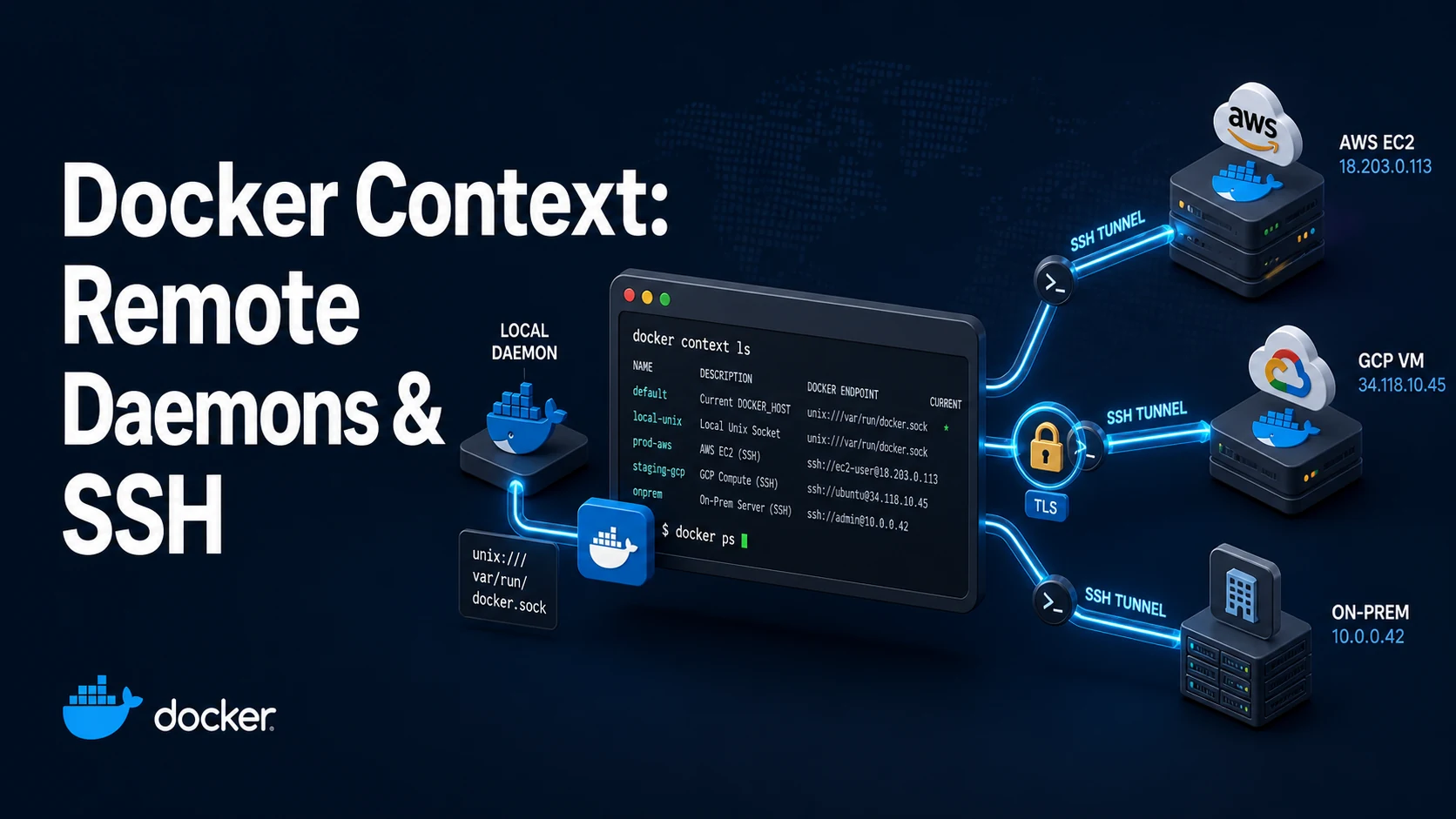
A Docker context is a named endpoint for the Docker API: which daemon the CLI talks to, and how. The default one is the local Unix socket. A context can point at a remote daemon over SSH, at a TCP socket with TLS client certificates, at a rootless socket, or at Docker Desktop's VM. docker context use prod switches every later command; docker --context prod ps switches for one.
The point is to stop juggling DOCKER_HOST, DOCKER_TLS_VERIFY and DOCKER_CERT_PATH environment variables by hand, and to make the target of a destructive command explicit. Contexts are also what docker compose v2 and docker buildx read, so one switch moves the whole toolchain.
Two facts are worth internalising. First, a context changes where images, volumes and bind mounts live: -v /srv/data:/data refers to the remote host's /srv/data, not yours. Second, an exposed daemon socket without TLS is root access for anyone who can reach the port — port 2375 open on a public interface is a compromised host waiting for a scanner.
Basic syntax and query signatures
# SSH: the simplest remote context (needs a Docker socket on the server)
docker context create staging --docker "host=ssh://deploy@10.0.0.7"
docker context create prod --docker "host=ssh://deploy@prod.example.com" \
  --description "production swarm manager"

docker context ls
docker context use staging
docker ps                      # now runs against 10.0.0.7
docker --context prod ps       # one-off

# TLS: mutual authentication against a daemon exposing 2376
docker context create secure \
  --docker "host=tcp://10.0.0.9:2376,ca=$PWD/ca.pem,cert=$PWD/cert.pem,key=$PWD/key.pem"
docker --context secure version

# rootless daemon
docker context create rootless --docker "host=unix://$XDG_RUNTIME_DIR/docker.sock"

docker context inspect prod --format '{{json .Endpoints.docker}}'
docker context rm staging
docker context use default# the daemon side of a TLS endpoint
dockerd \
-H unix:///var/run/docker.sock \
-H tcp://0.0.0.0:2376 \
--tlsverify \
--tlscacert /etc/docker/ca.pem \
--tlscert /etc/docker/server-cert.pem \
--tlskey /etc/docker/server-key.pem// ~/.docker/config.json
{
"currentContext": "staging",
"contexts": {}
}Key comparison table
| Endpoint | URL form | Client auth | Best for |
|---|---|---|---|
| Local socket | unix:///var/run/docker.sock | File permissions | Default, single host |
| SSH | ssh://user@host | SSH key or agent | Remote hosts with SSH already set up |
| TCP + TLS | tcp://host:2376 + ca/cert/key | Mutual TLS | Automation, CI, multiple operators |
| TCP plain | tcp://host:2375 | None | Never on a reachable network |
| Rootless socket | unix:///run/user/1000/docker.sock | File permissions | Rootless daemon |
| Docker Desktop | unix:///Users/.../docker.sock | Per-user | Desktop VMs |
| Setting | Scope | Precedence |
|---|---|---|
-H / --host flag | One command | Highest; overrides any context |
--context flag | One command | Next |
DOCKER_CONTEXT | Shell or process | Next |
currentContext in config.json | User | Used when nothing above is set |
DOCKER_HOST | Shell or process | Legacy; bypasses contexts |
| Action | Local effect | Remote effect |
|---|---|---|
docker build . | Build context uploaded from here | Image stored on the remote daemon |
docker run -v /srv/x:/x | Path on this machine | Path on the remote host |
docker pull | Image cached here | Image cached there |
docker cp | Between local filesystem and container | Transfers over the API |
docker context use | Changes the CLI target | Nothing on the daemon |
Practical edge cases and deep dives
1. Bind mounts and volumes are the remote host's
docker --context prod run --rm -v /srv/app/config:/config alpine cat /config/app.ymlThat reads /srv/app/config/app.yml on the production host. Run the same command locally and you read your laptop's path — or get an empty directory, because Docker creates missing bind-mount sources as root-owned empty directories. This is the most common way a "works on staging" change breaks production: the compose file is identical, the file it mounts is not.
The same applies to docker build: the build context is uploaded from the machine running the CLI, so a .dockerignore mistake ships local secrets to the remote daemon's builder.
2. SSH contexts need the socket, not just a login
docker: Cannot connect to the Docker daemon at unix:///var/run/docker.sock.
Is the docker daemon running?
Over an SSH context this usually means the SSH login works and the socket is not writable by that user. Add the user to the docker group on the server (usermod -aG docker deploy, then re-login), or use a user with socket access. Note what that grants: membership in docker is root-equivalent. A dedicated deploy user with an SSH key restricted by command= and from= is the safer arrangement.
SSH contexts also inherit your ~/.ssh/config, so host aliases, jump hosts and keys work. A failing context with a host key mismatch shows up as ssh: handshake failed: knownhosts: key mismatch — the fix is on the SSH side, not in Docker.
3. Plain TCP is a remote root shell
dockerd -H tcp://0.0.0.0:2375 # neverAnyone who can reach 2375 can create a container with -v /:/host --privileged and own the machine. Internet scanners find it within hours. If a TCP endpoint is genuinely needed, use 2376 with --tlsverify and client certificates, bind it to a private interface, and put a firewall rule in front of it. SSH contexts avoid exposing a port at all and are the better default for a small team.
Generating the certificates is a one-time exercise: a CA, a server certificate with the host's IP or DNS name in the SAN, and a client certificate. docker context create with ca, cert and key enables verification; adding skip-tls-verify disables it, which defeats the purpose.
4. Compose and buildx follow the context, with caveats
Docker Compose v2 uses the active context. Compose v1 (docker-compose) only reads DOCKER_HOST, so on a machine with both installed the same file can target different daemons:
docker context use prod
docker compose up -d            # prod
docker-compose up -d            # whatever DOCKER_HOST says, often local
Set DOCKER_CONTEXT=prod in the shell as well, or remove v1. Buildx keeps a builder per context name, so switching context may switch builder implementation; docker buildx ls shows which builder is current and which context it belongs to.
5. Removing a context in use
unable to remove context "staging": context is in use
That error means it is the current context (docker context use default first) or it is the endpoint of an existing builder (docker buildx rm). Contexts are just directories under ~/.docker/contexts/meta/; deleting them by hand leaves a broken currentContext entry in config.json, which surfaces as:
unable to resolve docker endpoint: context "staging" does not exist
Use docker context use default and docker context rm rather than editing files, and if you do edit config.json, make sure currentContext names a context that exists.
6. Checking where a command will land before running it
docker context show                         # active context name
docker --context prod system info --format '{{.Name}} {{.OperatingSystem}}'
docker context ls --format '{{.Name}} {{.DockerEndpoint}} {{.Current}}'
Put docker context show in the prompt of the shell you use for operations, or wrap destructive commands in a script that refuses to run unless $(docker context show) matches an expected value. The cost of the check is one second; the cost of docker system prune --volumes on the wrong daemon is a restore from backup.
Common mistakes and runtime errors
| Error or symptom | Cause | Fix |
|---|---|---|
Cannot connect to the Docker daemon at tcp://...:2376 | Endpoint down, firewall, or wrong port | Check docker context inspect, test the port |
permission denied ... docker.sock over SSH | Remote user not in docker group | Add to the group, re-login |
unable to resolve docker endpoint: context "x" does not exist | Stale currentContext | docker context use default |
context is in use on removal | Active context or a buildx builder | Switch context, remove the builder |
| Files missing in a bind mount | Path exists on the local host only | Use the remote path, or copy data |
docker compose hits the wrong daemon | Compose v1 ignores contexts | DOCKER_CONTEXT, or remove v1 |
| TLS handshake failure | Cert SAN does not match the host | Reissue the server cert with the right SAN |
x509: certificate signed by unknown authority | Client CA does not match the server's | Use the same CA for both sides |
Slow docker build over SSH | Large context uploaded each time | .dockerignore, or build on the remote host |
docker exec succeeds but logs are elsewhere | Followed a context switch mid-session | Check docker context show |
A good habit to close with: name contexts by environment, not by hostname (prod, staging, lab), set DOCKER_CONTEXT explicitly in CI rather than relying on a saved default, and make the current context visible in whatever terminal you use for production work. Contexts are a safety feature only when you can see which one is active.
Try matching browser tools
All toolsSmall utilities that fit Docker work — they run entirely in this browser tab, so nothing you paste leaves your device.
Related Docker guides
All Docker guidesDocker Inspect: Go Templates, Format Flags, and JSON Filtering
The fields worth knowing, the array-versus-object trap, and why <no value> silently passes your monitoring check instead of failing it.
Docker Restart Policies: no, on-failure, always, and unless-stopped
What each policy really restarts, why on-failure ignores a clean exit, how backoff hides crash loops, and why health checks never trigger a restart.
Docker Compose Profiles: Multi-Environment Configs and Overrides
Profiles select which services exist; override files change how they run. How the two fit together, and why ports concatenate instead of replacing.
Docker COPY vs ADD: Build Context, .dockerignore, and Cache Busting
ADD adds tar extraction and URLs nobody wants; COPY is the predictable choice. How the build context is packed, and how copy order decides rebuild time.
More in Docker
All Docker guidesThe guides filed next to this one in Docker, in library order.