Docker Multi-Stage Builds: Image Size Optimization and Production Security
Separating build tools from runtime artefacts, what scratch images forget to copy, cache mounts, and multiple targets from one Dockerfile.
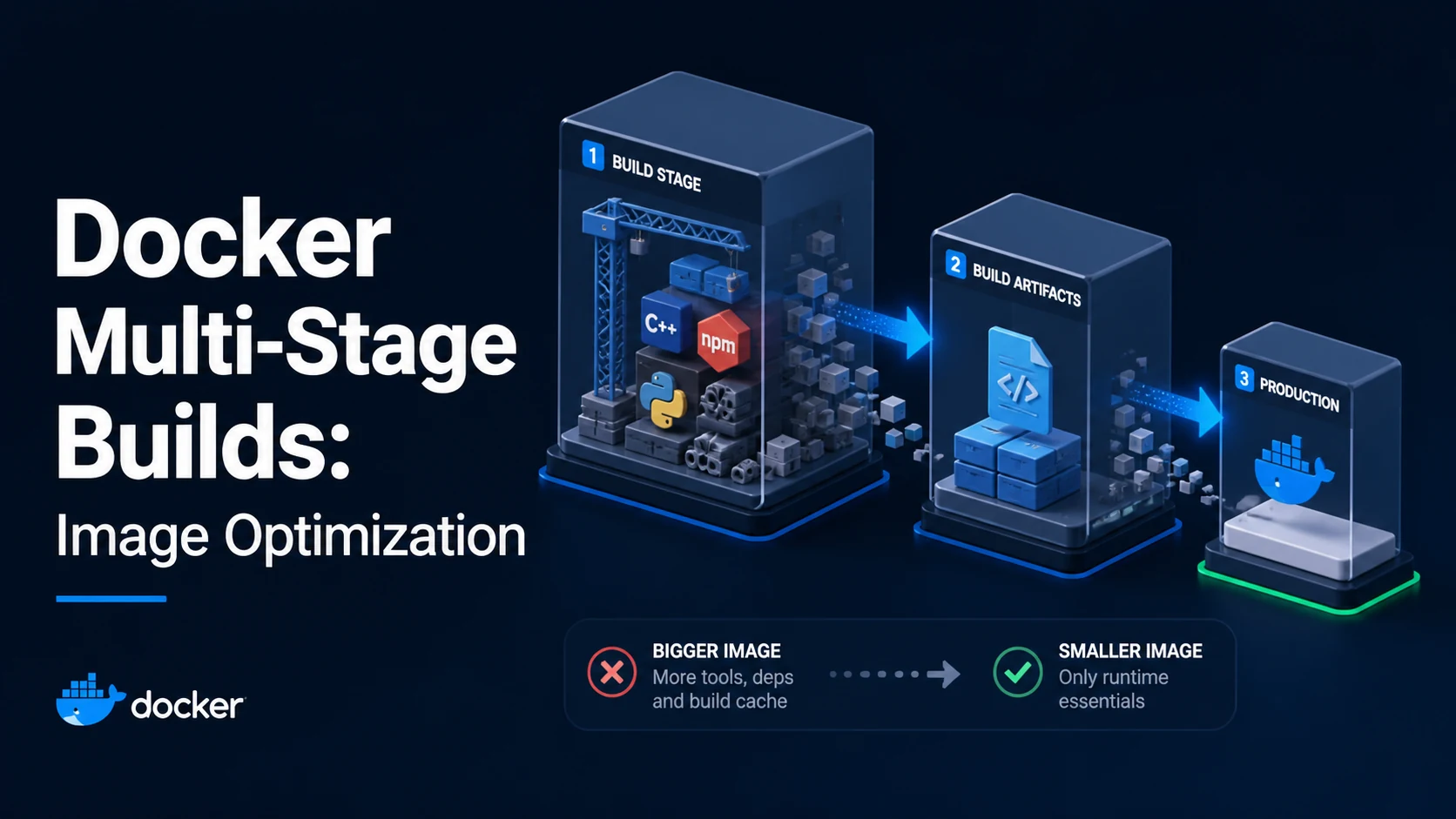
Quick Summary
A multi-stage build uses several FROM instructions in one Dockerfile. Earlier stages hold compilers, SDKs, and package caches; the final stage copies only the artefacts they produced. The image that ships contains the runtime and nothing else — often 20 MB instead of 900 MB, and with a much smaller attack surface because no compiler or shell is present.
The build cost does not disappear: the build stage still downloads and compiles everything. What changes is what ends up in the pushed image, what the registry stores, and what a scanner has to examine. Two details decide whether it works: the final stage must copy everything the binary needs at runtime (CA certificates, timezone data, native libraries), and the --target flag is how one file serves both development and production.
Basic syntax and query signatures
# syntax=docker/dockerfile:1
FROM golang:1.23-alpine AS build
WORKDIR /src
COPY go.mod go.sum ./
RUN go mod download
COPY . .
RUN \
CGO_ENABLED=0 go build -trimpath -ldflags="-s -w" -o /out/api ./cmd/api
FROM gcr.io/distroless/static-debian12:nonroot
COPY /out/api /api
USER nonroot:nonroot
ENTRYPOINT ["/api"]docker build -t app/api:1.4.2 .
docker build --target build -t app/api:dev . # stop at the build stage
docker buildx build --platform linux/amd64,linux/arm64 -t app/api:1.4.2 --push .Every FROM starts a new stage; AS name lets later stages reference it. COPY --from=<stage> copies files out of a stage (or out of a named external image, --from=nginx:alpine). Only the last stage becomes the image unless --target says otherwise, and stages that nothing depends on are simply not built.
Key comparison table
| Final base | Typical size | Shell | Debuggability | Use when |
|---|---|---|---|---|
ubuntu:24.04 | ~78 MB | Yes | Easy | Native libs, apt maintenance |
debian:12-slim | ~75 MB | Yes | Easy | Most server workloads |
alpine:3.20 | ~7 MB | Yes (sh, no bash) | Harder (musl) | Small images, static binaries |
gcr.io/distroless/static | ~2 MB | No | Hard (no shell) | Go/Rust static binaries |
scratch | 0 | No | Hardest | Fully static binary, nothing else |
node:22-alpine | ~135 MB | Yes | Fine | Node runtime after a build stage |
| Optimisation | Image size | Build time | Complexity |
|---|---|---|---|
| Multi-stage (build → runtime) | Large cut | Same | Low |
--mount=type=cache | None | Large cut on rebuilds | Low |
| Alpine or distroless runtime | Small cut | Same | Medium (musl, no shell) |
scratch + static binary | Smallest | Same | High (bundle certs, tzdata) |
-ldflags="-s -w" / --prod | 10–30% off binary | Same | Low |
Practical edge cases and deep dives
1. scratch and the things you forget to copy
FROM golang:1.23 AS build
WORKDIR /src
COPY . .
RUN CGO_ENABLED=0 GOOS=linux go build -o /out/api ./cmd/api
FROM scratch
COPY /etc/ssl/certs/ca-certificates.crt /etc/ssl/certs/
COPY /usr/share/zoneinfo /usr/share/zoneinfo
COPY /out/api /api
ENTRYPOINT ["/api"]A scratch image contains exactly what you copy. Without CA certificates, the first HTTPS call fails with x509: certificate signed by unknown authority; without zoneinfo, time.LoadLocation("Asia/Seoul") fails and every timestamp falls back to UTC. A non-root UID has to be set numerically (USER 65532), because there is no /etc/passwd to resolve a name.
CGO_ENABLED=0 is what makes this possible: a dynamically linked binary needs glibc or musl at runtime, which scratch does not have. With CGO enabled the binary fails at startup with no such file or directory — an error about the interpreter, not the binary, which is why it confuses people.
2. Cache mounts change rebuild time, not image size
RUN \
go build -o /out/api ./cmd/apiBuildKit keeps these directories between builds without putting them in any layer. For Node, the equivalent is a cache mount on /root/.npm; for Python, /root/.cache/pip. Since the cache lives outside the layer chain, deleting it is unnecessary and the cache hit survives changes to the source — which is exactly the behaviour a plain RUN cannot give you.
Cache mounts need BuildKit (DOCKER_BUILDKIT=1, or Docker 23+ where it is the default). On older engines the --mount flag fails with Unknown flag: mount, and the fallback is copying lockfiles first and accepting a re-download on dependency changes.
3. One Dockerfile, several targets
FROM node:22-alpine AS deps
WORKDIR /app
COPY package.json package-lock.json ./
RUN npm ci
FROM deps AS dev
COPY . .
CMD ["npm", "run", "dev"]
FROM deps AS build
COPY . .
RUN npm run build && npm prune --omit=dev
FROM node:22-alpine AS prod
WORKDIR /app
ENV NODE_ENV=production
COPY /app/node_modules ./node_modules
COPY /app/dist ./dist
USER node
CMD ["node", "dist/server.js"]docker build --target dev stops after the dev stage, so local development and CI share one dependency layer. Compose can point at a target per service:
services:
  api:
    build:
      context: .
      target: dev
The trap is that --target names a stage, and a typo produces a build that silently uses the last stage instead of failing — check the image size or the entrypoint when a "dev" build behaves like production.
4. Copying build output without copying build clutter
# Copies the entire node_modules including dev dependencies
COPY /app/node_modules ./node_modules
# Prune in the build stage, then copy
RUN npm ci && npm run build && npm prune --omit=devA production node_modules with typescript, jest, and eslint is often three times the size of the runtime one. Pruning inside the build stage is free — the deleted files never reach the final image — while running npm prune in the final stage would still leave the deleted bytes in the earlier layer.
The same principle covers compiled artifacts: build in a stage with the full toolchain, copy the single binary or the dist directory out, and never copy the source. A .dockerignore listing node_modules, .git, dist, coverage, and .env keeps the context small and stops secrets from being sent to the daemon at all.
5. Measuring the result
docker build -t app/api:1.4.2 .
docker images --format '{{.Repository}}:{{.Tag}} {{.Size}}' | grep app/api
docker history --no-trunc --format '{{.Size}}\t{{.CreatedBy}}' app/api:1.4.2 | head
docker run --rm app/api:1.4.2 ls -la /    # fails on distroless: no shell
docker history is the fastest way to find the layer that ruins an otherwise small image, and docker run --rm <image> sh is the fastest way to discover that the runtime image has no shell — which is a feature, not a bug, but it means debugging has to happen through docker exec into a running container, structured logs, or a debug variant built with --target build.
6. The build context is part of the optimisation
.git
node_modules
**/*.test.ts
coverage
.env*
A multi-stage build shrinks the image, but a fat context still costs on every build: the daemon receives the whole directory before the first instruction runs, and COPY . . hashes all of it for the cache key. Excluding .git alone commonly removes hundreds of megabytes, and excluding test fixtures stops a change to a test from invalidating the dependency layer. The context rule and the stage rule work together — one limits what can enter the build, the other limits what can leave it.
Common mistakes and runtime errors
| Error or symptom | Cause | Fix |
|---|---|---|
COPY --from=build /app/dist: not found | Path missing in the source stage (build failed silently or output elsewhere) | Check the build stage's WORKDIR and output path |
x509: certificate signed by unknown authority | No CA bundle in a scratch/distroless image | Copy ca-certificates.crt |
exec /api: no such file or directory | Dynamically linked binary in scratch | CGO_ENABLED=0, or ship the loader and libs |
time: missing Location in call to Time.In | No zoneinfo in the runtime image | Copy /usr/share/zoneinfo, or embed time/tzdata |
Unknown flag: mount | BuildKit disabled | Enable BuildKit or upgrade Docker |
| Image is still large after multi-stage | Dev dependencies or build output copied wholesale | Prune in the build stage; copy only what runs |
--target dev build behaves like production | Typo in the stage name | Verify the stage name; check ENTRYPOINT |
standard_init_linux.go: … no such file or directory | CRLF line endings, or wrong architecture | Normalise line endings; build with --platform |
permission denied on startup as non-root | Files copied as root | COPY --chown, or set a numeric USER |
| Slow rebuilds despite caching | Cache mounts missing, or COPY . . before install | Add cache mounts; reorder instructions |
The summary worth keeping: multi-stage builds are about the boundary between "tools" and "artefacts". Everything before the final FROM is disposable; everything copied after it is the product. Once that boundary is explicit, both the size and the security review become tractable, and a reviewer can see exactly what runs.
Try matching browser tools
All toolsSmall utilities that fit Docker work — they run entirely in this browser tab, so nothing you paste leaves your device.
Related Docker guides
All Docker guidesDocker Inspect: Go Templates, Format Flags, and JSON Filtering
The fields worth knowing, the array-versus-object trap, and why <no value> silently passes your monitoring check instead of failing it.
Docker Restart Policies: no, on-failure, always, and unless-stopped
What each policy really restarts, why on-failure ignores a clean exit, how backoff hides crash loops, and why health checks never trigger a restart.
Docker Compose Profiles: Multi-Environment Configs and Overrides
Profiles select which services exist; override files change how they run. How the two fit together, and why ports concatenate instead of replacing.
Docker COPY vs ADD: Build Context, .dockerignore, and Cache Busting
ADD adds tar extraction and URLs nobody wants; COPY is the predictable choice. How the build context is packed, and how copy order decides rebuild time.
More in Docker
All Docker guidesThe guides filed next to this one in Docker, in library order.