Docker Logging: Drivers, Log Rotation, and json-file Configuration
json-file has no size limit by default, which fills disks. Rotation options, why remote drivers break docker logs, and non-blocking mode's dropped lines.
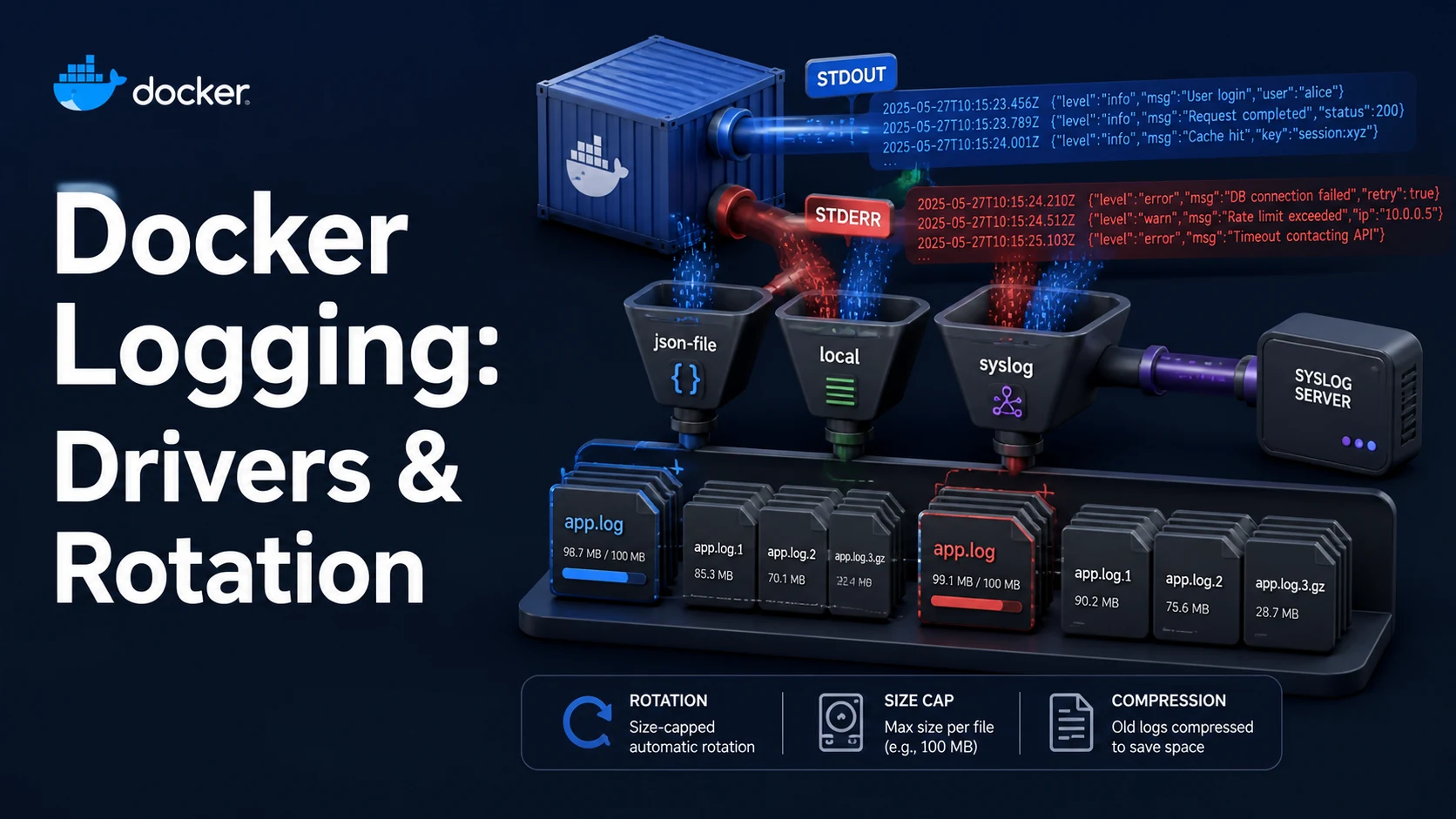
Quick Summary
A container's program writes to stdout and stderr; the container runtime captures those two streams and hands them to a log driver. The driver decides where the bytes go — a JSON file on disk, journald, syslog, Fluentd, CloudWatch — and the default is json-file, which writes them to /var/lib/docker/containers/<id>/<id>-json.log with no size limit at all.
That default is the single most common cause of a full disk on a Docker host: an application that logs verbosely can produce tens of gigabytes, and nothing rotates it. Two options fix it — --log-opt max-size=10m --log-opt max-file=3 per container, or a daemon-wide default in /etc/docker/daemon.json so new containers inherit it.
Shipping is the second decision. json-file and local keep logs on the host and support docker logs; syslog, fluentd, gelf, awslogs and splunk send them elsewhere and do not support docker logs at all. Pick one, because a single container has exactly one log driver.
Basic syntax and query signatures
# per container
docker run -d --name api \
  --log-driver json-file \
  --log-opt max-size=10m \
  --log-opt max-file=3 \
  example/api:1.4.2

docker run -d --name api --log-driver local --log-opt max-size=20m --log-opt compress=true example/api

docker run -d --name api --log-driver syslog --log-opt syslog-address=tcp://10.0.0.5:514 \
  --log-opt tag="{{.Name}}/{{.ID}}"

docker run -d --name api --log-driver none// /etc/docker/daemon.json — applies to containers that do not override it
{
"log-driver": "json-file",
"log-opts": { "max-size": "10m", "max-file": "3", "compress": "true" }
}# compose.yaml
services:
api:
image: example/api:1.4.2
logging:
driver: json-file
options:
max-size: "10m"
max-file: "3"
mode: "non-blocking"
max-buffer-size: "4m"docker logs --since 15m --timestamps api
docker logs --tail 200 -f api
docker inspect -f '{{.HostConfig.LogConfig.Type}} {{json .HostConfig.LogConfig.Config}}' apiKey comparison table
| Driver | Writes to | docker logs | Rotation | Typical use |
|---|---|---|---|---|
json-file | JSON file on host | Yes | max-size, max-file | Default, small hosts |
local | Binary, compressed file | Yes | max-size (default 20m), automatic | Recommended default |
journald | systemd journal | Yes | journald.conf | systemd hosts |
syslog | Local or remote syslog | No | syslog server | Central log collection |
fluentd | Fluentd forward protocol | No | Fluentd config | Structured pipelines |
gelf | Graylog | No | Graylog | Graylog shops |
awslogs | CloudWatch Logs | No | CloudWatch retention | AWS ECS/EC2 |
splunk | Splunk HEC | No | Splunk index | Splunk shops |
none | Discarded | No | n/a | Sidecars, tests |
| Option | Applies to | Effect when omitted |
|---|---|---|
max-size | json-file, local | No rotation; the file grows without limit |
max-file | json-file | Default 1: one file, rotated by truncation |
compress | json-file, local | Rotated files stay uncompressed |
mode (blocking/non-blocking) | All drivers | blocking: a slow driver stalls the container's writes |
max-buffer-size | non-blocking | Default 1 MB, then messages are dropped |
tag | syslog, fluentd, gelf, awslogs | {{.ID}} |
labels | Driver-specific | None |
Practical edge cases and deep dives
1. max-size without max-file is still bounded — but max-file is what you want
logging:
  options:
    max-size: "10m"      # rotate at 10 MB
    max-file: "3"        # keep three generations: 30 MB ceiling
The ceiling is max-size × max-file, roughly. Without max-file the default is one rotated file plus the active one, so the total stays near twice max-size. Both settings only take effect on containers created after the change: log options are immutable, so an existing container keeps its old configuration until it is recreated. Updating daemon.json requires systemctl reload docker (or a restart) and still only affects new containers.
# audit which containers have unbounded json-file logging
docker ps -q | xargs docker inspect \
  --format '{{.Name}} {{.HostConfig.LogConfig.Type}} {{json .HostConfig.LogConfig.Config}}' \
  | grep json-file | grep -v max-size
2. non-blocking mode and why logs disappear
The default mode=blocking makes the container's write(2) wait when the driver cannot keep up. With a remote driver over a flaky network, that means the application stalls — a classic "requests hang for 30 seconds every few minutes" incident. non-blocking buffers in memory instead:
options:
  mode: "non-blocking"
  max-buffer-size: "4m"
The cost is loss: when the 4 MB buffer fills, messages are dropped, and Docker logs the drop count on the container's stderr (docker logs shows a message about discarded messages). Choose blocking when audit completeness matters more than latency, non-blocking for application logs on a busy host, and never assume you have both.
3. Remote drivers cannot be read back with docker logs
Error response from daemon: configured logging driver does not support reading
That error is not a failure — docker logs reads the local file, and syslog or fluentd wrote the log somewhere else. Debugging such a container means querying the log backend, or attaching a second, local path. If you need both shipped and local logs, do not try to set two drivers; run a collector (Fluent Bit, Vector) that tails /var/lib/docker/containers/*/*-json.log and ships from there, keeping json-file as the driver. That collector sees the same bytes Docker wrote.
4. Application log files inside the container are invisible
Only PID 1's stdout and stderr are captured. An nginx that writes /var/log/nginx/access.log, a Java app with a logback.xml pointing at a file, or a cron job writing to /var/log/syslog produces nothing in docker logs. Two fixes: redirect to stdout (/dev/stdout as the log target, access_log /dev/stdout), or mount a volume and collect from the host. The first is correct for containers; the second is a fallback for software that cannot be configured.
access_log /dev/stdout main;
error_log  /dev/stderr warn;
5. Multiline stack traces become one record per line
A JSON driver stores what the program wrote; a Java stack trace written as 40 separate write calls becomes 40 log entries, each with its own timestamp, which makes the backend useless for grouping. Options, in order of preference: log JSON with the trace in one field (the application's job), use a collector that detects continuation lines (Fluent Bit's multiline parser), or use the local driver plus a collector for parsing. There is no Docker log option that joins lines.
6. Where the bytes actually are, and how to reclaim them
ls -lh /var/lib/docker/containers/*/*-json.log | sort -k5 -h | tail -5
docker ps -q | xargs docker inspect --format '{{.Name}} {{.LogPath}}'
truncate -s 0 "$(docker inspect -f '{{.LogPath}}' api)"   # safe live truncate
Truncating a json-file while the container runs is safe: Docker reopens and appends, and the file is not corrupted. Deleting it is not — the runtime keeps the file handle and the space is not reclaimed until the container restarts. That difference matters on a host where you are trying to free space in a hurry.
Common mistakes and runtime errors
| Error or symptom | Cause | Fix |
|---|---|---|
Disk full on /var/lib/docker | json-file with no max-size | Set max-size and max-file, recreate the container |
configured logging driver does not support reading | Remote driver in use | Query the backend; run a collector for local reads |
| Container writes block for seconds | mode=blocking with a slow remote driver | mode=non-blocking plus max-buffer-size |
| Log lines missing under load | Buffer overflow in non-blocking mode | Raise max-buffer-size, or accept the loss |
docker logs shows nothing but the app logs | App writes to a file, not stdout | Log to /dev/stdout, or collect from a volume |
| New log options have no effect | Log config is immutable per container | Recreate the container |
docker service logs fails | Driver does not support Swarm log reading | Use json-file/local, or the backend |
| Stack traces split per line | One entry per line write | JSON logging, or a multiline parser in the collector |
| Disk not freed after deleting the log file | File handle still open | truncate -s 0, or restart the container |
Timestamps wrong in docker logs | Container clock or --timestamps not used | --timestamps; fix the container timezone |
The default that survives contact with production is json-file with max-size=10m, max-file=3, plus a collector when logs need to outlive the host. Everything else is a deliberate choice, and the moment you choose a shipping driver you give up docker logs — which is worth knowing before the incident, not during it.
Try matching browser tools
All toolsSmall utilities that fit Docker work — they run entirely in this browser tab, so nothing you paste leaves your device.
Related Docker guides
All Docker guidesDocker Inspect: Go Templates, Format Flags, and JSON Filtering
The fields worth knowing, the array-versus-object trap, and why <no value> silently passes your monitoring check instead of failing it.
Docker Restart Policies: no, on-failure, always, and unless-stopped
What each policy really restarts, why on-failure ignores a clean exit, how backoff hides crash loops, and why health checks never trigger a restart.
Docker Compose Profiles: Multi-Environment Configs and Overrides
Profiles select which services exist; override files change how they run. How the two fit together, and why ports concatenate instead of replacing.
Docker COPY vs ADD: Build Context, .dockerignore, and Cache Busting
ADD adds tar extraction and URLs nobody wants; COPY is the predictable choice. How the build context is packed, and how copy order decides rebuild time.
More in Docker
All Docker guidesThe guides filed next to this one in Docker, in library order.