Docker Networking: Bridge, Host, Overlay Networks, and Port Mapping
Why localhost inside a container is the container, why the default bridge has no DNS, and what -p on 0.0.0.0 exposes to the network.
Quick Summary
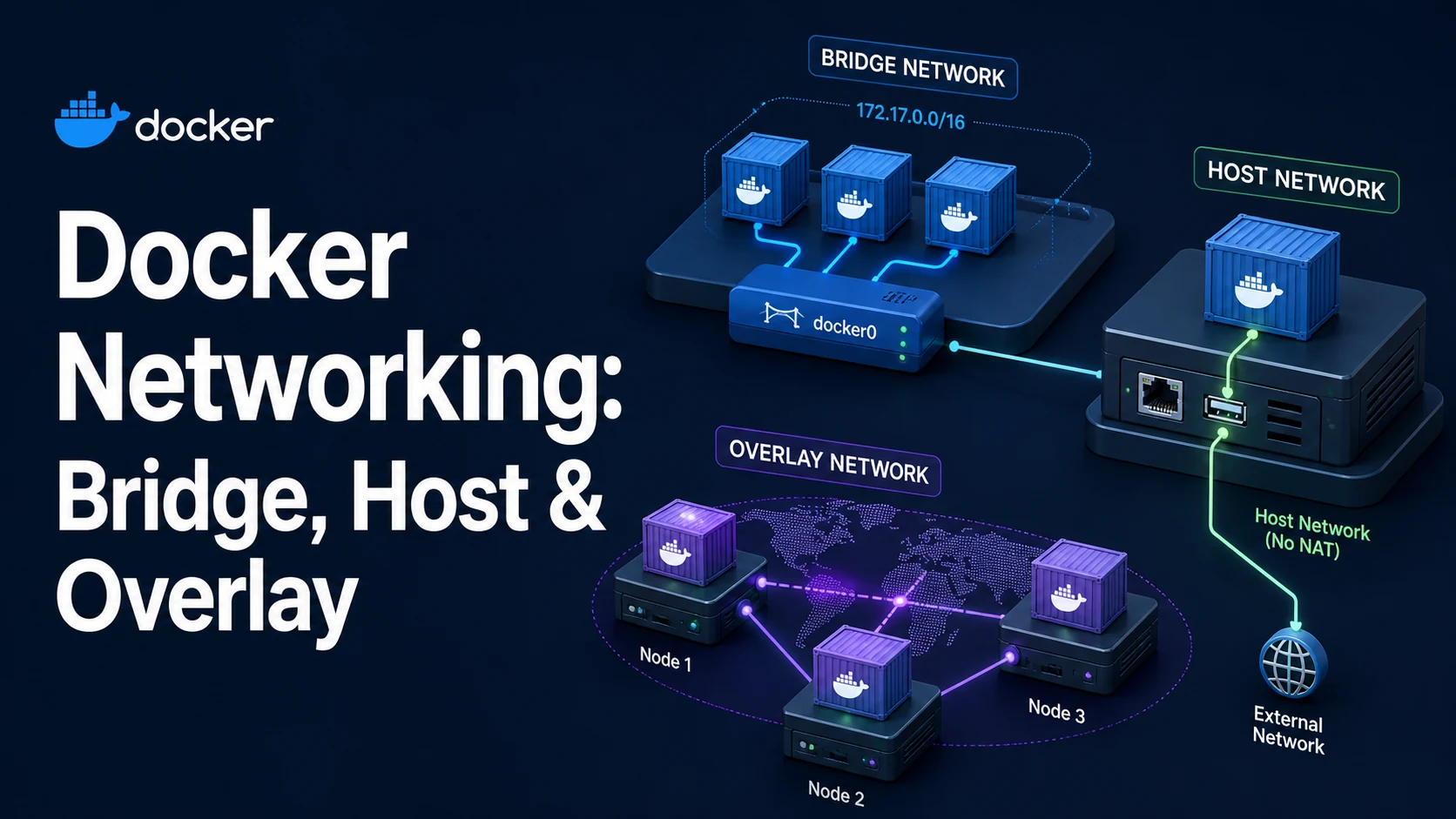
Docker gives every container a network namespace and connects it to a network. The default is a bridge: a virtual switch on the host, with the container behind a NAT rule. Containers on the same user-defined bridge resolve each other by name; containers on the default bridge network do not, and only find each other by IP. host mode removes the namespace entirely so the container shares the host's stack. overlay stretches one network across several hosts, which is what Swarm and some orchestrators use.
Port publishing (-p) is an inbound NAT rule, separate from the container's own networking. EXPOSE documents a port; it does not publish it. Most connection failures are one of three things: localhost used from inside a container, a port published on 0.0.0.0 that the user believed was private, or a user-defined network that the two containers are not actually both on.
Basic syntax and query signatures
docker network create --driver bridge appnet
docker run -d --name db  --network appnet postgres:17
docker run -d --name api --network appnet -p 127.0.0.1:8080:3000 myapp
docker network inspect appnet --format '{{range .Containers}}{{.Name}} {{.IPv4Address}}{{"\n"}}{{end}}'services:
api:
networks: [appnet]
ports:
- "127.0.0.1:8080:3000"
db:
networks: [appnet]
networks:
appnet:
driver: bridgeThe port syntax [host_ip:]host_port:container_port[/proto] matters at every part. -p 8080:3000 publishes on every host interface; -p 127.0.0.1:8080:3000 only on loopback; -p 3000 publishes on a random host port; -p 8080:3000/udp changes the protocol. Inside the network the container port is always reachable by service name, whether or not it is published.
Key comparison table
| Driver | Scope | Name resolution | Use case |
|---|---|---|---|
bridge (user-defined) | Single host | Yes, by container/service name | Normal application setups |
bridge (default docker0) | Single host | No (IP only) | Legacy; avoid |
host | Single host | Uses the host's stack | Maximum performance, no isolation |
none | Isolated | No | Batch jobs, security-sensitive work |
overlay | Multi-host (Swarm) | Yes, across nodes | Clusters |
macvlan | L2 presence on the LAN | External DHCP/DNS | Legacy appliances needing their own IP |
| Access path | From host | From another container | From outside |
|---|---|---|---|
-p 8080:3000 | localhost:8080 | service:3000 | host-ip:8080 |
EXPOSE 3000 only | Not reachable | service:3000 | Not reachable |
--network host | localhost:3000 | n/a (shares host) | host-ip:3000 |
-p 127.0.0.1:8080:3000 | localhost:8080 | service:3000 | Not reachable |
Practical edge cases and deep dives
1. localhost inside a container is the container
services:
  api:
    environment:
      DATABASE_URL: postgres://app:pw@localhost:5432/app   # wrong
      # DATABASE_URL: postgres://app:pw@db:5432/app        # right
Each container has its own loopback interface, so localhost:5432 reaches the API's own port 5432, which nothing listens on. The error is ECONNREFUSED, and it sends people looking at the database, which is healthy. Use the service name (Compose registers it as a DNS alias) or the container name on a user-defined network.
The same mistake appears as 127.0.0.1 in config files copied into the image, and as a healthcheck that uses localhost while the app binds 0.0.0.0 — that one actually works, but only because the check runs inside the same container.
2. The default bridge has no DNS
docker run -d --name db postgres:17          # default bridge
docker run --rm --link db:db alpine ping -c1 db   # legacy, deprecated
On the default bridge network Docker used to provide --link for name resolution; it is deprecated and does not work in reverse. Creating a user-defined network gives embedded DNS:
docker network create appnet
docker run -d --name db  --network appnet postgres:17
docker run --rm --network appnet alpine getent hosts db     # resolves
Compose always creates a user-defined network per project, which is why services: names work there without any extra configuration. When someone reports "DNS does not work in Docker" outside Compose, the answer is almost always that they are on the default bridge.
3. Publishing on 0.0.0.0 exposes the service to the network
docker run -d -p 5432:5432 postgres:17          # reachable from the LAN
docker run -d -p 127.0.0.1:5432:5432 postgres:17  # loopback only
-p 5432:5432 inserts a DNAT rule for every interface, so a database with a weak password becomes reachable from the coffee-shop Wi-Fi. Docker writes its own iptables rules and they are evaluated before most host firewalls — ufw deny 5432 does not block a published port on many setups, which is a well-known surprise. Bind development services to 127.0.0.1 in Compose and publish only what a reverse proxy needs.
Publishing also masks the container IP: from the host, localhost:5432 works; from another container, the service name and container port work. Mixing the two up produces a config that only works in one place.
4. host mode and its platform caveat
docker run --rm --network host nginxThe container shares the host's network namespace: no NAT, no port mapping, no isolation. Performance is the best available and localhost means the host. The costs are real — two containers cannot both bind port 80, every port the container opens is open on the host, and on Docker Desktop (macOS/Windows) --network host does not actually share the host's stack because the host is a VM; the flag works but points at the VM, which confuses anyone testing there and deploying to Linux.
Use it for high-throughput proxies and monitoring agents that need the host's interfaces, and use bridge networking everywhere else.
5. Overlay networks: what actually has to be true
docker swarm init
docker network create -d overlay --attachable appnet
docker service create --name api --network appnet --replicas 3 myapp
An overlay network carries container traffic between hosts, encapsulated in VXLAN. Three requirements are easy to miss: the nodes must reach each other on the data-plane ports (VXLAN 4789/UDP by default, plus the Swarm control port 2377/tcp), they need a consistent clock and a shared key (Swarm handles this), and non-Swarm containers can only join if the network was created --attachable. Encryption (--opt encrypted) is available and costs throughput.
The classic overlay failure is not connectivity but MTU: VXLAN adds 50 bytes of overhead, so a 1500-byte path with 1500-byte packets stalls. Small requests work, large responses hang, TLS handshakes time out at the point the certificate chain is sent. Set the Docker MTU below the physical MTU (--opt com.docker.network.driver.mtu=1450) when the underlying network uses jumbo frames or a VPN.
6. Isolated networks and runtime attachment
networks:
  backend:
    driver: bridge
    internal: true      # no route out; services can reach each other only
internal: true removes the gateway, so a database on that network cannot reach the internet even if its credentials leak into a malicious query. The trade-off is that pulls, apt installs, and webhooks fail from inside — put the database there and the API on two networks, one internal for the database and the default for egress.
Containers can also be attached while running (docker network connect appnet api), which is how a debug container joins an existing stack without restarting it. Detach with docker network disconnect; a container left attached to a network it no longer needs keeps a route it should not have.
Common mistakes and runtime errors
| Error or symptom | Cause | Fix |
|---|---|---|
connect ECONNREFUSED 127.0.0.1:5432 from a container | localhost means the container itself | Use the service/container name |
could not translate host name "db" | Container on the default bridge | Create a user-defined network |
Error response from daemon: network appnet not found | Network not created, or different project prefix | docker network create, or use the Compose project network |
Bind for 0.0.0.0:80 failed: port is already allocated | Host port taken | Change the host port; docker ps to find the owner |
| Service reachable from the LAN unexpectedly | -p without a host IP | Bind 127.0.0.1 |
| Firewall does not block a published port | Docker's iptables rules precede ufw | Publish on loopback, or use the DOCKER-USER chain |
| Container cannot reach the internet | --network none, or broken DNS in a custom network | Check --dns, and /etc/resolv.conf inside |
| Large responses hang, small ones work | Overlay MTU | Lower the network MTU |
| Two containers with the same fixed IP | --ip outside the subnet, or on different networks | Let Docker assign, or use ipam config |
no route to host between hosts | Overlay ports blocked | Open 4789/udp and 7946/tcp+udp |
Debugging order that saves time: docker exec <container> getent hosts <name>, then docker network inspect <net> to confirm both containers are actually attached, then nc -vz <name> <port> from inside. The failing layer is almost always the first of those three, and the message it produces points at the wrong service.
Try matching browser tools
All toolsSmall utilities that fit Docker work — they run entirely in this browser tab, so nothing you paste leaves your device.
Related Docker guides
All Docker guidesDocker Inspect: Go Templates, Format Flags, and JSON Filtering
The fields worth knowing, the array-versus-object trap, and why <no value> silently passes your monitoring check instead of failing it.
Docker Restart Policies: no, on-failure, always, and unless-stopped
What each policy really restarts, why on-failure ignores a clean exit, how backoff hides crash loops, and why health checks never trigger a restart.
Docker Compose Profiles: Multi-Environment Configs and Overrides
Profiles select which services exist; override files change how they run. How the two fit together, and why ports concatenate instead of replacing.
Docker COPY vs ADD: Build Context, .dockerignore, and Cache Busting
ADD adds tar extraction and URLs nobody wants; COPY is the predictable choice. How the build context is packed, and how copy order decides rebuild time.
More in Docker
All Docker guidesThe guides filed next to this one in Docker, in library order.