Docker Rootless Mode: Setup, Security Model, and Limitations
Running dockerd inside a user namespace removes the root daemon. What that buys, what it forbids, and the four prerequisites setup fails on.
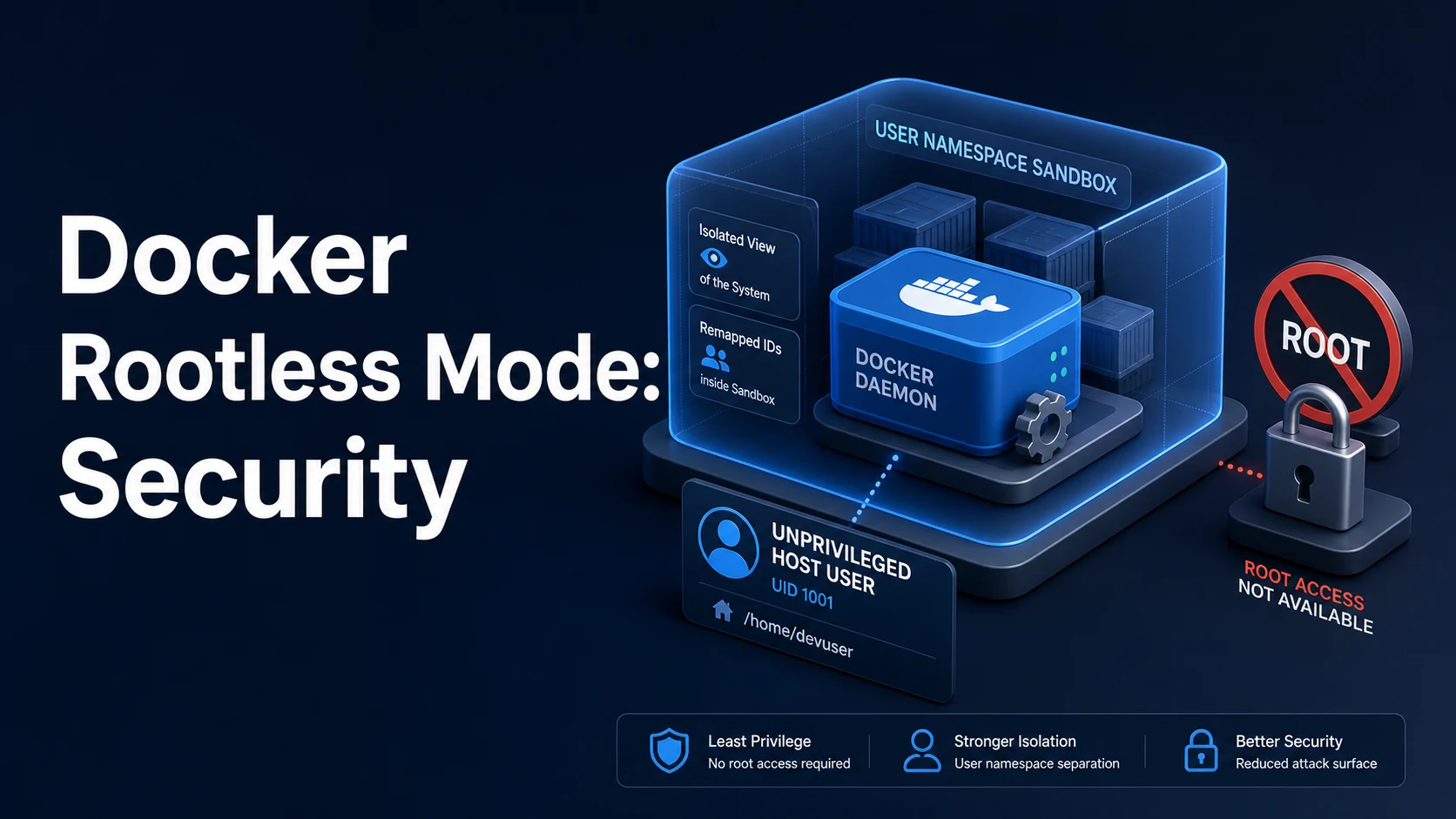
Quick Summary
Rootless mode runs the entire Docker stack — dockerd, containerd, the container runtime — inside a user namespace under your own unprivileged account. Nothing on the host runs as root, so a container escape lands in a namespace where the "root" user maps to a hard-to-use subordinate UID outside it. That single change removes the largest blast radius in a default Docker install: a root daemon with root-owned socket access.
The setup is three facts. The kernel must allow unprivileged user namespaces. The user needs a range of subordinate IDs in /etc/subuid and /etc/subgid (created by useradd for normal accounts, sometimes missing on minimal images or when the account was added by hand). And the tooling needs newuidmap/newgidmap from the uidmap package. With those in place, dockerd-rootless-setuptool.sh install creates a systemd user unit, and docker talks to unix://$XDG_RUNTIME_DIR/docker.sock instead of /var/run/docker.sock.
The limitations are real and mostly about privilege the namespace cannot have. Resource limits need cgroups v2 (a v1 host degrades to no CPU/memory limits), privileged containers and most --cap-add calls are refused, binding ports below 1024 requires an explicit sysctl or the rootlesskit driver, and host networking means the host network of the namespace rather than the machine. Network throughput through the default port driver is measurably lower than rootful.
Basic syntax and query signatures
# Prerequisites (Debian/Ubuntu)
sudo apt-get install -y uidmap dbus-user-session
grep "$USER" /etc/subuid /etc/subgid        # must show a range, e.g. user:100000:65536
sysctl kernel.unprivileged_userns_clone     # Debian: must be 1 (or absent)
sysctl kernel.apparmor_restrict_unprivileged_userns   # Ubuntu 24.04: must be 0 or have a profile

# Install as the current user, no sudo for the daemon itself
dockerd-rootless-setuptool.sh install

# Talk to it
export DOCKER_HOST=unix://$XDG_RUNTIME_DIR/docker.sock
docker info | grep -i rootless

# Keep the user daemon alive without an active login session
sudo loginctl enable-linger "$USER"
systemctl --user status docker
The setup script also installs a Docker CLI context, which is the cleaner way to switch than exporting variables.
docker context ls
docker context use rootless
docker run --rm hello-world
rootlesskit is the wrapper that creates the namespace; its port driver decides how published ports reach the host.
# Inspect and choose the port driver
rootlesskit --version
DOCKERD_ROOTLESS_ROOTLESSKIT_NET=pasta dockerd-rootless.sh --experimental
docker info --format '{{.Driver}} {{.CgroupDriver}} {{.CgroupVersion}}'
Key comparison table
| Aspect | Rootful | Rootless |
|---|---|---|
| Daemon user | root | Your user |
| Socket | /var/run/docker.sock (root:docker) | $XDG_RUNTIME_DIR/docker.sock |
| Container root maps to | host root | subordinate UID (e.g. 100999) |
| Privileged containers | Yes | No |
| Ports below 1024 | Yes | Needs ip_unprivileged_port_start or driver config |
| Resource limits | cgroups v1 or v2 | cgroups v2 required |
| Storage driver | overlay2 | overlay2 (kernel 5.11+) or fuse-overlayfs |
| Networking | kernel bridge directly | bridge inside a netns, slirp4netns/pasta |
| NFS/CIFS volumes | Yes | Generally not (mount not permitted) |
--net=host | Host network | Namespace's network |
| Performance | Baseline | Lower throughput, higher syscall overhead |
| Requirement | Check | Failure symptom |
|---|---|---|
| Subordinate IDs | grep $USER /etc/subuid | newuidmap: write to uid_map failed |
uidmap package | command -v newuidmap | cannot set up namespace |
| Unprivileged userns | sysctl kernel.unprivileged_userns_clone | operation not permitted at start |
| cgroups v2 | stat -fc %T /sys/fs/cgroup → cgroup2fs | --memory silently ignored |
XDG_RUNTIME_DIR | echo $XDG_RUNTIME_DIR | Cannot connect to the daemon |
| Linger enabled | loginctl show-user $USER -p Linger | Containers stop after logout |
Practical edge cases and deep dives
1. Setup fails on uid_map: the subuid range is missing
newuidmap: write to uid_map failed: Operation not permittedThis is almost always a missing subordinate ID range, not a kernel problem. Minimal cloud images and manually created accounts often skip it.
sudo usermod --add-subuids 100000-165535 --add-subgids 100000-165535 "$USER"
# verify, then re-run the setup script
grep "$USER" /etc/subuid /etc/subgid
On systems where /etc/subuid is managed by subuid from a directory service, the fix belongs there; adding a local line can be overwritten at the next login.
2. Publish a privileged port without root
# Fails by default: cannot bind 80 inside the namespace
docker run -d -p 80:80 nginx:alpine
# docker: Error response from daemon: failed to expose ports: cannot expose privileged port 80

# Option A: allow the whole system to bind low ports for unprivileged users
sudo sysctl net.ipv4.ip_unprivileged_port_start=0

# Option B: publish a high port and put a reverse proxy in front
docker run -d -p 8080:80 nginx:alpine
Option A widens a host-wide policy for every process; option B keeps the change local to your proxy configuration. On a multi-user host, prefer B.
3. Resource limits silently do nothing on cgroups v1
docker run --rm --memory=256m alpine free -m # shows host memory, not 256 MBRootless mode needs cgroup v2 for delegation. Check with docker info --format '{{.CgroupVersion}}'. On a v1 host, limits are accepted and ignored, which is worse than an error because a runaway container can take the machine down.
4. Storage driver: overlay on 5.11+, fuse-overlayfs below
Rootless overlay works natively from kernel 5.11 thanks to user-namespace overlay support. Older kernels fall back to fuse-overlayfs, which works but adds a userspace hop on every filesystem operation.
docker info --format '{{.Driver}}'
# overlay2        (native)
# fuse-overlayfs  (compatibility path, slower)

sudo apt-get install -y fuse-overlayfs
If builds that take 40 seconds rootful take three minutes rootless, the driver is the first thing to check.
5. The socket path breaks every tool that hardcodes /var/run/docker.sock
Mounting the rootless socket into a container for a "Docker-in-Docker CI" trick does not grant root, but it does grant full control of your daemon — which can read your files through bind mounts. Treat the rootless socket as a credential.
# Point compatible tools at it explicitly
export DOCKER_HOST=unix://$XDG_RUNTIME_DIR/docker.sock
export TESTCONTAINERS_DOCKER_SOCKET_OVERRIDE=/run/user/$(id -u)/docker.sock
For tools that cannot be configured, docker context use rootless helps only those that read the context.
6. Networking throughput and the port driver
The default slirp4netns driver terminates TCP in userspace, so throughput tops out well below line rate and ICMP behaves oddly. pasta (newer rootlesskit) is faster and handles more protocols.
systemctl --user edit docker
# [Service]
# Environment="DOCKERD_ROOTLESS_ROOTLESSKIT_NET=pasta"
# Environment="DOCKERD_ROOTLESS_ROOTLESSKIT_PORT_DRIVER=pasta"
systemctl --user daemon-reload && systemctl --user restart docker
Host networking in rootless mode shares the namespace's network, so a container on --net=host and the daemon can reach each other, but the container sees the namespace's interfaces rather than the host's physical ones.
7. Migrating an existing rootful install
Stop the root daemon, move or re-pull images (they live under ~/.local/share/docker for rootless users), and keep the two apart. Volumes are not shared: /var/lib/docker/volumes belongs to root and is not readable through the namespace.
sudo systemctl disable --now docker docker.socket
dockerd-rootless-setuptool.sh install
docker context use rootless
docker volume ls          # empty: re-create from backups or compose files
Plan the data migration as a copy through an intermediate export, not as a directory move. A rootless daemon that points at root-owned files will fail with permission errors that are easy to misread as corruption.
Common mistakes and runtime errors
| Error / symptom | Cause | Fix |
|---|---|---|
newuidmap: write to uid_map failed | No subordinate ID range | usermod --add-subuids/--add-subgids |
operation not permitted starting the daemon | Unprivileged userns disabled | Enable the sysctl or an AppArmor profile |
| Cannot connect to the Docker daemon | DOCKER_HOST unset | docker context use rootless |
| Containers stop after logout | No lingering | loginctl enable-linger $USER |
--memory ignored | cgroups v1 | Use cgroup v2 host |
cannot expose privileged port | Ports below 1024 | High port + proxy, or sysctl |
--privileged rejected | Not permitted by design | Remove it; add specific capabilities |
| NFS volume mount fails | Mount not allowed in the namespace | Bind-mount on the host, or --mount type=bind |
| Builds 3× slower | fuse-overlayfs fallback | Kernel 5.11+, native overlay2 |
docker -v inside container empty | Socket not mounted | Mount the rootless socket path |
| Volume data missing after migration | Volumes remain in /var/lib/docker | Export and restore explicitly |
Try matching browser tools
All toolsSmall utilities that fit Docker work — they run entirely in this browser tab, so nothing you paste leaves your device.
Related Docker guides
All Docker guidesDocker Inspect: Go Templates, Format Flags, and JSON Filtering
The fields worth knowing, the array-versus-object trap, and why <no value> silently passes your monitoring check instead of failing it.
Docker Restart Policies: no, on-failure, always, and unless-stopped
What each policy really restarts, why on-failure ignores a clean exit, how backoff hides crash loops, and why health checks never trigger a restart.
Docker Compose Profiles: Multi-Environment Configs and Overrides
Profiles select which services exist; override files change how they run. How the two fit together, and why ports concatenate instead of replacing.
Docker COPY vs ADD: Build Context, .dockerignore, and Cache Busting
ADD adds tar extraction and URLs nobody wants; COPY is the predictable choice. How the build context is packed, and how copy order decides rebuild time.
More in Docker
All Docker guidesThe guides filed next to this one in Docker, in library order.