Docker Secrets and Configs: Secure Management in Compose and Production
Compose secrets are bind mounts, not encryption; Swarm secrets are tmpfs. How to keep credentials out of ENV, ARG and image layers, and rotate them.
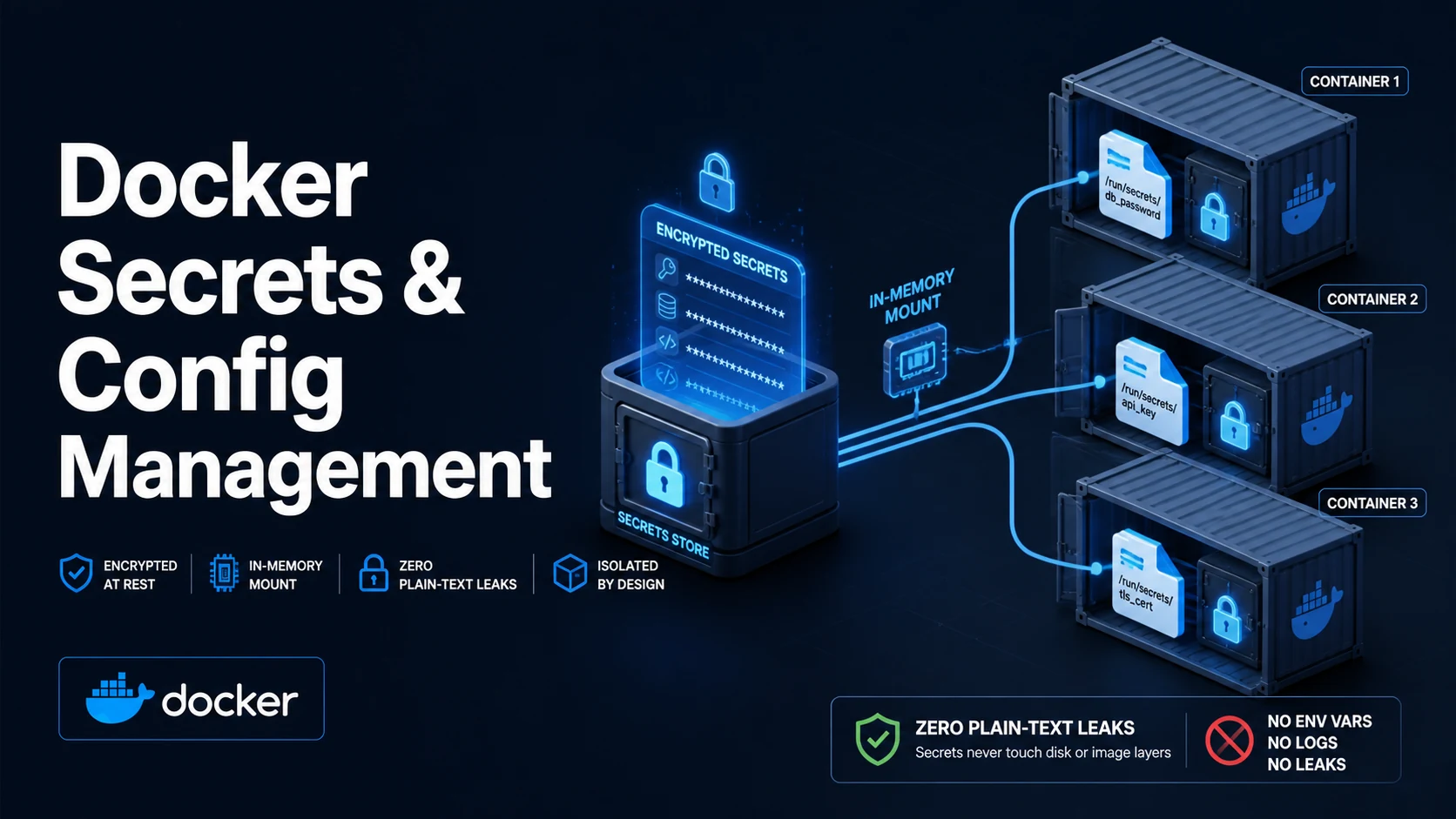
Quick Summary
A Docker secret is a small blob — a password, a TLS key, an API token — that Docker delivers to the container as a file under /run/secrets/, never as an environment variable and never inside an image layer. A config is the same mechanism for non-sensitive material: an nginx config, a certificate bundle, a properties file. Both are mounted read-only at start, and both exist to keep plaintext out of docker inspect, out of docker history, and out of your repository.
The security of each depends entirely on where it comes from. Under Swarm, docker secret create stores the value encrypted in the Raft log of the manager nodes, and only services that declare the secret receive it, mounted from a tmpfs. In plain Compose without Swarm, a top-level secrets: entry backed by file: is a bind mount — the file stays on the host, docker inspect shows the path, and nothing is encrypted. That is still better than an ENV, but calling it encrypted would be wrong.
Three habits cover most of the ground: keep secrets out of ARG and ENV, read them from files in the entrypoint, and rotate by creating a new secret rather than editing an old one.
Basic syntax and query signatures
# compose.yaml — Swarm-independent (file-backed), works with docker compose up
services:
  api:
    image: example/api:1.4.2
    secrets:
      - db_password
      - source: tls_key
        target: server.key
        mode: 0400
    configs:
      - nginx_conf
    environment:
      DB_PASSWORD_FILE: /run/secrets/db_password

secrets:
  db_password:
    file: ./secrets/db_password.txt
  tls_key:
    environment: TLS_PRIVATE_KEY        # value read from the host environment
  # tls_key:
  #   external: true                    # Swarm: use an existing secret
configs:
  nginx_conf:
file: ./nginx/nginx.conf# Swarm secrets
docker swarm init
printf '%s' "$DB_PASSWORD" | docker secret create db_password -
docker secret ls
docker secret inspect db_password --pretty
docker service create --name api --secret db_password example/api:1.4.2
docker service update --secret-rm db_password --secret-add db_password_v2 api# Build-time secret, BuildKit only — never lands in a layer
# syntax=docker/dockerfile:1.7
RUN \
npm ci --omit=devdocker buildx build --secret id=npmrc,src=$HOME/.npmrc -t example/api .# entrypoint: read the secret file, export it, exec the app
#!/bin/sh
set -eu
if [ -z "${DB_PASSWORD:-}" ] && [ -f /run/secrets/db_password ]; then
DB_PASSWORD="$(cat /run/secrets/db_password)"
export DB_PASSWORD
fi
exec "$@"Key comparison table
Secret (Compose, file:) | Secret (Swarm) | Config | Build secret (--mount=type=secret) | |
|---|---|---|---|---|
| Stored encrypted | No | Yes, in the Raft log | No | No, ephemeral mount |
| Mounted as | Bind mount at /run/secrets/<name> | tmpfs at /run/secrets/<name> | Bind mount at /<name> or target | tmpfs during that RUN only |
Visible in docker inspect | The host path | The secret ID, not the value | The host path | Nothing after the build |
Available to docker run | Only via Compose | docker run --secret with a Swarm secret | Only via Compose | Build only |
| Survives container exit | Yes, file on host | Yes, in Swarm state | Yes, file on host | No |
| Rotation | Replace the host file and restart | Create new, update service, remove old | Replace and restart | Rebuild with the new value |
| Default mode | 0444, uid/gid 0 | 0444, uid/gid 0 | 0444 | 0400-ish via mode= |
| Leak channel | ENV | ARG | COPY in a layer | Bind mount | Swarm secret |
|---|---|---|---|---|---|
docker inspect | Value visible | Value visible | — | Path visible | Not visible |
docker history | — | Value visible | Value recoverable | — | — |
/proc/1/environ in container | Yes | — | — | — | No |
| Image pushed to a registry | Yes | Yes | Yes | No | No |
Practical edge cases and deep dives
1. ENV and ARG are the leak
# all three leak the value into the image
ARG NPM_TOKEN
ENV NPM_TOKEN=$NPM_TOKEN
RUN echo "//registry.npmjs.org/:_authToken=$NPM_TOKEN" > /root/.npmrc && npm ci

# recovered later by anyone with the image
docker history --no-trunc example/api:1.4.2 | grep -i token
ENV values persist in the image config and appear in docker inspect, so any process in the container — including a compromised one — can read them from its own environment. ARG values are recorded in the image history, which the registry serves to anyone who can pull the tag. BuildKit's --mount=type=secret mounts the file only for the duration of that RUN and keeps it out of the layer and the history. For runtime, the file mount under /run/secrets is what keeps the value out of the environment.
2. Compose secrets are not encrypted — check before you claim they are
docker compose up -d
docker inspect $(docker compose ps -q api) --format '{{json .Mounts}}' | jq
The output shows a bind mount with "Source": "/home/deploy/app/secrets/db_password.txt" and a destination under /run/secrets/. Anyone who can run docker inspect — which on a default install is anyone in the docker group, effectively root — can read the source path, and the file itself is readable by the container's user because the default mode is world-readable. Tighten it:
secrets:
  db_password:
    file: ./secrets/db_password.txt
File permissions on the host are the control, not Docker: chmod 600 and ownership by the deploying user. Under Swarm the value is genuinely opaque — docker secret inspect returns metadata only — and the tmpfs mount disappears with the container.
3. Applications that only read environment variables
Most images accept either DB_PASSWORD or DB_PASSWORD_FILE, but plenty accept only the environment variable. The wrapper pattern above bridges them; the alternative is env_file, which puts the value straight into the container environment and back into docker inspect. For the official Postgres, MySQL and Redis images, the _FILE variants already exist (POSTGRES_PASSWORD_FILE, MYSQL_ROOT_PASSWORD_FILE), and using them is the difference between a credential visible in docker inspect and one that is not.
services:
  db:
    image: postgres:16
    environment:
      POSTGRES_PASSWORD_FILE: /run/secrets/pg_password
      POSTGRES_USER: app
    secrets: [pg_password]
4. Rotation under Swarm
A Swarm secret is immutable. Rotation means creating db_password_v2, updating the service to mount it, and removing the old one — in that order, because removal fails while a service still references it:
Error response from daemon: secret db_password is in use by the following service: api
docker service update --secret-rm old --secret-add new api performs the swap and restarts the tasks; the config file name changes unless you map target:. Map it, so the application keeps reading /run/secrets/db_password and no code change is needed:
docker service update \
  --secret-rm db_password \
  --secret-add source=db_password_v2,target=db_password \
  api
docker secret rm db_password
The removal will still fail if another service or a stopped service definition references the old secret. docker service ls plus docker service inspect --format '{{json .Spec.TaskTemplate.ContainerSpec.Secrets}}' finds the holders.
5. Configs are for files, not for every setting
A config is mounted at /<config_name> by default, which surprises people who expect /etc/nginx/nginx.conf. Set the target explicitly, and remember that configs are writable only at creation: changing the host file does not update containers until they are recreated. For a hot-reloadable config, mount it as a bind mount in development and a config in production, and make the reload explicit (docker kill -s HUP), because neither Docker nor nginx will notice the file changed.
6. Non-root containers and file modes
A secret mounted 0444 is readable by every user in the container, which is often what you want for a non-root app. If you set mode: 0400 and the container runs as uid 1000, the file is owned by root and the app cannot read it:
cat: /run/secrets/tls_key: Permission denied
Either keep 0444 (and accept that any process in the container can read it — they are in the same security boundary anyway) or set the owning uid with a sourced secret under Swarm and uid=/gid=/mode= options. There is no way to make a secret readable by one process and not another inside a single container; that requires separate containers.
Common mistakes and runtime errors
| Error or symptom | Cause | Fix |
|---|---|---|
This node is not a swarm manager | docker secret used without docker swarm init | Swarm mode, or use Compose file: secrets |
secret ... is in use by the following service | Removing a secret still referenced | Update the service to drop it first |
cat: /run/secrets/x: Permission denied | Mode 0400 with a non-root user | Use 0444, or uid/gid/mode |
Secret visible in docker inspect | Compose file: secret is a bind mount | Accept it, or move to Swarm secrets |
Token found in docker history | ARG used for a credential | BuildKit --mount=type=secret |
| Application reads an empty password | Env var set but entrypoint uses the file (or vice versa) | Standardise on _FILE variables |
docker config shows the file path but the container sees nothing | Wrong target | Mount at the path the app reads, or symlink |
| Secret works locally, fails in CI | The secrets/ file is gitignored and not created | Inject in CI with environment: or an external secret |
| Old password still accepted after rotation | Service not updated, or two tasks running | docker service update, then remove the old secret |
A final note on scope: a secret in Docker protects against accidental exposure in images, inspect output, and repositories. It does not protect against a host compromise, a root user, or a malicious container with the socket mounted. Treat the file mount as one layer, and put the real boundary where it belongs — in the network policy, the database grants, and the credential's own lifetime.
Try matching browser tools
All toolsSmall utilities that fit Docker work — they run entirely in this browser tab, so nothing you paste leaves your device.
Related Docker guides
All Docker guidesDocker Inspect: Go Templates, Format Flags, and JSON Filtering
The fields worth knowing, the array-versus-object trap, and why <no value> silently passes your monitoring check instead of failing it.
Docker Restart Policies: no, on-failure, always, and unless-stopped
What each policy really restarts, why on-failure ignores a clean exit, how backoff hides crash loops, and why health checks never trigger a restart.
Docker Compose Profiles: Multi-Environment Configs and Overrides
Profiles select which services exist; override files change how they run. How the two fit together, and why ports concatenate instead of replacing.
Docker COPY vs ADD: Build Context, .dockerignore, and Cache Busting
ADD adds tar extraction and URLs nobody wants; COPY is the predictable choice. How the build context is packed, and how copy order decides rebuild time.
More in Docker
All Docker guidesThe guides filed next to this one in Docker, in library order.