Docker Volumes vs Bind Mounts: Data Persistence, tmpfs, and Permissions
Which storage survives what, why bind-mount permissions fail with the wrong uid, and the helper-container pattern for backing up a volume.
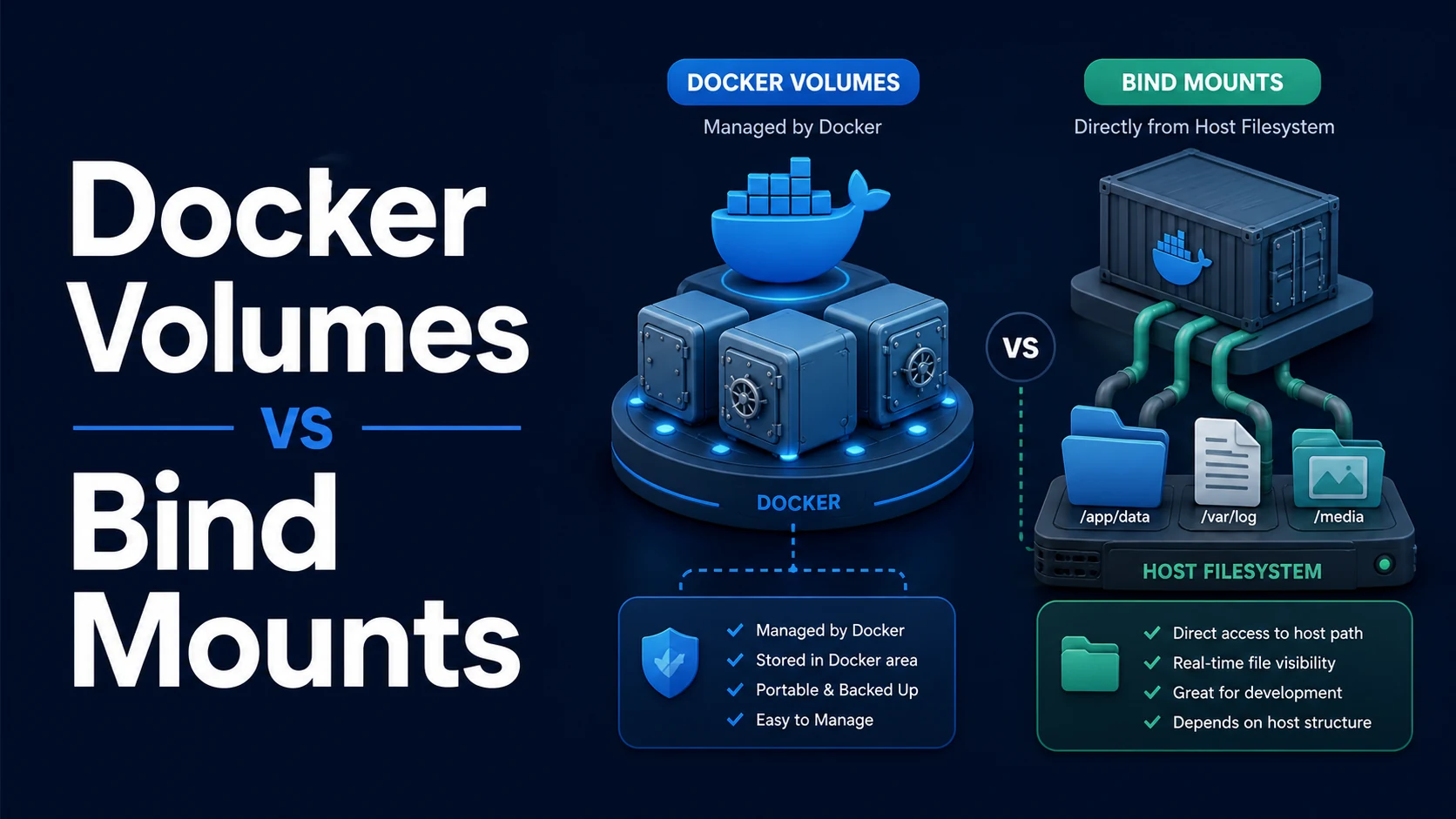
Quick Summary
A container's writable layer dies with the container. Anything that must survive belongs outside it: a volume (managed by Docker, stored under /var/lib/docker/volumes), a bind mount (a host path mounted directly), or tmpfs (memory only, gone on stop). Choose by ownership: volumes for data the application manages and Docker should back up, bind mounts for source code and config you edit on the host, tmpfs for scratch files and secrets you never want on disk.
The differences that bite are permissions and lifecycle. A bind mount carries the host's ownership into the container, so a process running as uid 1000 writing into a directory owned by root fails with EACCES. A volume is created empty and initialised from the image's directory contents, and deleting the container does not delete it — until someone runs docker compose down -v.
Basic syntax and query signatures
docker run -d --name db -v pgdata:/var/lib/postgresql/data postgres:17   # named volume
docker run --rm -v "$PWD/src:/app/src:ro" node:22 npm test              # bind mount, read-only
docker run --rm --tmpfs /tmp:size=64m,mode=1777 alpine sh # memory-backedservices:
db:
volumes:
- pgdata:/var/lib/postgresql/data
api:
volumes:
- ./src:/app/src:ro
- /app/node_modules # anonymous volume, masks the bind mount
- type: tmpfs
target: /app/tmp
tmpfs:
size: 65536000
volumes:
pgdata:-v and --mount express the same thing with different defaults. -v creates a missing host directory automatically (as root), while --mount type=bind fails if the source does not exist — which is the behaviour you want in production, because a typo becomes an error instead of an empty directory.
Key comparison table
| Storage | Lives on | Survives container removal | Survives down -v | Performance | Managed by |
|---|---|---|---|---|---|
| Named volume | /var/lib/docker/volumes | Yes | No | Native | Docker |
| Anonymous volume | Same, with a hash name | Not after --rm, orphaned otherwise | No | Native | Docker |
| Bind mount | Host path | Yes | Yes | Host filesystem speed | You |
| tmpfs | RAM | No | n/a | Fastest | Kernel |
| Container layer | Overlay filesystem | No | n/a | Slowest on writes | Container |
| Use case | Best choice | Why |
|---|---|---|
| Database data | Named volume | Docker manages it; consistent across hosts |
| Source code in development | Bind mount | Edits visible instantly |
node_modules in development | Anonymous volume over the bind | Keeps host and container binaries separate |
| Secrets at runtime | tmpfs | Never touches disk |
| Config files | Bind mount, :ro | Editable without rebuilding |
| Build cache | BuildKit cache mount | Not part of the image |
Practical edge cases and deep dives
1. Permission mismatch on bind mounts
# Host file owned by uid 1000; container process runs as uid 1000 — works
docker run --rm -v "$PWD/data:/data" alpine sh -c 'echo hi > /data/x'

# Container runs as root; the file lands on the host owned by root
docker run --rm -v "$PWD/data:/data" alpine sh -c 'echo hi > /data/rootfile'
The container's uid is a number on the host kernel, not a name. If the image runs as node (uid 1000) and the mounted host directory is owned by root with mode 755, the write fails. Three ways out, in order of preference:
services:
  api:
    user: "${UID:-1000}:${GID:-1000}"     # run as the host user
    volumes:
- ./data:/data# or: make the directory writable by the container's uid
sudo chown -R 1000:1000 ./data # or: chmod 0777 in a dev-only setupThe third option is a named volume, where Docker copies the image's directory ownership into the volume on first use and the mismatch disappears. The general rule: bind mounts are for files you own; volumes are for files the container owns.
On SELinux-enabled hosts (Fedora, RHEL), add the label flag: -v "$PWD/data:/data:z" relabels for shared access, :Z for exclusive. Without it the container gets Permission denied even with correct Unix permissions.
2. Volumes are initialised once, then never again
docker volume create appdata
docker run --rm -v appdata:/var/lib/postgresql/data postgres:17   # dir populated from image
# next run: the volume already has content, image contents are NOT copied again
Docker copies the image's contents into an empty named volume on first mount. That is why a database volume created against one image version keeps working after an upgrade — and why an entrypoint script that generates config into /data on first boot does not regenerate it later, because the file already exists. The behaviour is also why an anonymous volume over /app/node_modules works: the image's modules are copied in before the bind mount hides the directory.
Anonymous volumes accumulate. docker run with a bare container path creates one per run; removing the container without -v orphans it, and docker volume ls -qf dangling=true grows until someone prunes. Declaring the volume explicitly in Compose gives it a name you can find, back up, and delete on purpose.
3. tmpfs for secrets and scratch space
docker run --rm \
  --mount type=tmpfs,destination=/run/secrets,tmpfs-size=1048576 \
  --env-file /dev/null \
  myapp
A tmpfs mount is RAM-backed: nothing is written to the host disk, and everything disappears when the container stops. That makes it right for tokens written at startup and for a build's temporary files, and wrong for anything that must outlive the container — including anything the process expects to read after a restart. Size it explicitly (tmpfs-size); the default is half of host RAM, which one runaway log file can consume.
Secrets that only need to exist for a single command belong in a BuildKit secret mount during build, or an orchestrator's secret store at runtime, rather than in an environment variable — environment variables are visible in docker inspect and in /proc/<pid>/environ.
4. Bind mount performance is a host-OS question
On Linux, a bind mount is essentially the same filesystem, so the overhead is negligible. On macOS and Windows, the filesystem is virtualised (virtiofs or gRPC-FUSE on Docker Desktop), and thousands of small-file operations — exactly what npm install and file watchers do — become 10–50× slower. The standard mitigation is the anonymous volume over node_modules shown above: dependency files live in the VM's filesystem, source files stay bind-mounted.
services:
  web:
    volumes:
      - .:/app
      - /app/node_modules      # keep deps inside the VM
The same shape applies to .next, target, and __pycache__. An alternative is :cached/:delegated consistency flags, but they are legacy on modern Docker Desktop and hide rather than fix the difference.
5. Backing up and restoring a volume
# Archive
docker run --rm -v pgdata:/data:ro -v "$PWD/backup:/backup" alpine \
  tar czf /backup/pgdata-$(date +%F).tar.gz -C /data .

# Restore into a fresh volume
docker run --rm -v pgdata-new:/data -v "$PWD/backup:/backup" alpine \
  sh -c 'tar xzf /backup/pgdata-2026-11-13.tar.gz -C /data'
docker cp cannot reach a volume directly, so the helper-container pattern is the portable way. For a database, stop the container (or use pg_dump) first — tarring a live Postgres data directory produces a corrupt backup that only fails at restore time, which is the worst moment to find out. docker volume inspect pgdata gives the host path, and copying from there works on a Linux host but not on Docker Desktop, where the volume lives inside the VM.
Common mistakes and runtime errors
| Error or symptom | Cause | Fix |
|---|---|---|
Permission denied writing to a bind mount | Host ownership vs container uid | Run as the host uid, chown, or use a volume |
Permission denied with correct chmod on RHEL | SELinux label missing | Add :z or :Z |
invalid mount config for type "bind": source path does not exist | --mount does not create the path | Create it, or use -v deliberately |
| Empty directory appears on the host | -v created a missing host path as root | Pre-create with correct ownership; prefer --mount |
Data gone after docker compose down -v | -v removes named volumes | Use down without -v |
| Disk fills with anonymous volumes | docker run -v /path without --rm -v | docker volume prune, declare named volumes |
| Config change has no effect | Bind mount hides the image's file | Edit the host file, or stop mounting over it |
cannot mount volume over existing file, file exists | Mounting a directory onto a file path | Mount the directory, or the file's parent |
Very slow npm install on macOS | Bind mount through the VM | Anonymous volume over node_modules |
| Restored volume starts with errors | Backup taken from a running database | Stop the service or use a logical dump |
The design rule that keeps all of this simple: the container owns its data in a volume, the developer owns the source on the host, and nothing else is mounted. Every mount outside those two categories is either a secret that should be a secret store, or a workaround that will need explaining in six months.
Try matching browser tools
All toolsSmall utilities that fit Docker work — they run entirely in this browser tab, so nothing you paste leaves your device.
Related Docker guides
All Docker guidesDocker Inspect: Go Templates, Format Flags, and JSON Filtering
The fields worth knowing, the array-versus-object trap, and why <no value> silently passes your monitoring check instead of failing it.
Docker Restart Policies: no, on-failure, always, and unless-stopped
What each policy really restarts, why on-failure ignores a clean exit, how backoff hides crash loops, and why health checks never trigger a restart.
Docker Compose Profiles: Multi-Environment Configs and Overrides
Profiles select which services exist; override files change how they run. How the two fit together, and why ports concatenate instead of replacing.
Docker COPY vs ADD: Build Context, .dockerignore, and Cache Busting
ADD adds tar extraction and URLs nobody wants; COPY is the predictable choice. How the build context is packed, and how copy order decides rebuild time.
More in Docker
All Docker guidesThe guides filed next to this one in Docker, in library order.