Dockerfile Syntax: FROM, RUN, CMD vs ENTRYPOINT, and Best Practices
What each instruction creates, why shell-form CMD costs you ten seconds on every stop, and how layer caching and COPY ordering decide build time.
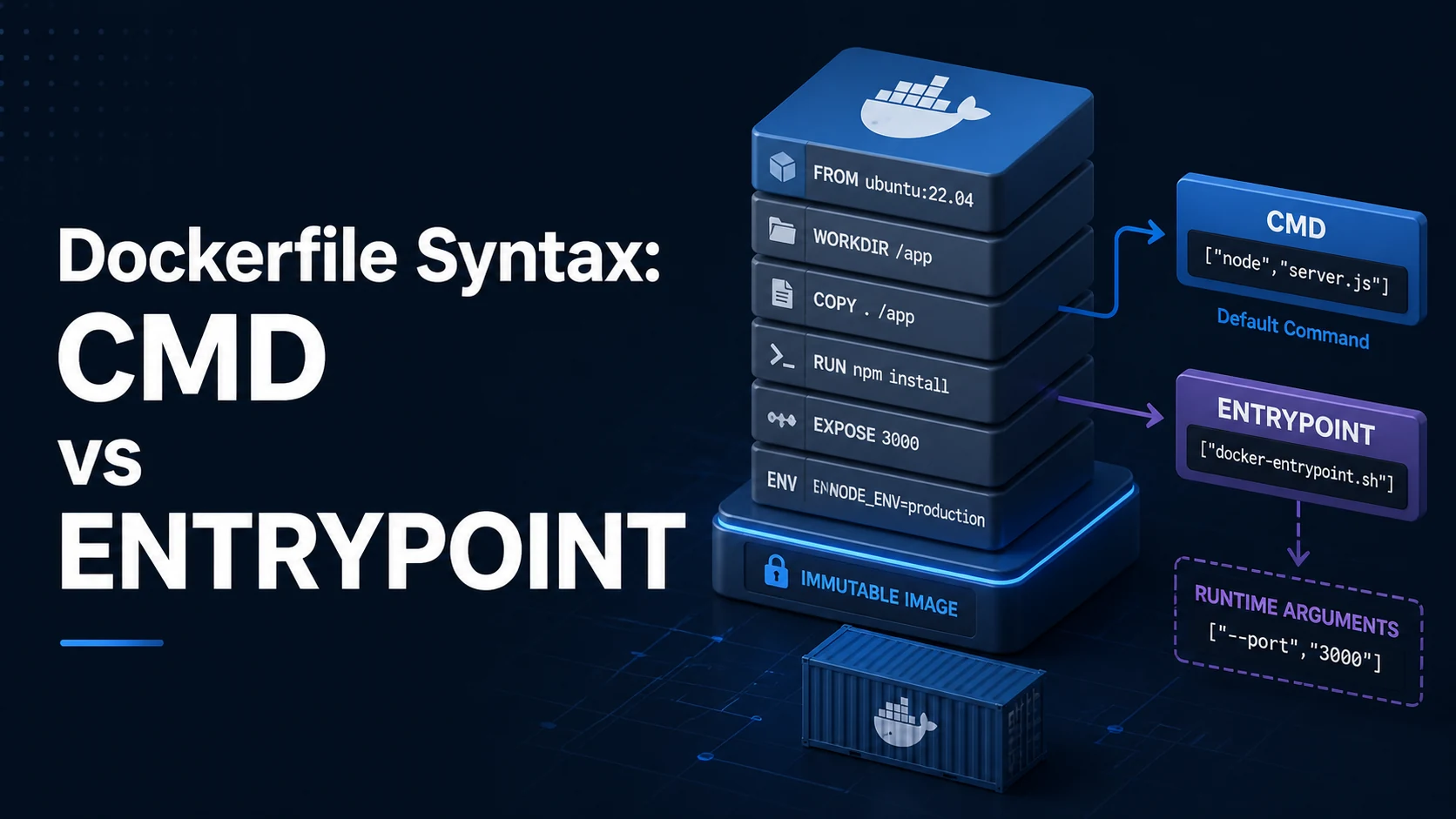
Quick Summary
A Dockerfile is a list of instructions that build an image one layer at a time. Each RUN, COPY, and ADD creates a layer; FROM, ENV, WORKDIR, USER, EXPOSE, CMD, and ENTRYPOINT change metadata or the starting state of later layers. Everything you need to know about build speed is that layers are cached by their inputs, and everything you need to know about runtime behaviour is that the last CMD/ENTRYPOINT decides what the container runs.
CMD provides a default command that docker run <image> <args> replaces. ENTRYPOINT is the executable and is not replaced — arguments are appended to it. Use both: ENTRYPOINT for the program, CMD for its default arguments. Use the exec (JSON) form for both, unless you specifically need shell expansion.
Basic syntax and query signatures
# syntax=docker/dockerfile:1
FROM node:22-alpine AS build
WORKDIR /app
COPY package.json package-lock.json ./
RUN npm ci
COPY . .
RUN npm run build
FROM node:22-alpine
WORKDIR /app
ENV NODE_ENV=production
COPY /app/dist ./dist
COPY /app/node_modules ./node_modules
USER node
EXPOSE 3000
HEALTHCHECK CMD wget -qO- http://127.0.0.1:3000/health || exit 1
ENTRYPOINT ["node", "dist/server.js"]
CMD ["--port", "3000"]The instruction set that matters day to day: FROM (base image, AS name for a stage), RUN (build-time command), COPY (files from the build context), ADD (same plus URL and tar extraction), WORKDIR, ENV, ARG, USER, EXPOSE, VOLUME, HEALTHCHECK, SHELL, STOPSIGNAL, ENTRYPOINT, CMD. Only the last CMD and ENTRYPOINT in a stage take effect.
Both instructions accept two forms. Shell form runs through /bin/sh -c, so pipes, &&, and variable expansion work but the process runs as a child of the shell. Exec form runs the binary directly, gets SIGTERM properly, and performs no variable expansion — CMD ["echo", "$HOME"] prints the literal $HOME.
Key comparison table
| Instruction | Build-time or runtime | Overridden by docker run | Layer created |
|---|---|---|---|
RUN | Build-time | No | Yes |
COPY / ADD | Build-time | No | Yes |
ENV | Both (build + runtime) | docker run -e at runtime | Metadata |
ARG | Build-time only | --build-arg | Metadata (not in final env) |
CMD | Runtime default | Yes — everything after the image name | Metadata |
ENTRYPOINT | Runtime | Only with --entrypoint | Metadata |
WORKDIR | Both | -w | Metadata |
USER | Runtime | --user | Metadata |
| Pair | Difference |
|---|---|
CMD vs ENTRYPOINT | CMD is a default that gets replaced; ENTRYPOINT is the executable that receives args |
COPY vs ADD | COPY copies files; ADD also fetches URLs and extracts tarballs (avoid it) |
ARG vs ENV | ARG exists only during build and is visible in image history; ENV persists at runtime |
| Shell vs exec form | Shell runs under /bin/sh -c; exec runs PID 1 directly and receives signals |
Practical edge cases and deep dives
1. PID 1, signals, and the 10-second docker stop
# Shell form: node is a child of sh, so SIGTERM goes to sh and is ignored
CMD node server.js

# Exec form: node is PID 1 and receives SIGTERM
CMD ["node", "server.js"]
With the shell form, docker stop sends SIGTERM to /bin/sh, which does not forward it, so the container waits out the full 10-second grace period and then gets SIGKILL. The application never runs its shutdown hook: in-flight requests are dropped, database connections are not closed cleanly, and queue messages are redelivered. Use the exec form, or exec "$@" at the end of an entrypoint script so the shell replaces itself with the process.
If the process genuinely cannot handle signals, add a tiny init: docker run --init or ENTRYPOINT ["tini", "--"] reaps zombies and forwards signals.
2. Layer caching and COPY . .
# Bad: any source change reinstalls every dependency
COPY . .
RUN npm ci

# Good: dependency install cached until the lockfile changes
COPY package.json package-lock.json ./
RUN npm ci
COPY . .
The cache key for a layer includes the instruction and the checksum of the files it copies. COPY . . invalidates on any source edit, so the npm ci after it re-runs every time. Ordering the instructions from least to most frequently changed is the whole optimisation.
Two smaller things follow from the same rule. A .dockerignore that excludes node_modules, .git, dist, and test fixtures shrinks the build context — a 1 GB context is sent to the daemon before the first instruction runs. And cleaning up in the same RUN is mandatory, because a later RUN rm -rf only hides files in a new layer:
RUN apt-get update \
 && apt-get install -y --no-install-recommends curl \
 && rm -rf /var/lib/apt/lists/*
The lists are still in the earlier layer's bytes either way; only installing with --no-install-recommends and deleting within the same instruction keeps the image small.
3. ENTRYPOINT plus CMD as default arguments
ENTRYPOINT ["/usr/local/bin/app"]
CMD ["serve", "--port", "8080"]
docker run myimage executes app serve --port 8080. docker run myimage migrate executes app migrate — the CMD is replaced entirely, not merged. That is the intended design: the entrypoint is the tool, the command is the mode. Combining a shell-form entrypoint with a command list silently loses the arguments, because /bin/sh -c takes only the first string.
An entrypoint script should end with exec "$@":
#!/bin/sh
set -e
if [ "${RUN_MIGRATIONS:-0}" = "1" ]; then
  ./migrate
fi
exec "$@"
Without exec, the signal problem from the first section returns: the script stays PID 1 and the real application becomes its child.
4. ARG leaks into image metadata
ARG NPM_TOKEN
RUN echo "//registry.npmjs.org/:_authToken=${NPM_TOKEN}" > .npmrc \
 && npm ci \
 && rm .npmrc
The .npmrc file is gone, but the instruction string is stored in the image history, and docker history --no-trunc shows the token. Build secrets belong in a secret mount, not an ARG:
# syntax=docker/dockerfile:1.4
RUN \
NPM_TOKEN=$(cat /run/secrets/npm_token) npm cidocker build --secret id=npm_token,src=~/.npmrc keeps the value out of both layers and history. The same rule applies to any credential you might be tempted to bake in "just for the build".
5. Non-root users and file ownership
RUN addgroup -S app && adduser -S -G app app
WORKDIR /app
COPY . .
USER appCOPY writes as root by default, so a non-root USER cannot write to the app directory — a log directory or cache path then fails at runtime with EACCES on the first write, long after the build looked fine. --chown (and --chmod) fixes ownership at copy time instead of a later RUN chown -R, which would add a full copy of the files to the image.
Running as root inside the container is not "safe because it is a container": a mounted socket (/var/run/docker.sock), a bind-mounted host path, or a kernel vulnerability turns root-in-container into root-on-host.
Common mistakes and runtime errors
| Error or symptom | Cause | Fix |
|---|---|---|
standard_init_linux.go: exec user process caused: no such file or directory | CRLF line endings in the entrypoint script, or wrong interpreter | Convert to LF (dos2unix), check the shebang |
exec format error | Image built for another CPU architecture | Build with --platform, use buildx |
/bin/sh: 1: node: not found | Binary not on PATH, or installed in a different stage | Install in the runtime stage, or copy the binary |
docker: Error response from daemon: … no such file or directory | CMD path missing in the final image | Check the final stage's filesystem |
| Container exits immediately with code 0 | CMD is a daemon command or exits after doing nothing | Run in the foreground; keep the process alive |
docker stop always takes 10 seconds | Shell-form CMD; process does not receive SIGTERM | Exec form, or exec "$@" in the entrypoint |
permission denied writing at startup | Files owned by root, container runs as non-root | COPY --chown, RUN chown |
| Build re-downloads everything on every change | COPY . . before the dependency install | Copy the lockfile first |
COPY failed: file not found in build context | Path excluded by .dockerignore | Fix the pattern; there is no .. outside the context |
Cannot connect to the Docker daemon | Not running, or no socket permission | Start the daemon; add the user to the docker group |
The last habit worth forming: after a build, run docker history <image> and look at the layer sizes. Anything unexpected — a 400 MB layer, a RUN that only deletes files — tells you exactly where to split the instruction, and it is visible in seconds rather than after the registry bill.
Try matching browser tools
All toolsSmall utilities that fit Docker work — they run entirely in this browser tab, so nothing you paste leaves your device.
Related Docker guides
All Docker guidesDocker Inspect: Go Templates, Format Flags, and JSON Filtering
The fields worth knowing, the array-versus-object trap, and why <no value> silently passes your monitoring check instead of failing it.
Docker Restart Policies: no, on-failure, always, and unless-stopped
What each policy really restarts, why on-failure ignores a clean exit, how backoff hides crash loops, and why health checks never trigger a restart.
Docker Compose Profiles: Multi-Environment Configs and Overrides
Profiles select which services exist; override files change how they run. How the two fit together, and why ports concatenate instead of replacing.
Docker COPY vs ADD: Build Context, .dockerignore, and Cache Busting
ADD adds tar extraction and URLs nobody wants; COPY is the predictable choice. How the build context is packed, and how copy order decides rebuild time.
More in Docker
All Docker guidesThe guides filed next to this one in Docker, in library order.